Participant
February 9, 2021
Answered

Unsupported video driver error

  • February 9, 2021
  • 33 replies
  • 139444 views

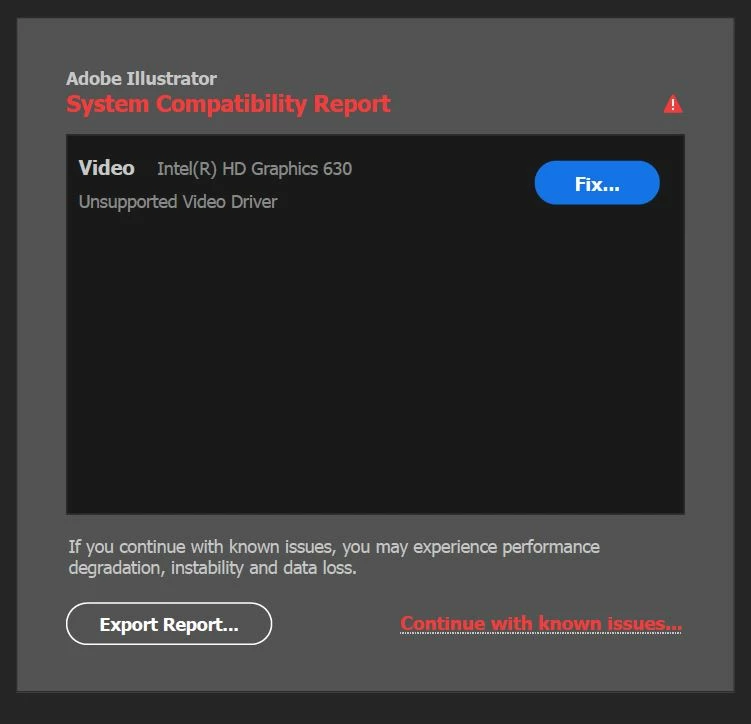
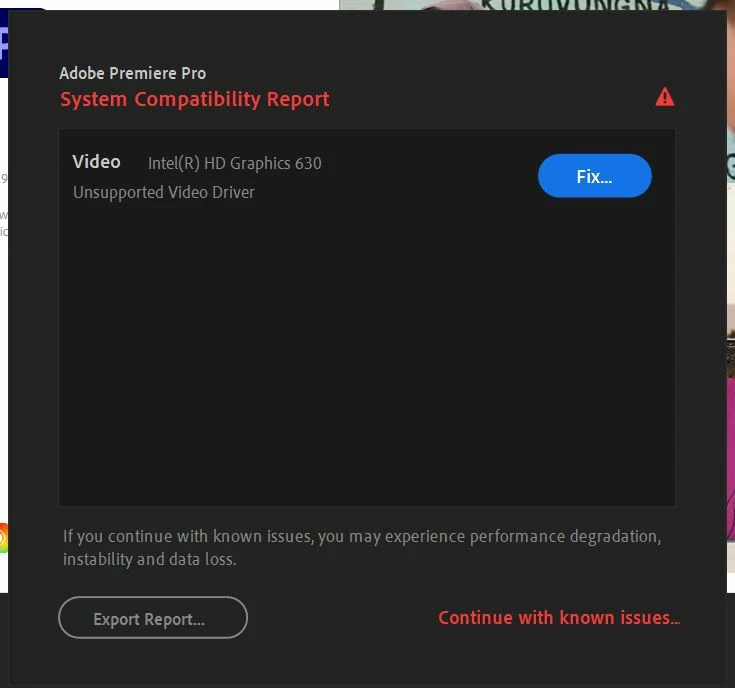
All of my drivers are up to date, but I still get the folowing error when starting Adobe Illustrator/ Premiere/ AE/ etc.


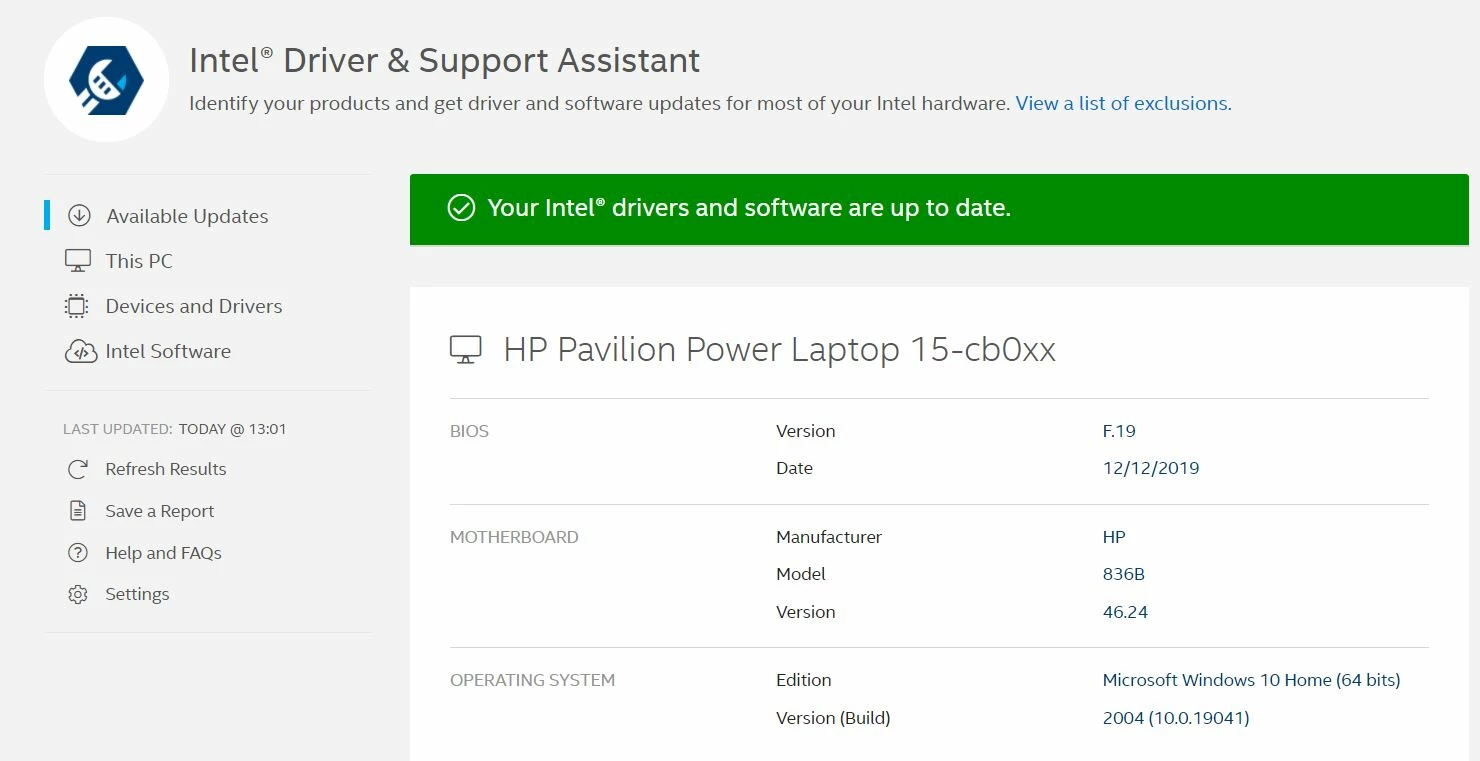
When I click fix, I'm advised to update my drivers, but like I said all of my drivers are updated to the latest version:


Please help


PS I also have Gforce 1050 graphics card, which also runs the latest drivers.

Correct answer Ashutosh_Mishra

Hi there,


Thank you for reaching out.
If you're getting this error with Nvidia graphics card. Please check out the latest version of the driver on https://www.nvidia.com/Download/index.aspx?lang=en-us & see if you have any new version available.

If you do not see any update released within a year, then NVIDIA probably has discontinued releasing updates to your driver which is a bit old and either you can update the card or switch off this reporting via preferences.
Edit > preferences > General > Show system compatibility check.


Similarly, people getting Intel driver notification should check the updates on https://downloadcenter.intel.com/product/80939/Graphics


If you find that that driver is latest, but Illustrator is still showing it as incompatible, then most probably it is an old graphic card. You can continue to use your old card as you have been using earlier. Suppress the check via preferences as mentioned above. But it is recommended to work on a later graphics card.


Hope it helps.


Regards,

Ashutosh

33 replies

Participant
March 3, 2021

Hello,


Illustrator was working on my computer a couple of days ago, and now it is saying that I have an unsupported video driver, Intel (R) Iris (R) Graphics 540


I'm trying to figure out how to fix this, but I don't know how.  What to do to fix this problem?

Mylenium
Legend
March 3, 2021

You do what the warning implies: Update your system's graphics driver and check its settings.


Mylenium

Participant
March 3, 2021

Apparently, you didn't see where I said I was trying to fix it, but it was confusing.  Thanks for your response though.  It was greatly appreciated. 🙄

Participating Frequently
March 1, 2021

Hi all,

I'm really hoping someone can help me with this as I am currently completely unable to use Illustrator and can't seem to be able to contact customer support.

After launching illustrator, this window comes up:


and the Illustrator window will not appear.

The only solution I've been able to find - after clicking the fix button - is to update the video driver settings in Illustrator, however,

as I mentioned I am unable to actually launch Illustrator so cannot update the settings from within the program!

I've tried restarting the Creative Cloud app, and also tried to restart my computer.. to no avail. I also tried to unistall the app and then reinstall, but am not able to do this due to a window that mentions unsaved/backed up changes. So I am quite stuck.

It seems I can't contact anyone from support as this button is dead


If you've experienced this before and found a fix, or you have any suggestions, please let me know, I would really appreciate it. 🙂


Lauren


Doug A Roberts
Community Expert
Community Expert
March 1, 2021

There should be a button at the bottom of the compatibility report window titled 'Continue with known issues' or similar. Click it to disregard the message and launch Illustrator.


There should also be a button to export a text file of the compatibility report, which will contain details of your graphics card and the driver version that Illustrator thinks you should have.

Participating Frequently
March 1, 2021

Hi Doug,

Thanks for your reply.

I can't see a button at the bottom. 

Not possible to scroll within the report window at all or zoom out.

Participant
February 28, 2021

Hi all,

I am a new user here. Today I bought illustrator and installed it, however, an error message showing incompatibility with video driver appeared. I followed the link to the website and updated my NVIDIA driver to the latest, but it did not resolve the issue. Can anyone please help me on this? 


Attached is the report. Thank you so much.

S_Gans
Community Expert
Community Expert
March 1, 2021

You may have to look here and see if your Video card meets Illustrator's requirements. It got pretty stringent this past year:
https://helpx.adobe.com/lt/illustrator/system-requirements/2021.html

Adobe Community Expert / Adobe Certified Instructor
Participant
March 1, 2021

Thanks a lot! 

I checked my video driver, it is Intel HD Graphics 630 and it's not on the supported list. May I ask if you have any suggestions on using the software with this driver? Is it going to impact the quality a lot? (Currently I have no plans to buy another laptop) or shall I use an older version of illustrator (if that's possible)?

Participant
February 27, 2021

This just started happening to me this month as well. All of my software and drivers are up to date also but I'm receiving the exact same error message. I will turn off the notifications under the preferences, but as you said not sure how that will fix the problem. The message even says "if you continue with the known issues, you could experience performance degradation, instability, and data loss." Hope this gets a better solution... Best of luck to you!

sanjaykr
Adobe Employee
Adobe Employee
February 27, 2021

Hi @default7a8yckat52jy 


Can you please attach the system compatibility report. You can get this by clicking "Export Report..." button in the System compatibility report dialog.


Sanjay.

Participant
March 1, 2021

I am getting the same error. It just started recently. I have Graphics 4400. I am attaching a System Compatibility Report. Any help will be appreciated.

Thank You.

Susan

lou&bluecrow
Participant
February 27, 2021

Hello I am re-installing AI on my HP laptop and getting an error message about my Intel 520 graphics card which is totally up to date. 


AI works on my back up Lenovo but my HP is actually the better of the two laptops. What is the issue? 


Thanks in advance, Pia 

marliton
Community Expert
Community Expert
February 27, 2021

Hi. Go to Help > System compatibility report and share here the result. That should give us an idea of the issue.

Also, you can try to disable "GPU performance" in Preferences > Performance.


Marlon Ceballos
lou&bluecrow
Participant
February 27, 2021

Yes I understand but the program freezes when it opens. I can't even close AI it stays open on the error message and I have to restart my computer. 


I do appreciate your answer. Thanks for your time!

Participant
February 24, 2021

Recently purchased a new PC and went to start Illustrator and this came up.


I attached the exported System Compatibility Report. Is it safe to continue with the issue or is there any way to fix this?

lambiloon
Community Expert
Community Expert
February 24, 2021

Hi, this is safe you can run illustrator this is maybe because your card is old according to the production date for new version of illustrator ... regards

Ali Sajjad / Graphic Design Trainer / Freelancer / Adobe Certified Professional
Participant
February 25, 2021

Okay, thanks for the help.

Participating Frequently
February 23, 2021

Hi there,

After the last Illustrator update (Version 25.2) i started having this System Compatability Report which says my laptop has an unsupported gpu and showing Intel graphics(which is actually my cpu graphics) 

In fact i have GTX 860M dedicated gpu. And it is up to date. 

My laptop has cpu Intel i7-4710MQ 2.50 Ghz, 8gb ram, 2 tb ssd, and it is Windows 10 Pro.

Ai. is way slower and buggy then it was before!

I have inserted a ss and attached the report text.

I hope someone can help me out about this!!


italosan
Community Expert
Community Expert
February 23, 2021

Hi, have you checked if there are any driver updates available for your graphics card?

Participating Frequently
February 23, 2021

yes, i have. It is up to date. Just re installed the latest driver 1 hour ago.

Participant
February 21, 2021

I am getting the same error message, but it just started after Illustrator updated. I haven't changed anything on my computer. I have checked the drivers and they all say they are up to date. I don't know what to do. I use Illustrator every day for my business.

sanjaykr
Adobe Employee
Adobe Employee
February 21, 2021

Hi @sarahruthtoday 


We have started detecting old driver/graphic card with 24.2 update to tell users that these old drivers/cards can be problematic with Illustrator.


Can you please attach the "System Compatibility Report" file here? You can get this file by clicking on the "Export Report..." button in the System Compatibility Report dialog. 


Sanjay.

Participant
February 22, 2021
Zachary Mettler
Participant
February 20, 2021

I am receiving a similar message now since updating my computer and illustrator. Attached is my System Compatability Report. I have an NVIDIA GeForce MX 150 version 451.67


Thank you for any help or insight you can offer Adobe support staff

sanjaykr
Adobe Employee
Adobe Employee
February 21, 2021

Hi @Zachary Mettler ,


I see that the latest driver for your card is available at https://www.nvidia.com/Download/driverResults.aspx/170799/en-us it is 461.40. Can you please update and let us know if it fixed the issue.


Sanjay.

Zachary Mettler
Participant
March 2, 2021

Thank you for the insight and assistance Sanjay. Yes, after updating my driver card it seems to work. When I started up illustrator after updating I on longer received the warning. Thank you

Known Participant
February 20, 2021

I have the same issue (but with NVIDIA Geforce - not in the driver list when I follow the link) - I can turn off the error notification but I assume there will still be incompatibility.

I have just purchased a new laptop, specifically designed for use with high GPU demands, I would not be expecting to have to buy a new system now so this is all very worrying!

Will keep an eye on developments

sanjaykr
Adobe Employee
Adobe Employee
February 20, 2021

Hi @Etcho ,


Can you please attach the "System Compatibility Report" file here. You can get this file by clicking on the "Export Report..." button in the System Compatibility Report dialog. 


Sanjay.

Known Participant
February 21, 2021

Hi Sanjay, thank you for your reply. Despite my GPU not being in Adobe's list (and the driver showing that it didn't require an update) - I went directly to the NVIDIA website and found that there was a more up to date driver. Since installing this I'm not getting the error message.

Thanks