Participant
February 9, 2021
Answered

Unsupported video driver error

  • February 9, 2021
  • 33 replies
  • 139446 views

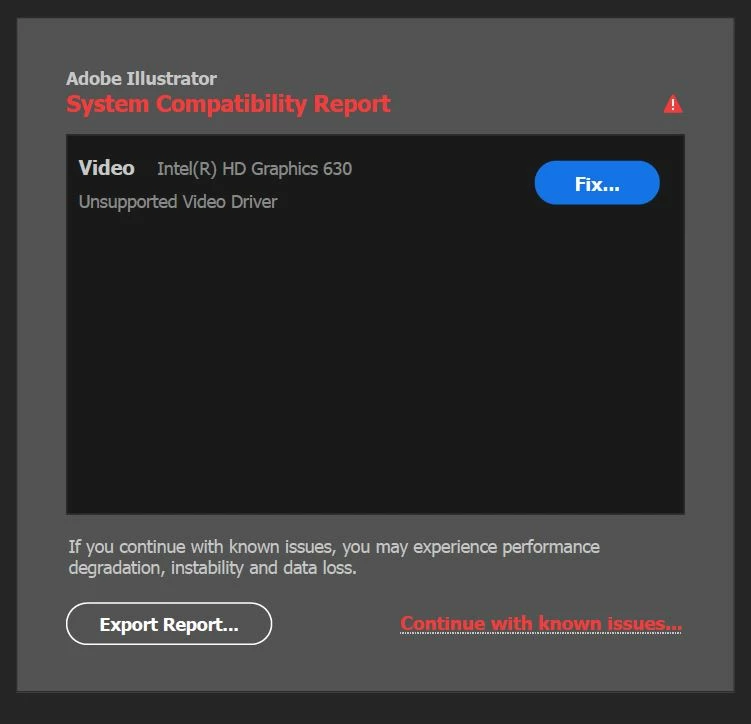
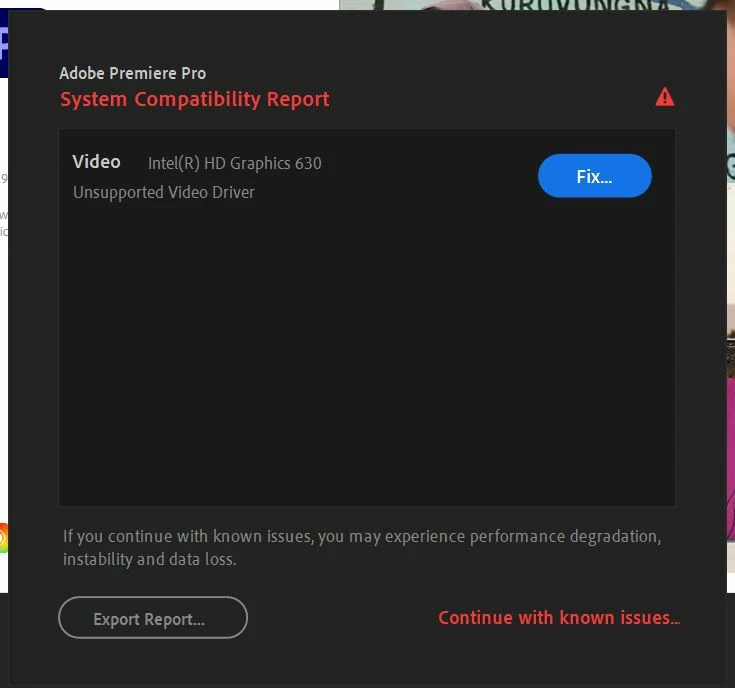
All of my drivers are up to date, but I still get the folowing error when starting Adobe Illustrator/ Premiere/ AE/ etc.


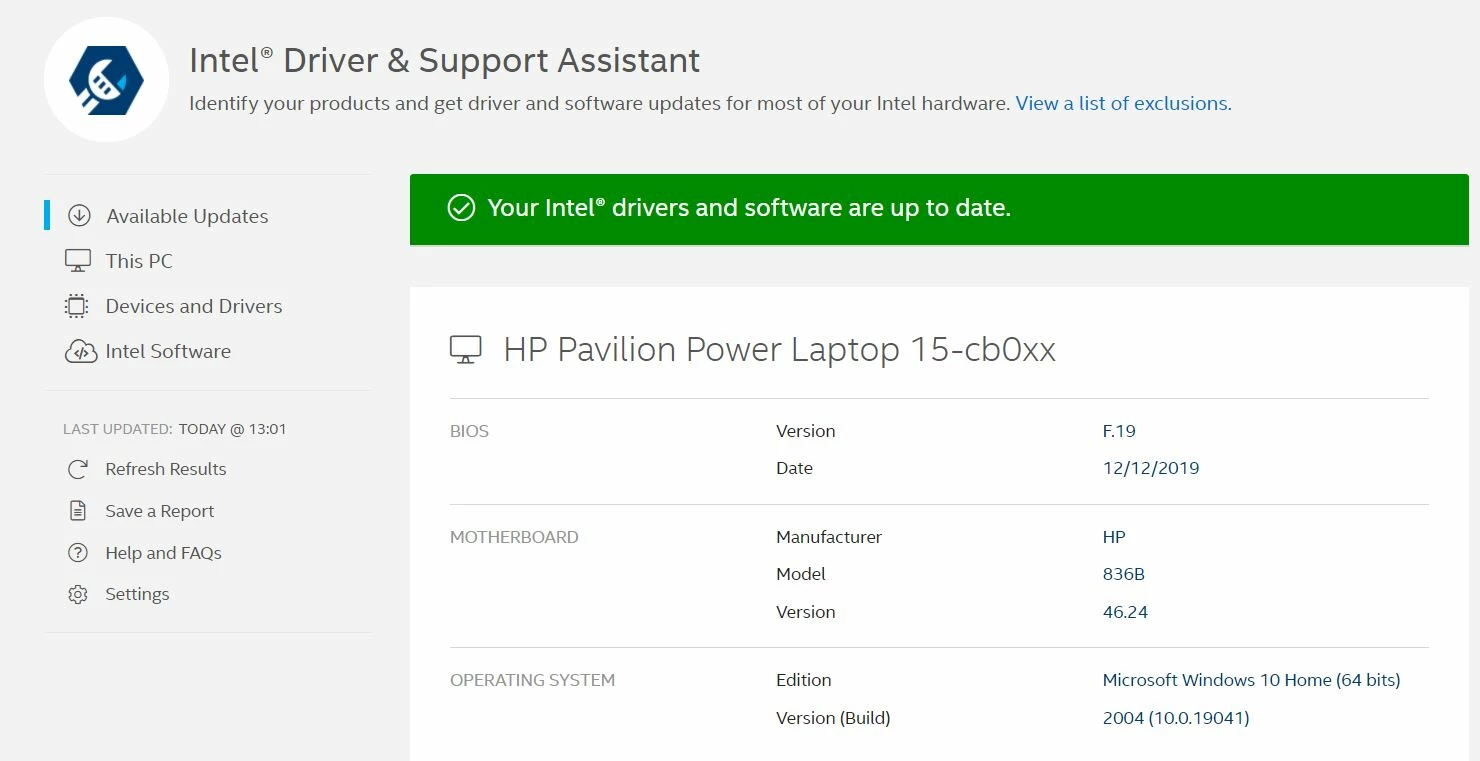
When I click fix, I'm advised to update my drivers, but like I said all of my drivers are updated to the latest version:


Please help


PS I also have Gforce 1050 graphics card, which also runs the latest drivers.

Correct answer Ashutosh_Mishra

Hi there,


Thank you for reaching out.
If you're getting this error with Nvidia graphics card. Please check out the latest version of the driver on https://www.nvidia.com/Download/index.aspx?lang=en-us & see if you have any new version available.

If you do not see any update released within a year, then NVIDIA probably has discontinued releasing updates to your driver which is a bit old and either you can update the card or switch off this reporting via preferences.
Edit > preferences > General > Show system compatibility check.


Similarly, people getting Intel driver notification should check the updates on https://downloadcenter.intel.com/product/80939/Graphics


If you find that that driver is latest, but Illustrator is still showing it as incompatible, then most probably it is an old graphic card. You can continue to use your old card as you have been using earlier. Suppress the check via preferences as mentioned above. But it is recommended to work on a later graphics card.


Hope it helps.


Regards,

Ashutosh

33 replies

Participating Frequently
February 19, 2021

Hello everyone! 


I have an Acer Aspire A515 laptop that I have been using Illustrator on for more than a year now. There were no issues all year long, until the recent week where I would get a pop-up during launch where the error message states that I have an unsupported video driver.


I tried to use the Intel driver and support assistant to check for any needed updates but there were none related to graphics. I am not a very techy person so I would greatly appreciate if anyone can shed some light on this issue. I can launch Photoshop just fine without this error popup. Does this means that I need a better graphics system (new laptop) to run Illustrator from now on? Thanks a lot in advance! Any help is appreciated. 

Participating Frequently
February 20, 2021

I have attached my System Compability report below if it is useful for diagnositcs. Thanks!

____________________________________________________________________________

System Components:

Operating System Windows v.10.0.19041.1
----------------------------------------------------------------------------
No conflicts to report.

Video Intel(R) HD Graphics 620 v.22.20.16.4815
----------------------------------------------------------------------------
1. The current version of your Intel display driver may cause performance and stability issues. It is strongly recommended that you update to driver version 100.8476 or later. Drivers are provided by Intel or your computer's manufacturer.
URL: https://helpx.adobe.com/illustrator/kb/illustrator-gpu-performance-driver-update.html

Video NVIDIA GeForce 940MX v.23.21.13.8873
----------------------------------------------------------------------------
1. NVIDIA has identified a bug which causes random crashes in your Adobe application and has provided a fix in driver version 451.77. This driver update is strongly recommended.
URL: https://helpx.adobe.com/illustrator/kb/illustrator-gpu-performance-driver-update.html

Audio Intel(R) Display Audio v.10.23.0.567
----------------------------------------------------------------------------
No conflicts to report.

Audio NVIDIA Virtual Audio Device (Wave Extensible) (WDM) v.3.70.2.0
----------------------------------------------------------------------------
No conflicts to report.

Audio Realtek High Definition Audio(SST) v.6.0.8907.1
----------------------------------------------------------------------------
No conflicts to report.

Audio Sound Drum Hands-Free AG Audio v.10.0.19041.1
----------------------------------------------------------------------------
No conflicts to report.

Audio Sound Drum Stereo v.10.0.19041.1
----------------------------------------------------------------------------
No conflicts to report.

Network Bluetooth Device (Personal Area Network) v.10.0.19041.1
----------------------------------------------------------------------------
No conflicts to report.

Network Microsoft Kernel Debug Network Adapter v.10.0.19041.1
----------------------------------------------------------------------------
No conflicts to report.

Network Microsoft Wi-Fi Direct Virtual Adapter v.10.0.19041.1
----------------------------------------------------------------------------
No conflicts to report.

Network Microsoft Wi-Fi Direct Virtual Adapter #2 v.10.0.19041.1
----------------------------------------------------------------------------
No conflicts to report.

Network Qualcomm Atheros QCA9377 Wireless Network Adapter v.12.0.0.722
----------------------------------------------------------------------------
No conflicts to report.

Network Realtek PCIe GBE Family Controller v.10.16.323.2017
----------------------------------------------------------------------------
No conflicts to report.

Network WAN Miniport (IKEv2) v.10.0.19041.1
----------------------------------------------------------------------------
No conflicts to report.

Network WAN Miniport (IP) v.10.0.19041.1
----------------------------------------------------------------------------
No conflicts to report.

Network WAN Miniport (IPv6) v.10.0.19041.1
----------------------------------------------------------------------------
No conflicts to report.

Network WAN Miniport (L2TP) v.10.0.19041.1
----------------------------------------------------------------------------
No conflicts to report.

Network WAN Miniport (Network Monitor) v.10.0.19041.1
----------------------------------------------------------------------------
No conflicts to report.

Network WAN Miniport (PPPOE) v.10.0.19041.1
----------------------------------------------------------------------------
No conflicts to report.

Network WAN Miniport (PPTP) v.10.0.19041.1
----------------------------------------------------------------------------
No conflicts to report.

Network WAN Miniport (SSTP) v.10.0.19041.1
----------------------------------------------------------------------------
No conflicts to report.


____________________________________________________________________________

Debug database settings:
assert.enabled: Current: true Default:

February 16, 2021

Hi,


I need help with an issue I have with my Illustrator. I just recently upgraded to Windows 10 version 20H2, and now when I open Illustrator, it says "Unsupported Video Driver NVIDIA GeForce GTX 1050". I have followed the fix provided, but unable to find an upgrade or download for my particular driver and even when I downloaded 'NVIDIA GeForce drivers version 361.91', it says it is not compatible with my laptop. Not really sure what to do. I would appreciate any help. Below are my laptop specs:


Microsoft Surface Book 2

Intel(R) Core(TM) i7-8650U CPU @ 1.90GHz 2.11 GHz

16GB RAM

Windows 10 Pro (64-bit) version 20H2

Intel UHD Graphics 620 version 26.20.100.7639

NVIDIA GeForce GTX 1050 version 27.21.14.5167

Monika Gause
Community Expert
Community Expert
February 16, 2021

I can't find that card on the list of supported cards: https://helpx.adobe.com/illustrator/system-requirements.html

February 16, 2021

I am aware, but also confused because it was working perfectly a few weeks ago.

Participant
February 15, 2021

KShinabery212
Community Expert
Community Expert
February 15, 2021

When I get messages like this I go to my PC settings and look first to see if there are any updates for Windows.  When there is, I update my computer and then the Adobe product runs fine.


Try that and let me know.

Let's connect on LinkedIn. https://www.linkedin.com/in/kshinabery/
Participant
February 15, 2021

When I open the illustrator program, I will see a warning window like the picture above.

What should I do to solve it?

Ton Frederiks
Community Expert
Community Expert
February 15, 2021
February 15, 2021

I am working on a illustrator 2021, on a lenovo yoga laptop windows 10.  Suddenly I opened Illustrator to work on an existing file and I got the message: system compatibility Report Intel HD Graphics 620 unsupported video driver.  I have repeatedly gotten the up to date driver and uninstalled and reinstalled illustrator....but still the error comes up and I have to contro alt delete to shut it down.


help!


Meg

Ashutosh_Mishra
Inspiring
February 18, 2021

Hi there,


Sorry to hear about this. We have launched this new feature which checks the compatibility of your machine. If even after updating your drivers you're getting this system compatibility report. Please turn this off by unchecking "Show system compatibility issues at startup" under Preferences > General.

I am also attaching a screenshot for your reference:


Hope it helps.


Additionally, we'd request you to upvote & add your comment on this Illustrator UserVoice post(https://illustrator.uservoice.com/forums/601447-illustrator-desktop-bugs/suggestions/42662191-system...)and stay tuned for the updates.


Regards,

Ashutosh

February 18, 2021

Thank you for getting back to me but I am unable to select the preferences as you recommend because the program it is totally locked...frozen.  I have to hit control alt delete to close Illustrator.  Is there another way to get around this...I am dead in the preverbial digital sea!  Thanks Meg

Participant
February 13, 2021

I got this message when I open up Adobe Illustrator:


When I press fix it took me to this webpage  Illustrator GPU performance | Driver updates (adobe.com)

I follow instruction and updated the Intel Grpahics 5500 and NVIDIA GeForce

But still get that error.

Here are the updated specs:

What should I do?

Ashutosh_Mishra
Inspiring
February 18, 2021

Hi there,


Sorry to hear about this. We have launched this new feature which checks the compatibility of your machine. If even after updating your drivers you're getting this system compatibility report. Please turn this off by unchecking "Show system compatibility issues at startup" under Preferences > General.

I am also attaching a screenshot for your reference:


Hope it helps.


Additionally, we'd request you to upvote & add your comment on this Illustrator UserVoice post(https://illustrator.uservoice.com/forums/601447-illustrator-desktop-bugs/suggestions/42662191-system...)and stay tuned for the updates.


Regards,

Ashutosh

Legend
February 18, 2021

It is a useful feature, but what is the customer supposed to do when they get the message? Do Adobe give a list anywhere of the affected drivers, and the ones which are recommended instead? 


I think turning off the message is not really a solution, since the message is presumably saying "You can expect Illustrator to crash!"

Pani-
Participating Frequently
February 13, 2021

Hi,


I havce run through the fix intructions for the my device specidications, however, after installing the "64-bit: https://www.nvidia.com/download/driverResults.aspx/98556/en-us" I've been unsuscesfull and still receive the message, how could I fix this problem as it has become an inconvinience for my work space, or what departmetn I could contact which could walk me trhough the troubleshooting. 


Thank you!

Participant
February 13, 2021

Same here 😞

sanjaykr
Adobe Employee
Adobe Employee
February 19, 2021

Hi @MOAKT ,


Can you please attach the "System Compatibility Report" file that you get after clicking the "Export Report..." button. 


Sanjay. 

Participant
February 11, 2021

Hello!


After a couple recent Illustrator updates, I am getting an "Unsupported video driver" error message upon startup which I would ignore except that colors are now displaying entirely differently within Illustrator including upon exporting files. 


I have Intel HD 520 graphics on a Lenovo Yoga. I have tried updating through intel, but it output that it was unable to update and it required the most recent update from the laptop manufacturer (which I have). 


I am also not sure whether this graphics card is supported on this version of AI?

jane-e
Community Expert
Community Expert
February 15, 2021
Ashutosh_Mishra
Inspiring
February 11, 2021

Hi there,


Sorry to hear about this. We have launched this new feature which checks the compatibility of your machine. If after updating your machine, you're getting this system compatibility report.

You may turn this off by unchecking "Show system compatibility issues at startup" under Preferences > General.

I am also attaching a screenshot for your reference:

Hope it helps.


Additionally, we'd request you to upvote & add your comment on this Illustrator UserVoice post(https://illustrator.uservoice.com/forums/601447-illustrator-desktop-bugs/suggestions/42662191-system-compatibility-report)and stay tuned for the updates.


Regards,

Ashutosh

J.E.5C20Author
Participant
February 11, 2021

Thank you Ashutosh. But I'm afraid turning off notifications for errors does not fix the errors. 🙂

Doug A Roberts
Community Expert
Community Expert
February 11, 2021

Do any errors occur in your use of Illustrator aside from the compatibility report message?

Monika Gause
Community Expert
Community Expert
February 11, 2021