

解決済み
[URGENT] Illustrator CMYK Press Quality PDF's colors don't match my coworker's PDF
My coworkers and I are using the exact same art file for a client. All of our files are in CMYK, color codes match exactly, etc. etc. For some reason, when I export my file as a press quality PDF (settings below) my colors come out slightly duller than the same export that my coworker made using the exact same file I am working off of.
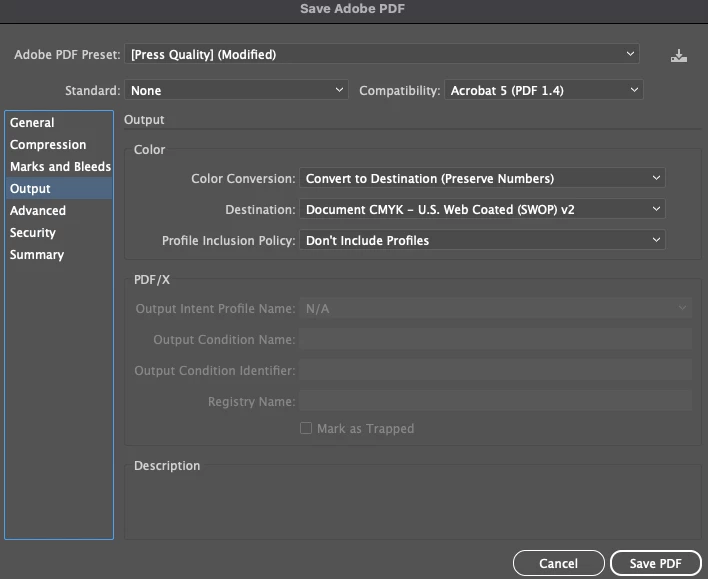
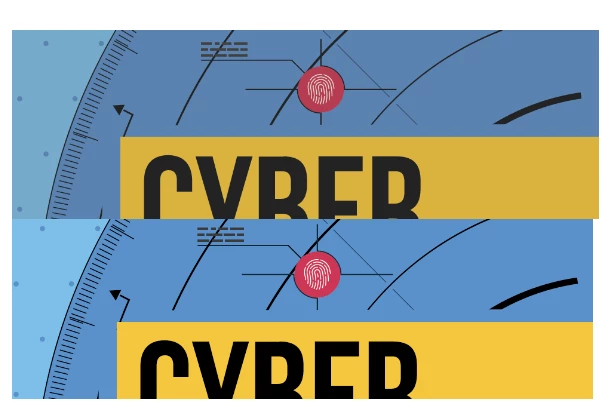
(Top image is my export with the above settings, bottom is my coworker's export using the exact same settings)
I've tried everything I can think of, I've tried a ton of different output combinations and it keeps turning up the same. Anyone have this same issue?
 AdChoices