
Scott_Jung
Participant
February 1, 2023
Question

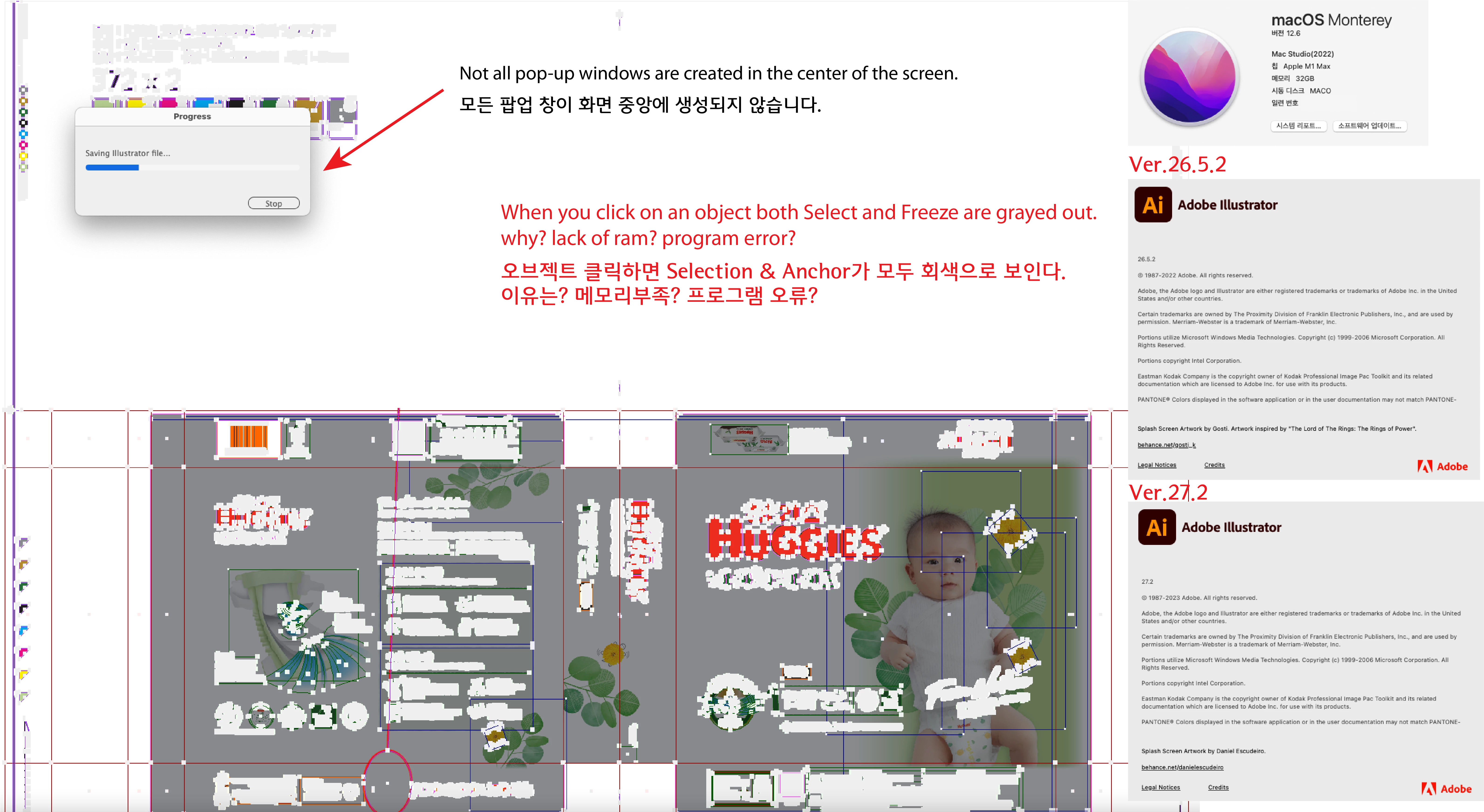
When you click on an object both Select and Freeze are grayed out.

  • February 1, 2023
  • 4 replies
  • 472 views

HELLO!

The 26 and 27 versions are the same.

Mac Studio(2022) M1


There are two inquiries.

1. Not all pop-up windows are created in the center of the screen.

2. When you click on an object both Select and Freeze are grayed out.why? lack of ram? program error?

Please help me.

Thank you.
 

This topic has been closed for replies.

4 replies

Scott_Jung
Participant
February 10, 2023

I'm uploading a video on the screen.

Thank you.

Met1
Legend
February 10, 2023

I have no idea what you are hoping to show... or how this relates to your "both Select and Freeze are grayed out"

Met1
Legend
February 3, 2023

For 2. do you mean the Select Menu?

And by "freeze" do you mean Lock→Selection? (ctrl-2)

Anshul_Saini
Community Manager
Community Manager
February 2, 2023

Hi @Scott_Jung,


Thanks for reaching out. I agree with Monika on the first query. We will need more info for the second query, like if this is happening in a specific file or all. Also, would you mind sharing this file and sharing a screen recording demonstrating the issue? It would be really helpful for us. Please check if pressing cmd+e helps or not.


We'll be looking forward to your response.


Thanks,

Anshul Saini

Monika Gause
Community Expert
Community Expert
February 1, 2023

Those application messages popups can appear all over the place. Don't worry.


But what do you mean with "Select" and "Freeze"?