I think you are misunderstanding how the appearance of black works.
Your screen is set to display blacks as Rich blacks, so your display is making 100k look darker than it actually does when going to print. Many people are under the misconception that 100k is really dark, but it is not due to the paper absorbing ink. Try this as a test and I believe this will become clear.
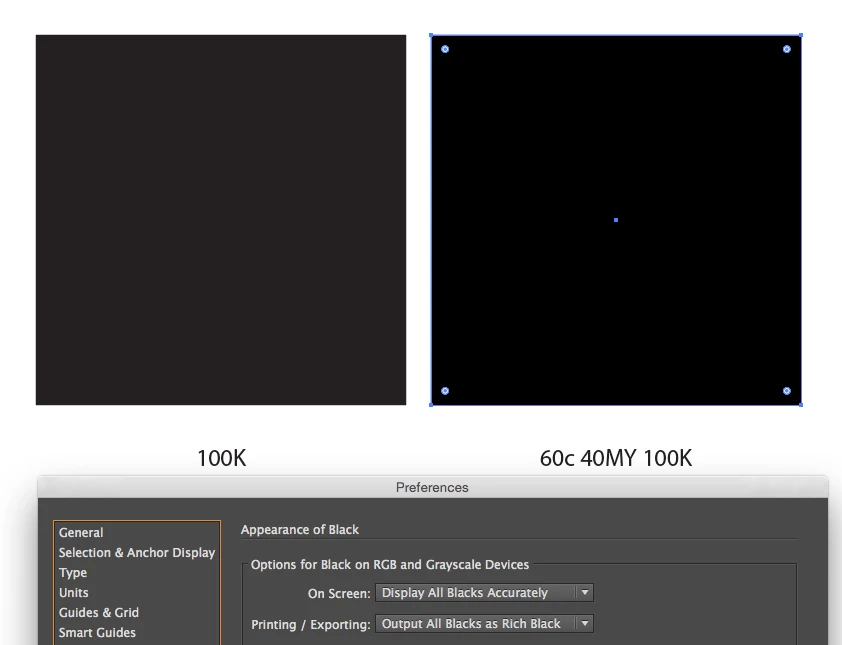
Use a rich black (e.g.: 60c 40MY 100K) instead of 100k for VistaPrint.
Adobe's Printing/Exporting is very deceiving as named. A 100k will still print 100k when printing or export. This setting is more for RGB devices.
Doug is right, Overprint preview will display blacks more accurately (but only if display all blacks as rich blacks is set). I believe show blacks accurately is a better way to work for print, and you do not need to turn on overprint preview to show blacks accurately if you are set up as per my screenshot. Reminds me to overprint and make rich blacks when needed.

 AdChoices