



Wingo5315
Participant
Dec 21, 2018 2:56 PM UTC
Question

Why can't I change the size of shapes once I've created them? And why can't I use Illustrator like I used to?

Recently, I updated Illustrator from 22.0 to 23.0, and when I first started using the new version, the user experience for creating/resizing shapes, among many other things, had changed. Now, I can't resize shapes once I've created them without going into the Transform panel.
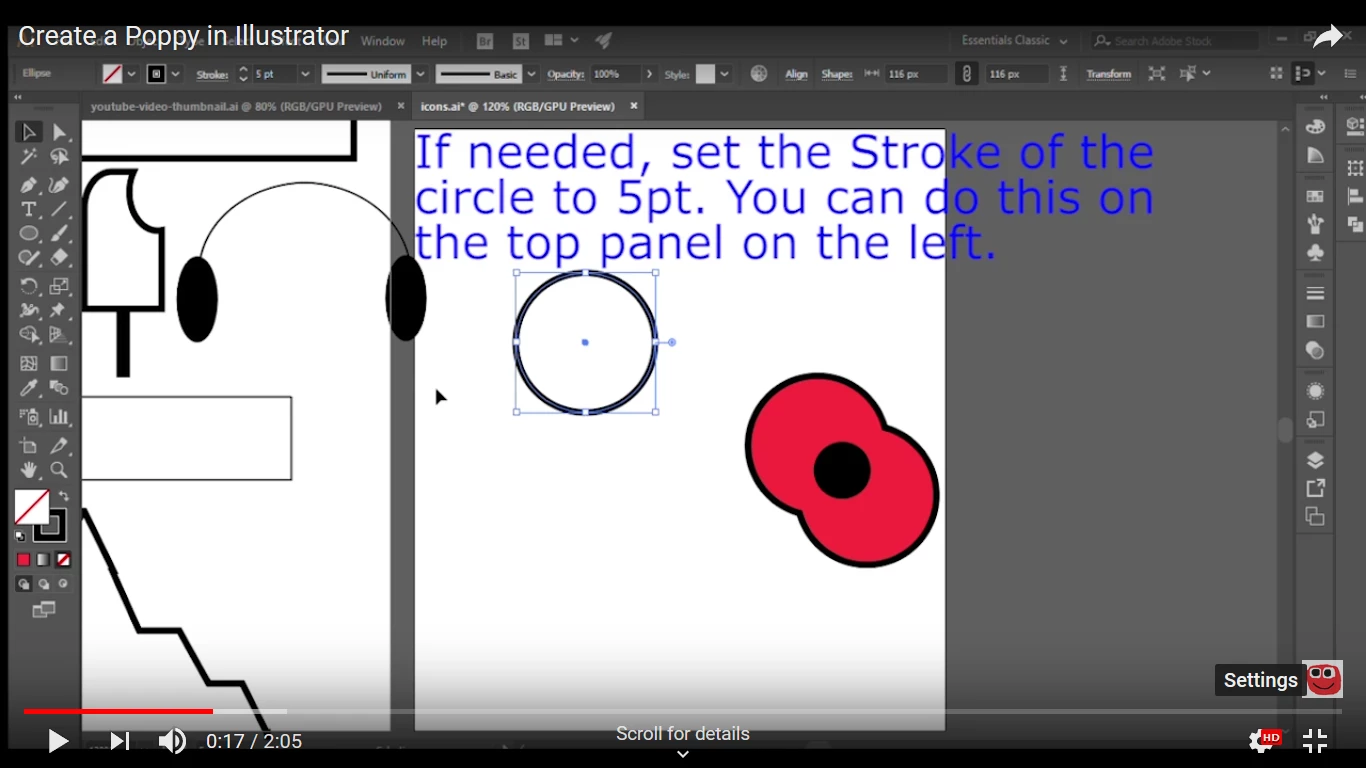
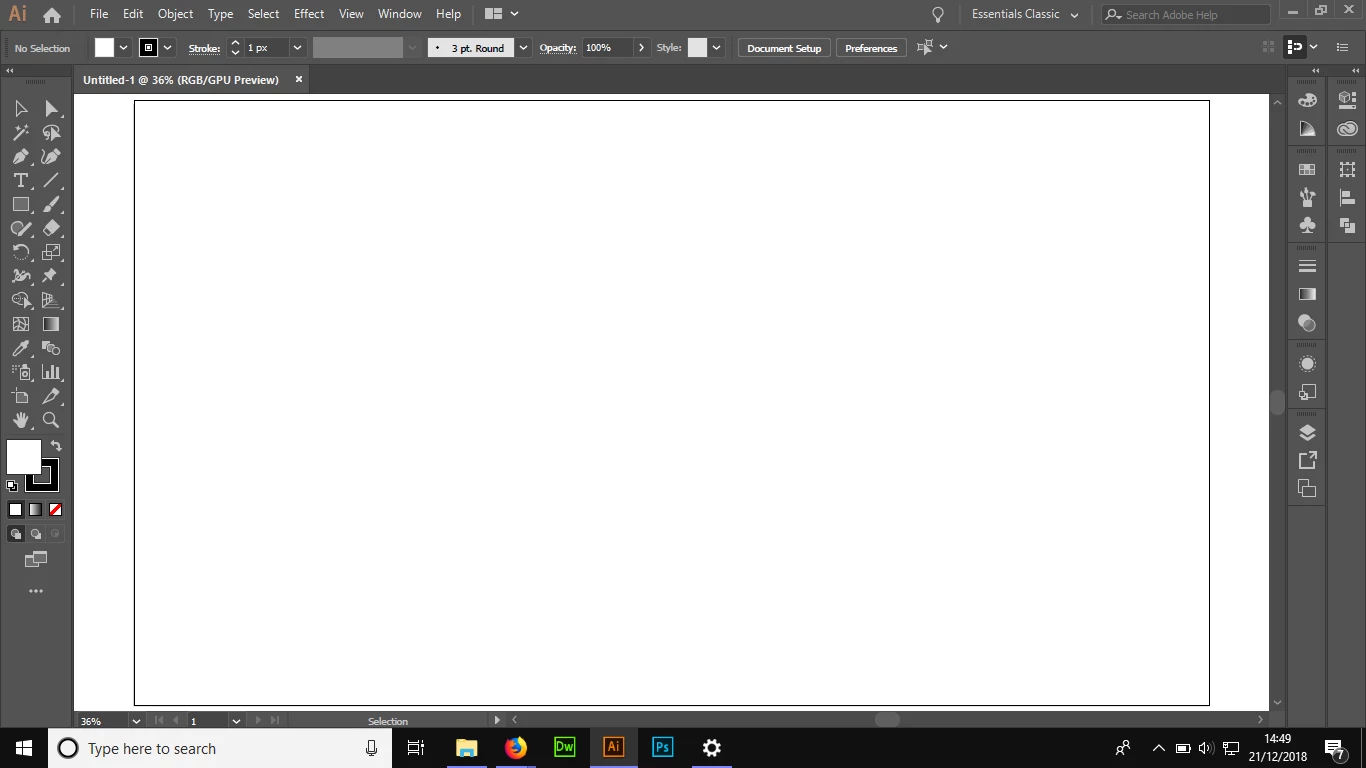
Above is me selecting a circle in Adobe Illustrator 22 for a tutorial. And this is what happens when I select a circle in the latest version. I have tried everything but I still can't resize it without going to the Transform panel, which I find very inconvinent.

Also, I noticed the background colour of the document (outside the artboard) had changed to white, even though I didn't change the settings for this to happen.
In an attempt to solve this problem, I followed the instructions on the Adobe website to reset the settings back to the default. This didn't change anything.

I don't know any other way to solve this problem apart from to downgrade back to Adobe Illustrator 22.1, although I am prepared to go even further down the versions if needed. Is there any other way to solve this?

This topic is closed to new replies. Start a new post to keep the conversation going.

22 replies

Participant
Dec 4, 2020 12:26 PM UTC

I totally agree, this is annoying. There used to be boxes in the top tool bar that had the current size and the arrows next to these boxes could be clicked up or down to change the size quickly and easily. Why would adobe get rid of this feature that I for one use constantly??

Translate
Monika Gause
Community Expert
Community Expert
Dec 4, 2020 2:40 PM UTC

The control panel can be configured. You can uncheck stuff that you never use from the cntrol panel menu to make room for stuff you want.

Translate
Participant
Dec 4, 2020 3:03 PM UTC

I've been through all of that - I have never found a prompt to select where you can simply click on arrows as before to change the verticle or horizontal size of something like a rectangle.

Translate
Srishti_Bali
Legend
Jan 11, 2019 12:39 PM UTC

Hi there,

We would like to know if the issue was resolved or it still persists.

Kindly update the discussion if you need further assistance with it.

Thanks,

Srishti

Translate
Wingo5315
Wingo5315Author
Participant
Jan 18, 2019 6:16 PM UTC

Thank you, srishtib8795206​! I have tried all of the suggestions above, but the problems that I have mentioned still persist. I am considering downgrading to 22.1, the previous version I had before upgrading to 23.0. I really love Illustrator as a program but I struggle to use 23.0 for moving, resizing shapes without going into the Transform panel, among many other things.

Translate
Srishti_Bali
Legend
Jan 18, 2019 6:43 PM UTC

Hi there,

I am sorry to hear that the issue still persists. I would request if you can share a few more details like:

  • Did you try turning on bounding box to resize objects(View/ Show Bounding Box)


  • Could you please confirm where the files are saved(Network Drive/ System HDD/ Shared Folder on System /External HDD /Google Drive/ Dropbox)?
  • Is it happening with a particular file or multiple files? Please check with a new document how it works?
  • If it works the same way on a new document as well then please try resetting preferences to defaults: How to set preferences in Illustrator

Please note: Resetting preferences will remove all the custom settings and Illustrator will launch with default settings. You can also take a backup of the folder in case you want to. Location is mentioned in the article. 

Regards,

Srishti

Translate
Ton Frederiks
Community Expert
Community Expert
Dec 22, 2018 11:04 AM UTC

Wingo5315  wrote

And this is what happens when I select a circle in the latest version. I have tried everything but I still can't resize it without going to the Transform panel, which I find very inconvinent.

Your screenshot says No Selection

Translate
Mohammad.Harb
Community Expert
Community Expert
Dec 21, 2018 3:41 PM UTC

in some cases, previewing on GPU could cause some troubles, make sure you have the most recent graphic driver update. You can also turn preview on GPU on/off by pressing ctrl + E

Translate
Monika Gause
Community Expert
Community Expert
Dec 21, 2018 3:39 PM UTC

So there's no bounding box on the shape?

Translate
meganchi
Legend
Dec 21, 2018 3:19 PM UTC

For some reason I can't play your video.

As far as the white background, go to file preferences and selected "user interface" and under "Canvas Color" choose "Match User Interface brightness".

Mine works when I do that.

Resizing a shape works for me without going to a transform palette. Select the shape, then hover over the corner edge until your pointer turns to a double-sided arrow icon, then hold shift key and click and drag to resize shape.

Translate
Wingo5315
Wingo5315Author
Participant
Dec 22, 2018 6:14 AM UTC

It was a screenshot of the video.

Translate
Monika Gause
Community Expert
Community Expert
Dec 22, 2018 10:57 AM UTC

Wingo5315  schrieb

It was a screenshot of the video.

It makes more sense to post a screenshot of your own screen.

Translate