


sulimanb37263412
Participant
January 1, 2021
Answered

Arabic font separation in [Illustrator] iPad

Hello Guys,


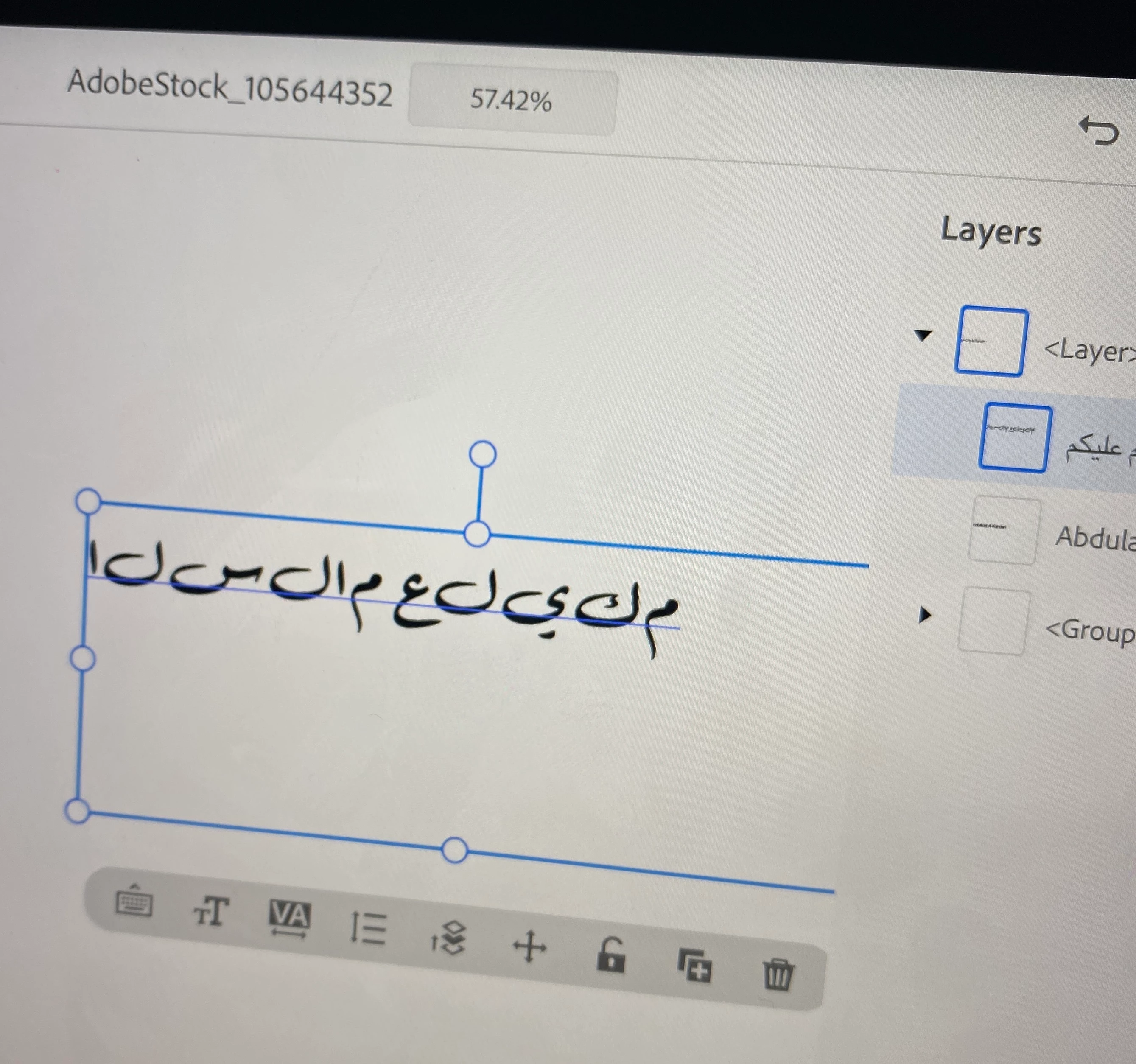
I am using photoshop  Illustrator on iPad and the Arabic words are broken (every letter is separated).

oculd you tell me how to fix that?


["Photoshop" edited to say "Illustrator" by moderator as per OP's second post]
 

Zaid Al Hilali
Zaid Al HilaliCorrect answer
Community Expert
January 3, 2021

As I answered you on the Photoshop forum. It appears that Illustrator on the iPad doesn't support Arabic yet, at least from what I experienced. 

Please add your vote on this right-to-left topic as the Illustrator development team would listen to our request. 

10 replies

Participant
June 1, 2024

Go to Eidt --> Preferences --> Type. Check this option "Show Indic Option" and press okay. Choose the text tool and type now. It should work.  

Translate
Zaid Al Hilali
Community Expert
Community Expert
June 1, 2024

The discussion here is related to the iPad only, your answer is not relevant. 
Adobe Illustrator on the iPad doesn't support Arabic language yet. 

Translate
Participant
March 18, 2024

Hi bro

I have same problem 😵‍💫

If you solved it please share it with me.

Thanks you

Translate
Monika Gause
Community Expert
Community Expert
March 18, 2024

@Salem36140690xcol  schrieb:

Hi bro

I have same problem 😵‍💫

If you solved it please share it with me.

Thanks you


Illustrator on the iPad doesn't support Arabic type.

Translate
sulimanb37263412
Participant
January 1, 2021

Sorry I meant illustrator for iPad.

Translate
Zaid Al Hilali
Community Expert
Zaid Al HilaliCommunity ExpertCorrect answer
Community Expert
January 3, 2021

As I answered you on the Photoshop forum. It appears that Illustrator on the iPad doesn't support Arabic yet, at least from what I experienced. 

Please add your vote on this right-to-left topic as the Illustrator development team would listen to our request. 

Translate
sulimanb37263412
Participant
January 1, 2021

Hello Guys,


I am using photoshop on ipad and the arabic words are broken (every letter is separated)

could you tell me how to fix that?


Translate
Participant
January 10, 2024

I have resolved this issue, and it works perfectly. You need to copy/type and convert your Arabic text using this websites it is safe and works great.


https://www.arabic-keyboard.org/photoshop-arabic/

Translate
Zaid Al Hilali
Community Expert
Community Expert
January 10, 2024

Kindly provide more details, as my testing didn't work. My Arabic text showed separated and inverted after copying it from the website, then paste it into Illustrator on iPad.

Translate
