Participant
October 20, 2020
Answered

Copy and Paste Between Files

  • October 20, 2020
  • 1 reply
  • 741 views

I'm excitedly using the new app and it's been pretty seamless for making small icons for my packaging labels. 


However I started a file on the ipad, made my icon, but ideally, I'd like to copy that icon into a file housed on my Google Drive (which I can open in the app just fine).  I didn't think to open that drive file to start my work initially.


I didn't know if this functionality, to copy and paste between files, was available yet.

This topic has been closed for replies.
Correct answer Om Nath Jha

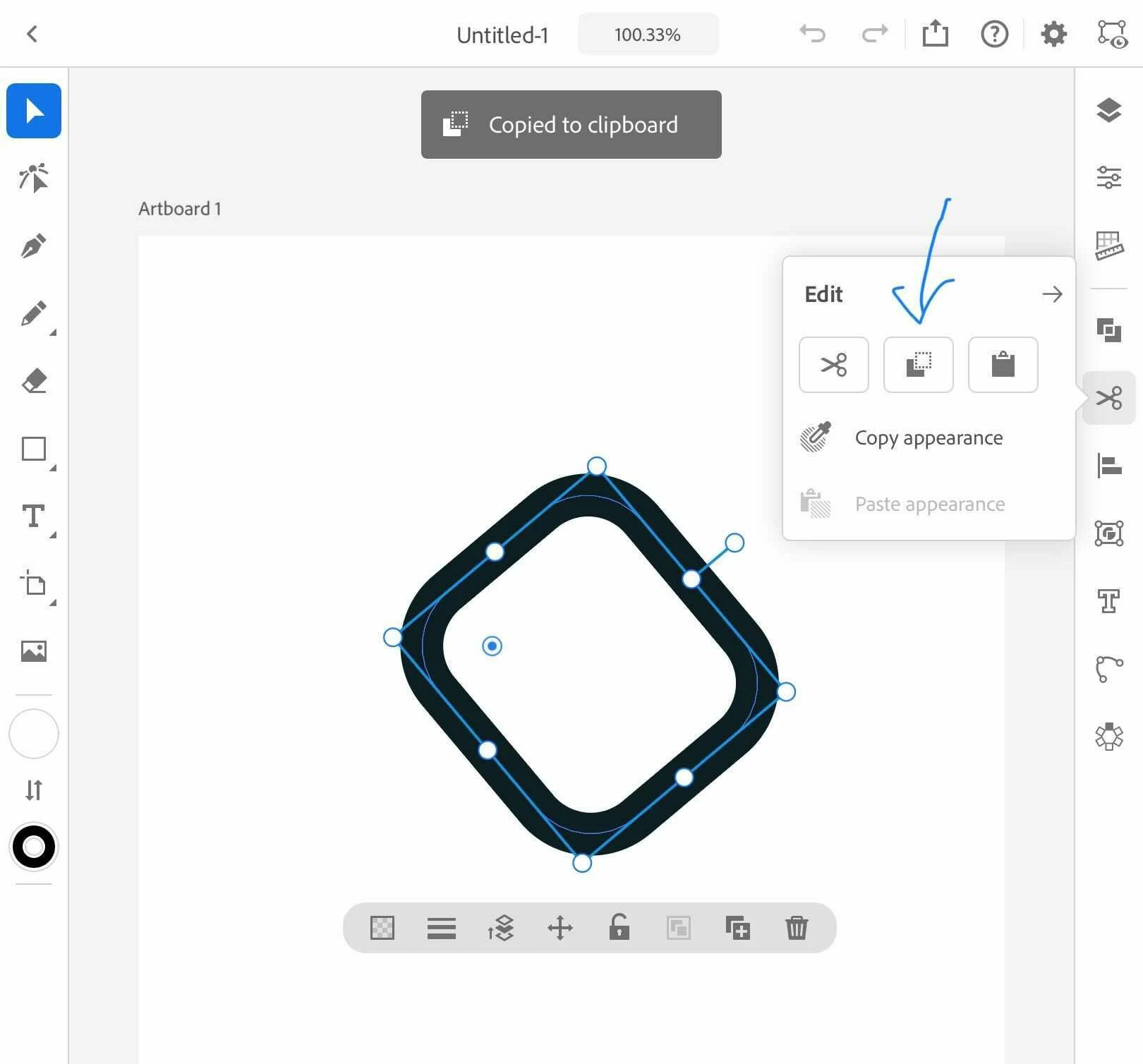
If you are using a keyboard, you can use the regular keyboard shortcuts like Cmd+C and Cmd+V. You can also click on the scissors icon within the app and use the copy and paste options from there. I've attached a screenshot for your reference? 


Thanks,

Om

1 reply

Om Nath Jha
Legend
October 20, 2020

Hi there,


Glad to hear that, we're excited too! Yes, you can copy and paste between files. 


Thanks,

Om

ngrinsellAuthor
Participant
October 20, 2020

Could you give me the steps to copy something from one file to another?

Om Nath Jha
Om Nath JhaCorrect answer
Legend
October 20, 2020

If you are using a keyboard, you can use the regular keyboard shortcuts like Cmd+C and Cmd+V. You can also click on the scissors icon within the app and use the copy and paste options from there. I've attached a screenshot for your reference? 


Thanks,

Om