Participant
November 23, 2022
Answered

eraser tool / drawing an octagon

  • November 23, 2022
  • 1 reply
  • 286 views

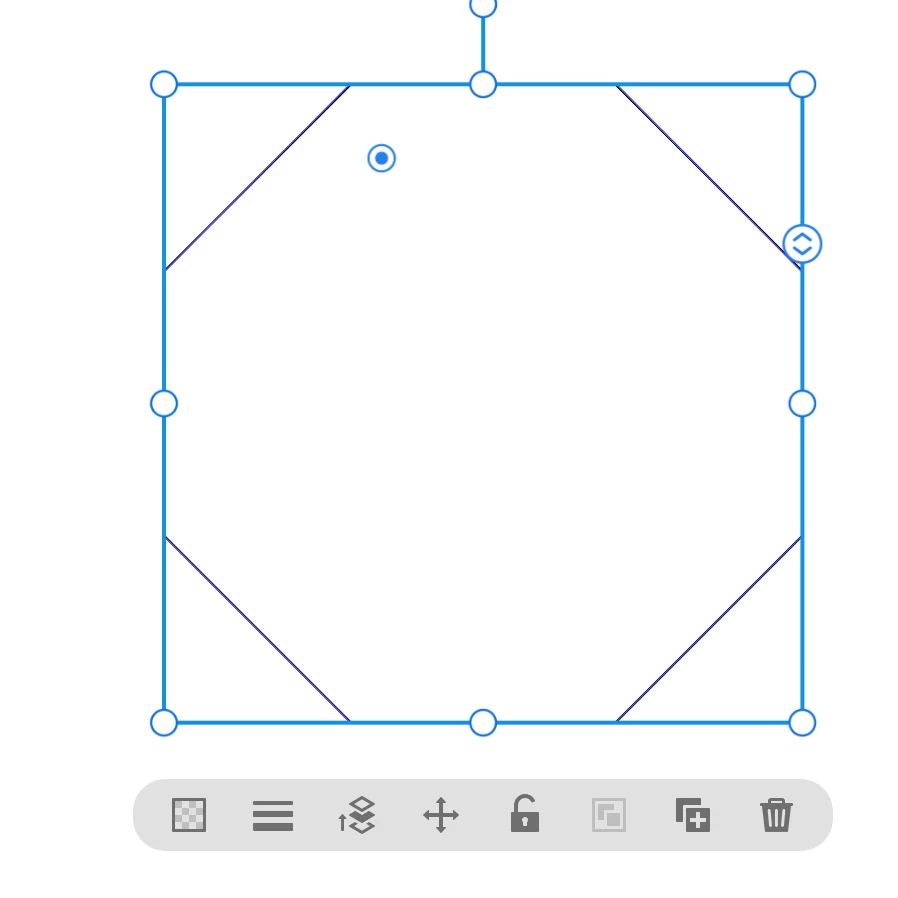
I have recently started using illustrator for ipad and have been stuck for a while trying to erase a little part of a drawing I made with the line tool. It is an octagon. It seems to me that there is no polygon tool in the illustrator for ipad, so I ended up using the line tool. The only problem now is that if I try to fix the corners with the eraser it erases too much of the line, even when using sisze 1. Do you have any suggestions how I cound fix the corners or somehow draw an octagon in illustrator for ipad (btw the desktop version is not an option for me). Thank you.

This topic has been closed for replies.
Correct answer Michael J. Hoffman

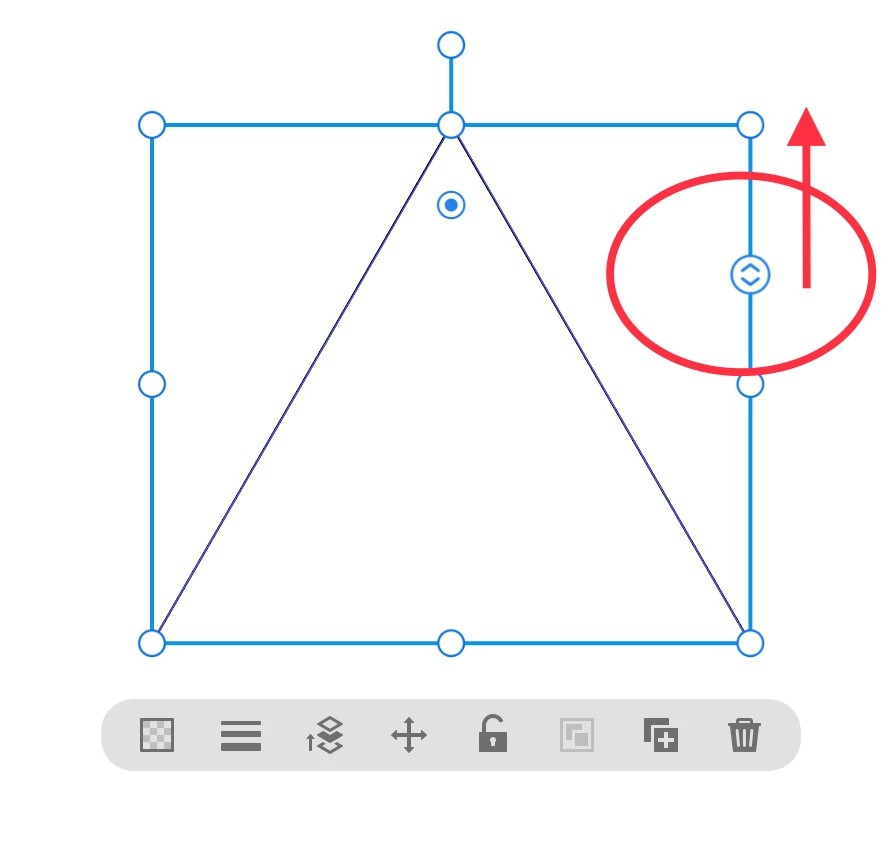
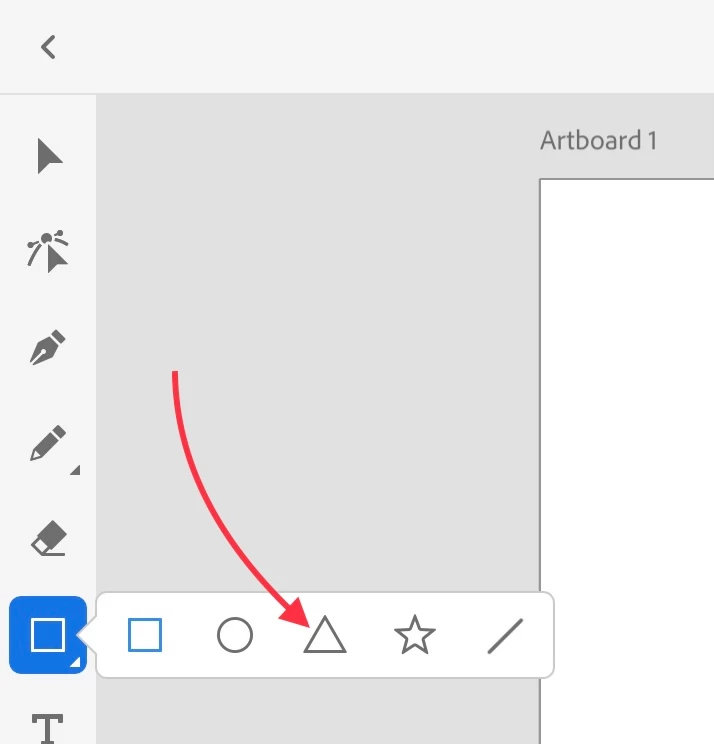
The polygon tool is under the square tool in the toolbar. If you use the triangle tool, you can change the number of sides by dragging the adjustment handle on the side of the bounding box.


1. Draw a triangle while holding the shift key or pressing the touch control to constrain the shape to an equilateral triangle.

2. Grab the adjustment handle and drag upwards to change the number of sides.

3. Stop when you get to 8 sides.


1 reply

Michael J. Hoffman
Community Expert
Michael J. HoffmanCommunity ExpertCorrect answer
Community Expert
November 24, 2022

The polygon tool is under the square tool in the toolbar. If you use the triangle tool, you can change the number of sides by dragging the adjustment handle on the side of the bounding box.


1. Draw a triangle while holding the shift key or pressing the touch control to constrain the shape to an equilateral triangle.

2. Grab the adjustment handle and drag upwards to change the number of sides.

3. Stop when you get to 8 sides.