julyanxavier86
Participant
February 15, 2021
Answered

Exporting Colour swatches from desktop to ipad

  • February 15, 2021
  • 2 replies
  • 316 views

Is this possible? I have a colour group of 20 swatches saved as a user defined Library on my imac and I want to be able to open it in illustrator on the ipad. I can't work out how to save the colour group to my creative cloud or export and open it on the ipad. Help please!

This topic has been closed for replies.
Correct answer manal shanableh

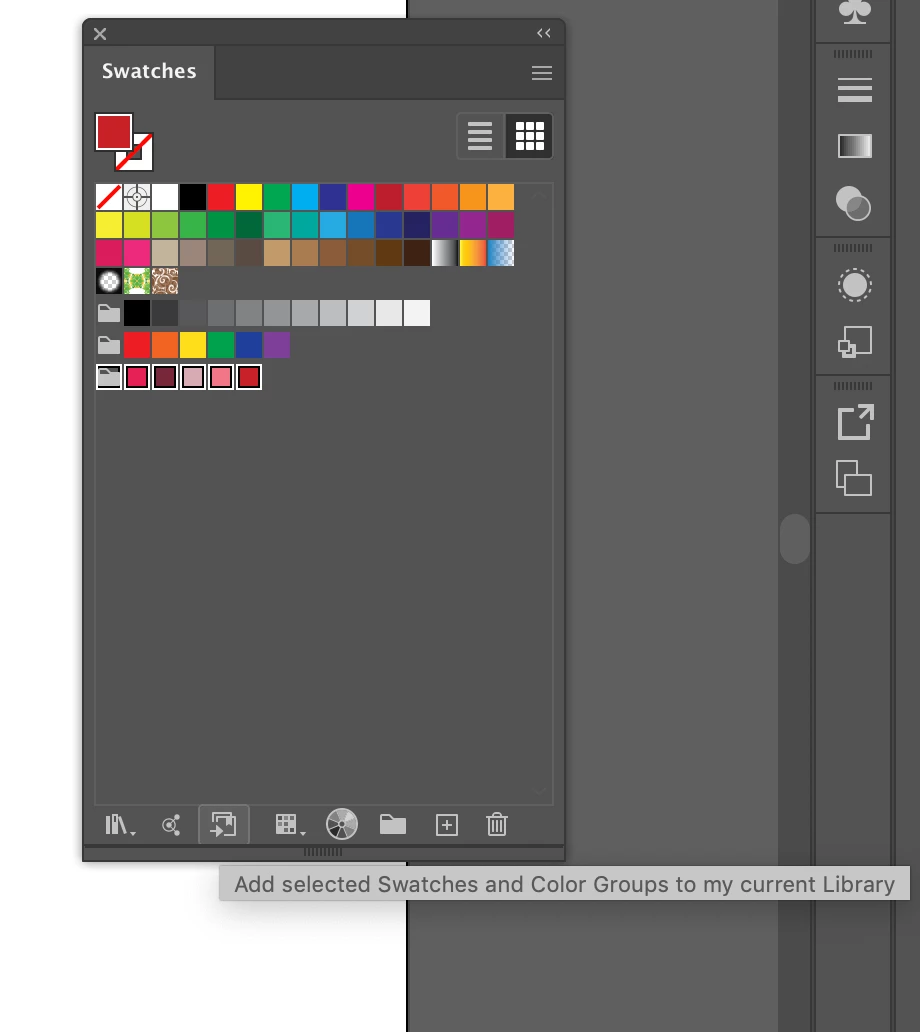
you can add each 5 colors at once, just minimum 1 color, maximum 5 colors.


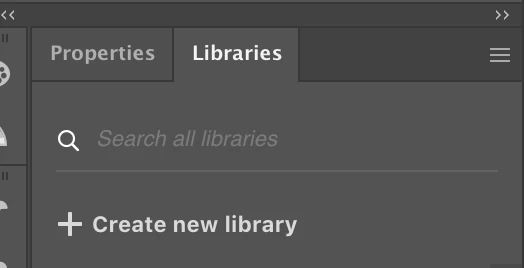
To organize your work on cc library, you can creat new library and name it colors.

now open it...


select 5 colors.. add selected swatched to my current library

reapeat this for the rest colors..

2 replies

manal shanableh
manal shanablehCorrect answer
Legend
February 28, 2021

you can add each 5 colors at once, just minimum 1 color, maximum 5 colors.


To organize your work on cc library, you can creat new library and name it colors.

now open it...


select 5 colors.. add selected swatched to my current library

reapeat this for the rest colors..

Ko.Maruyama
Community Expert
Community Expert
February 15, 2021

Check to make sure you're logged into the CreativeCloud app on your iPad with the same account.

You should be able to see all of your saved libraries (if they have sync'd to cloud on your iMac).


Check ot make sure that your iMac libraries have successfuly sync'd to your CreativeCloud account.


helpful: Check https://assets.adobe.com/libraries  to see if the swatches are available on the cloud