

Fonts dont show in Illustrator iPad, but not Photoshop
I’m adding fonts to Illustrator iPad using Adobe fonts and I’d say about 1 in 5 don’t work. Most of them add fine, but a few of them, I can see them on Desktop Illustrator, I can see them in Photoshop iPad, but Illustrator iPad for some reason doesn’t work.
In the picture attached , on the bottom, it is fine in photoshop, but on the top - I went on to the desktop version, set the font then tried to open the file on my iPad.
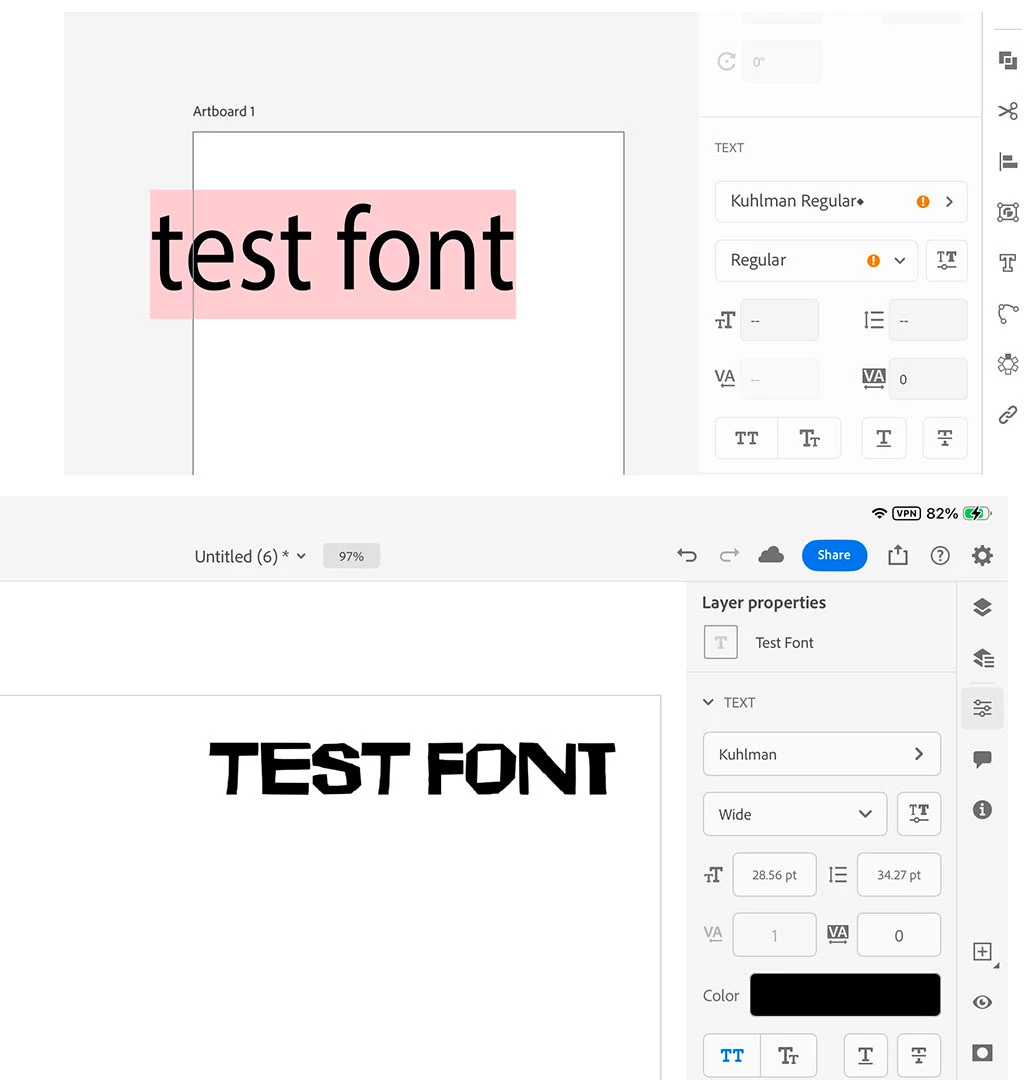
I feel like at this point I have tried everything. Logged out and in, restarted the app, re-installed the app, restarted the device, on the adobe fonts website removed the font, added the font, removed, added, removed, added…. I cannot search for the missing fonts in the illustrator app by name, they don’t appear in the in-app library of adobe fonts.
I am really struggling with out the CC app with out most the fonts just seem to work, and some do not want to be added to Illustrator iPad, yet work fine in Photoshop.


 AdChoices