Leif Robertson Fifer
Inspiring
December 18, 2021
Answered

How do we "minus front" multiple objects on IPAD Like "merge" on the desktop does?

  • December 18, 2021
  • 2 replies
  • 806 views

How do we "minus front" multiple objects on IPAD Like "merge" on the desktop does?

I wany to remove a paft from "multiple" objects instead of one at a time. On the desktop we can merge and delete out...Thanks

This topic has been closed for replies.
Correct answer Michael J. Hoffman

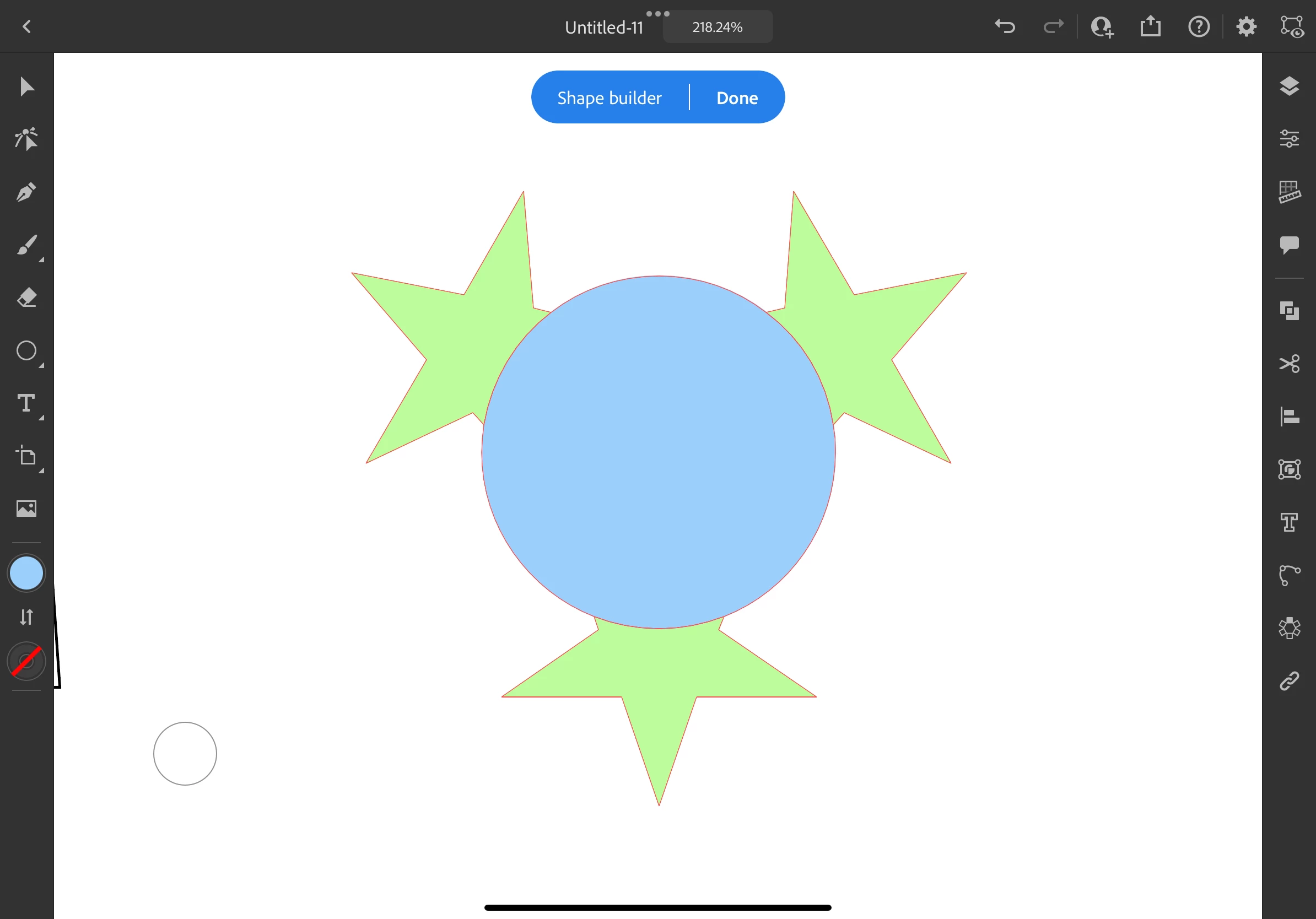
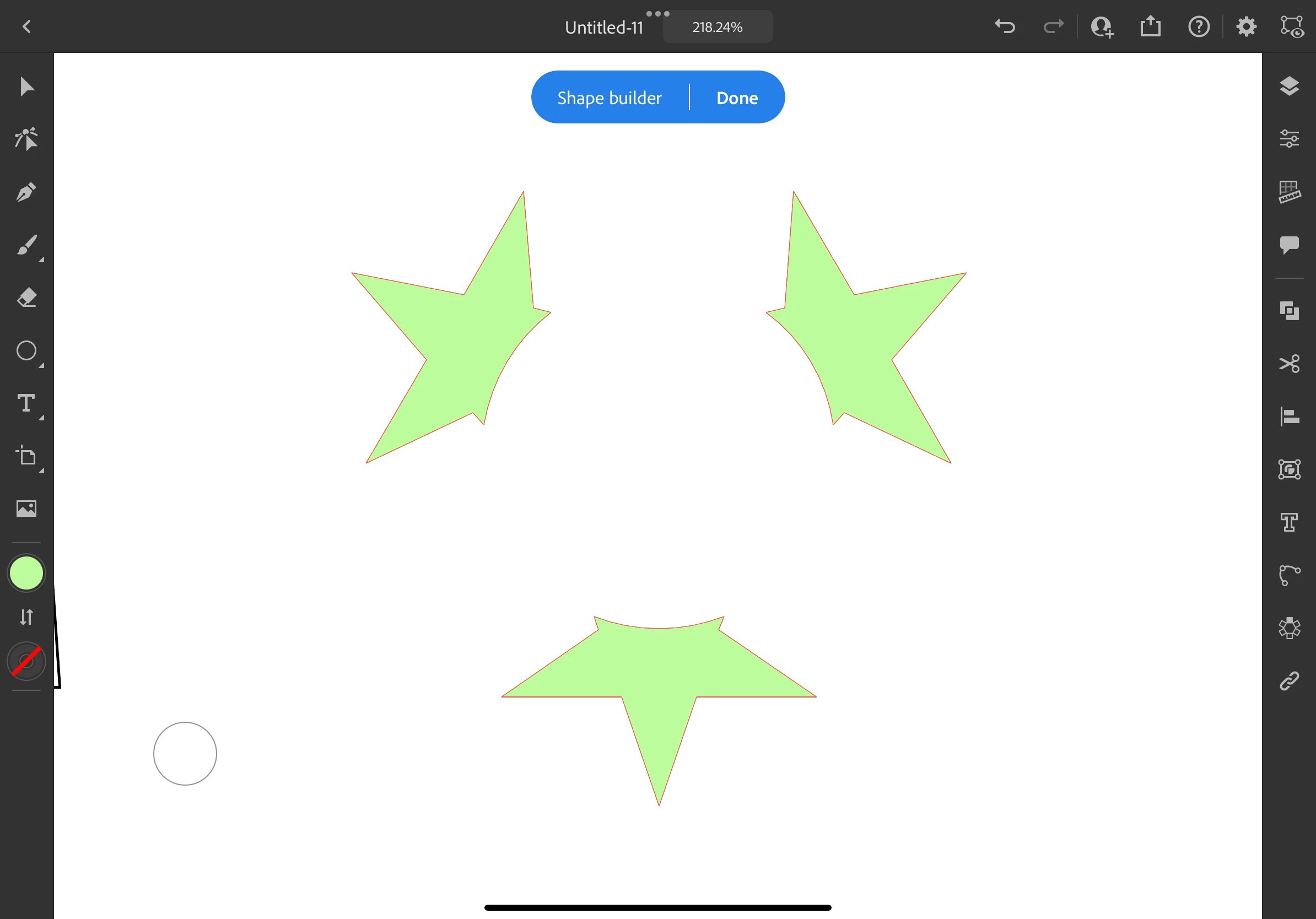
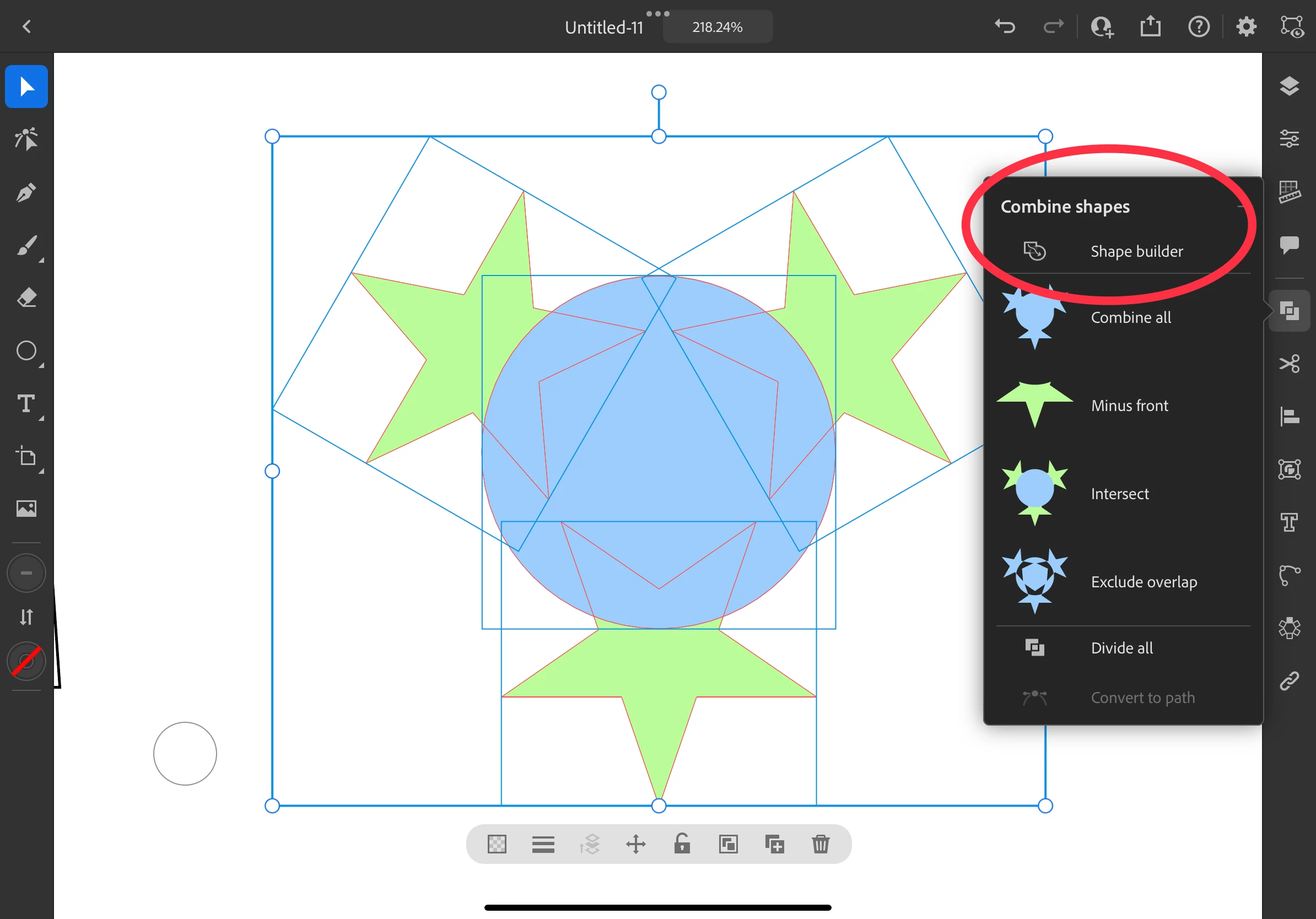
The easiest way would be to use the Shape Builder. 

Step 1: Select all the items and choose the Shape Builder. 

Step 2: Scribble over the central area to combine everything you want to remove into one piece. 
Step 3: Hold your finger on the circle shaped control and scribble on the middle object to delete it. 

Then tap Done to exit Shape Builder. 


2 replies

Michael J. Hoffman
Community Expert
Michael J. HoffmanCommunity ExpertCorrect answer
Community Expert
December 18, 2021

The easiest way would be to use the Shape Builder. 

Step 1: Select all the items and choose the Shape Builder. 

Step 2: Scribble over the central area to combine everything you want to remove into one piece. 
Step 3: Hold your finger on the circle shaped control and scribble on the middle object to delete it. 

Then tap Done to exit Shape Builder. 


Leif Robertson Fifer
Inspiring
December 19, 2021

LOL!!!

Easy Peasy! Thank you!!!!!!!

Leif Robertson Fifer
Inspiring
December 18, 2021

CORRECTION: I want to remove from multiple objects with one single object. Like on the desktop i would use pathfinder/merge and then delete.