Move illustrator on the ipad image from folder to folder
On Illustrator on the iPad, how do I move a finished image from a subfolder in a "work" folder to another subfolder in a Finished folder?
Stein

On Illustrator on the iPad, how do I move a finished image from a subfolder in a "work" folder to another subfolder in a Finished folder?
Stein
Hi SyrinxGC,
You can do this within Illustrator on iPad by tapping "Your Work" in the upper left of the view of the home screen.
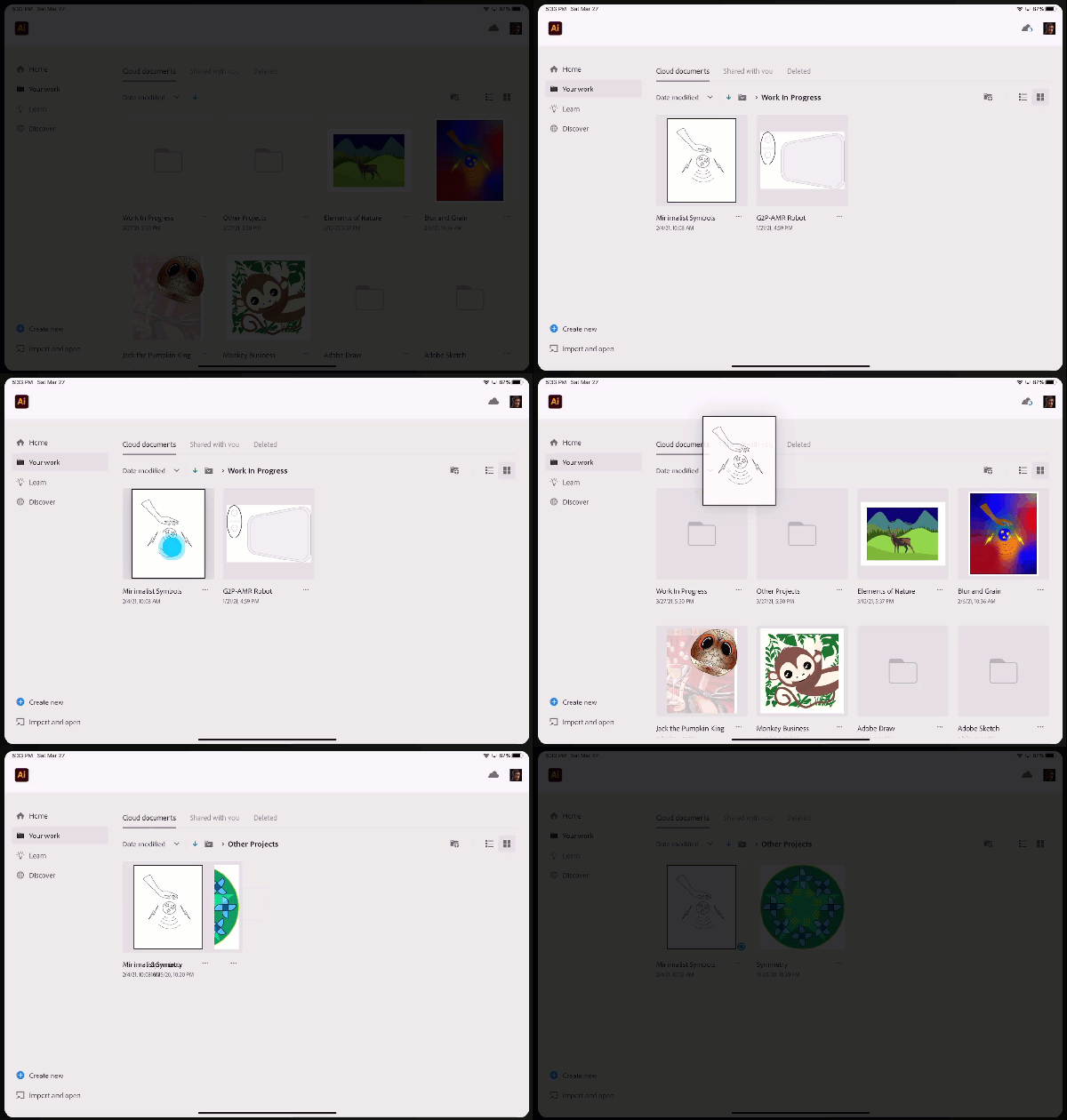
Navigate to the file you want to move, then tap-and-hold that file until you see the thumbnail "grow" slightly. Then, begin dragging to move it. If you drag up to the folders list, you can navigate up the folder tree, and then continue dragging to the new folder where you want to place the file. When you've reached the desintation, release and your file is moved. I've included a short screen capture below to show this in process. In my example, I move a file from the "Work In Process" folder to a different folder called "Other Projects."
Additionally, on any computer, you can go to https://assets.adobe.com and you can use the web interface to manage your Cloud Documents.

Already have an account? Login
Enter your E-mail address. We'll send you an e-mail with instructions to reset your password.