

Jessica.gorey
Participant
June 11, 2022
Answered

Paths

  • June 11, 2022
  • 1 reply
  • 394 views

When drawing paths with the apple pencil on the iPad is there a way to make paths connect?  When I draw, it will look like the likes are connected (as seen in the full flower image below), but when I zoom all the way in, the paths don't actually touch. I need single line paths that touch for the glowforge. I have been drawing an image and then zooming all the way in and painstakingly hand connecting every anchor to a line. Is there a better way? Is there a setting I can enable that would automatically snap a new line I'm starting to the one I'm trying to draw off of? 
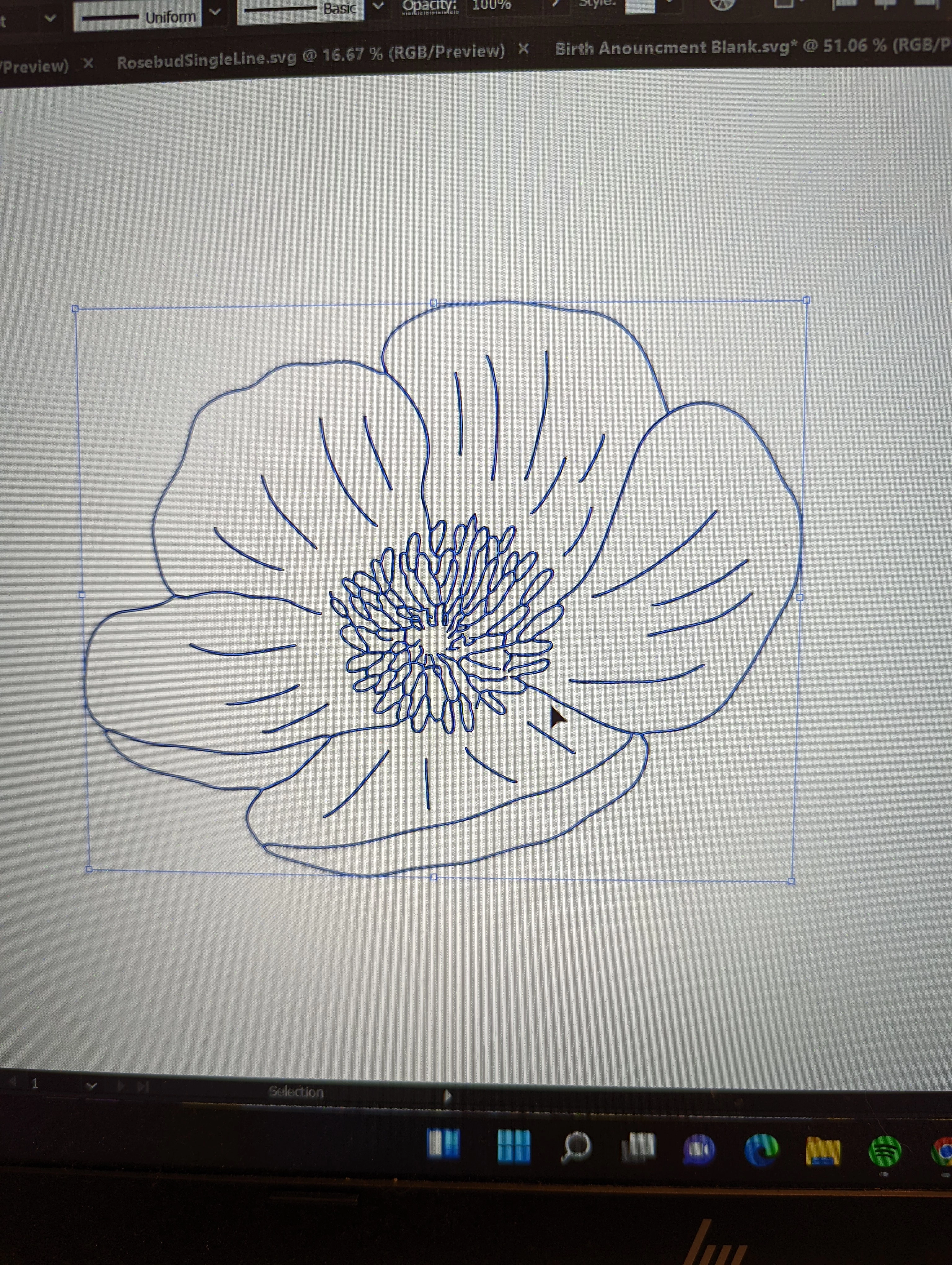
This topic has been closed for replies.
Correct answer Michael J. Hoffman

Correct. But there is no way for 3 segments to join together in a single point. Are you just trying to "align" the point to intersect with the crossing line (without connecting)? I don't know any way to do that other than manually. If you're drawing with the pen tool, you can snap to a feature like an intersection when you add a point, but I don't think that works with the pencil tool (which is what I think you are using).

1 reply

Michael J. Hoffman
Community Expert
Community Expert
June 11, 2022

Hi Jessica,


I'm not sure how you would connect the paths that you have, even manually. Foe example, in one of your images, you have this:


You can't connect the endpoint of the path into a "T", so what are you actually trying to do?


It should be possible to outline the strokes and then use the shape builder tool to merge everything together, is that a workflow that could work for you?

Michael J. Hoffman
Community Expert
Community Expert
June 11, 2022

As a follow up, here are (1) two separate paths, (2) the same paths after "outline stroke," and (3) combined with Shape Builder (click to enlarge):
