Stein Arne Jensen
Inspiring
April 4, 2021
Answered

Pen/finger equivalent to Keyboard command list

  • April 4, 2021
  • 1 reply
  • 190 views

I discoveed a lot of functions in Illustrator for iPad I didn't know about in the Keyboard command list in the help menu.

Does it exist something similar to this list showing how to perform all these commands with finger or pen?

Here are a few examples:

Paste in back/front

Send backward

Send to back

Bring to front

Bring forward

Nudge object

Swap fill and stroke colors

Remove fill or stoke colors

 

This topic has been closed for replies.
Correct answer jane-e


Hi @Stein Arne Jensen 


  1. Paste in back/front
    No
  2. Send backward, Send to back, Bring to front, Bring forward
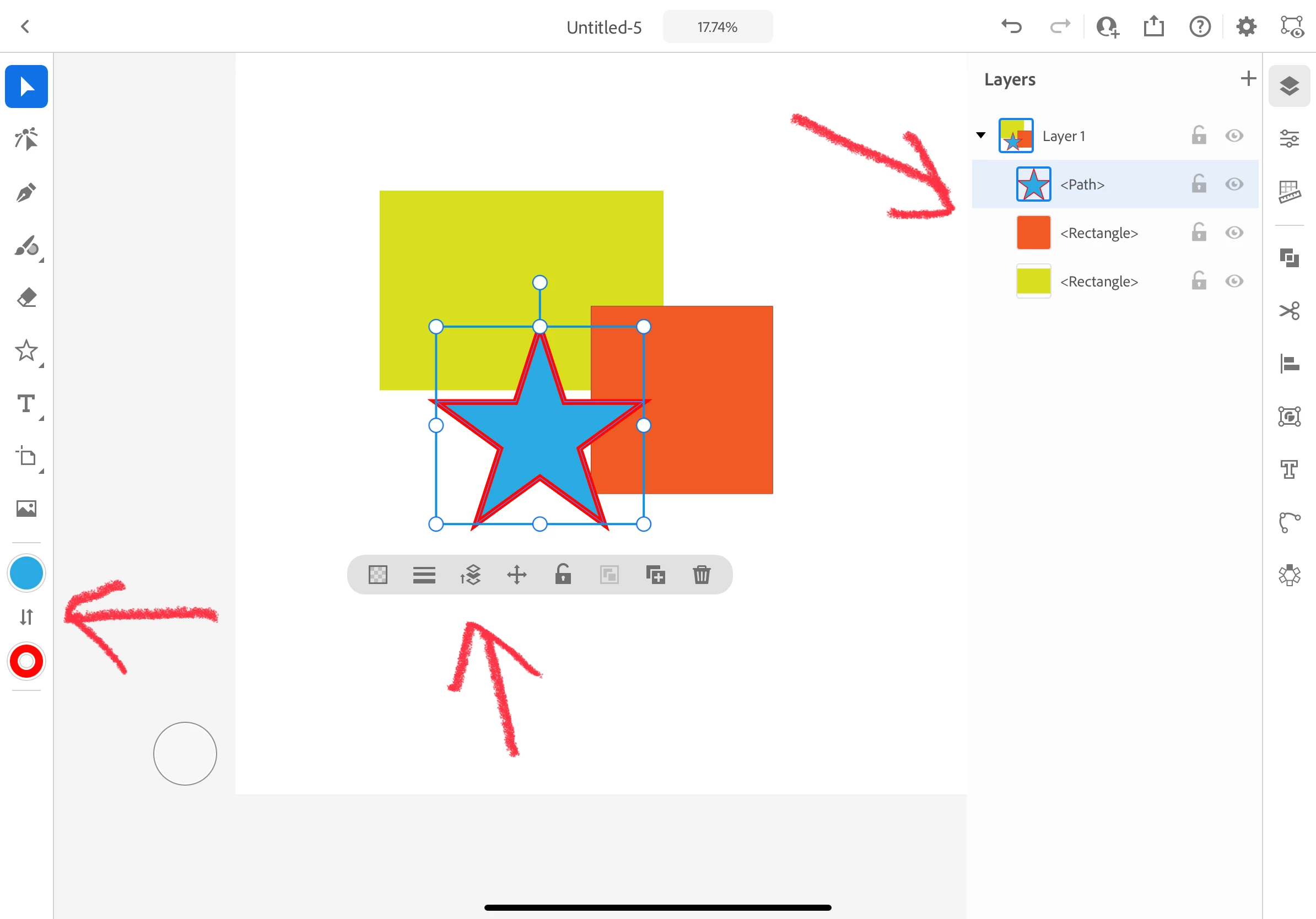
    Press and hold, then drag in layers panel
    or
    Select object and click button in pop-up menu, then use slider
  3. Nudge object
    No
  4. Swap fill and stroke colors
    Select, then click the Swap button on the left side.
  5. Remove fill or stroke colors
    Select, then use the pop up to set the stroke width to zero
    or
    Click the Stroke icon on the left and click the transparency icon


~ Jane

1 reply

jane-e
Community Expert
jane-eCommunity ExpertCorrect answer
Community Expert
April 4, 2021


Hi @Stein Arne Jensen 


  1. Paste in back/front
    No
  2. Send backward, Send to back, Bring to front, Bring forward
    Press and hold, then drag in layers panel
    or
    Select object and click button in pop-up menu, then use slider
  3. Nudge object
    No
  4. Swap fill and stroke colors
    Select, then click the Swap button on the left side.
  5. Remove fill or stroke colors
    Select, then use the pop up to set the stroke width to zero
    or
    Click the Stroke icon on the left and click the transparency icon


~ Jane