That is probably not your Artboard outline, that is your bitmap outline. If what you want to do is cut a shape that corresponds to a shape in your bitmap, you need to create a vector cutting line for it. Illustrator for iPad does not currently have Image Trace but it's pretty easy to create a cutting line using the Pencil tool.
Example: place your bitmap on a layer, lock the layer, and add a new layer for the outline. With a bright colored contrasting stroke of good size (I used 5 pt here), grab the pencil tool and hand trace the outline.
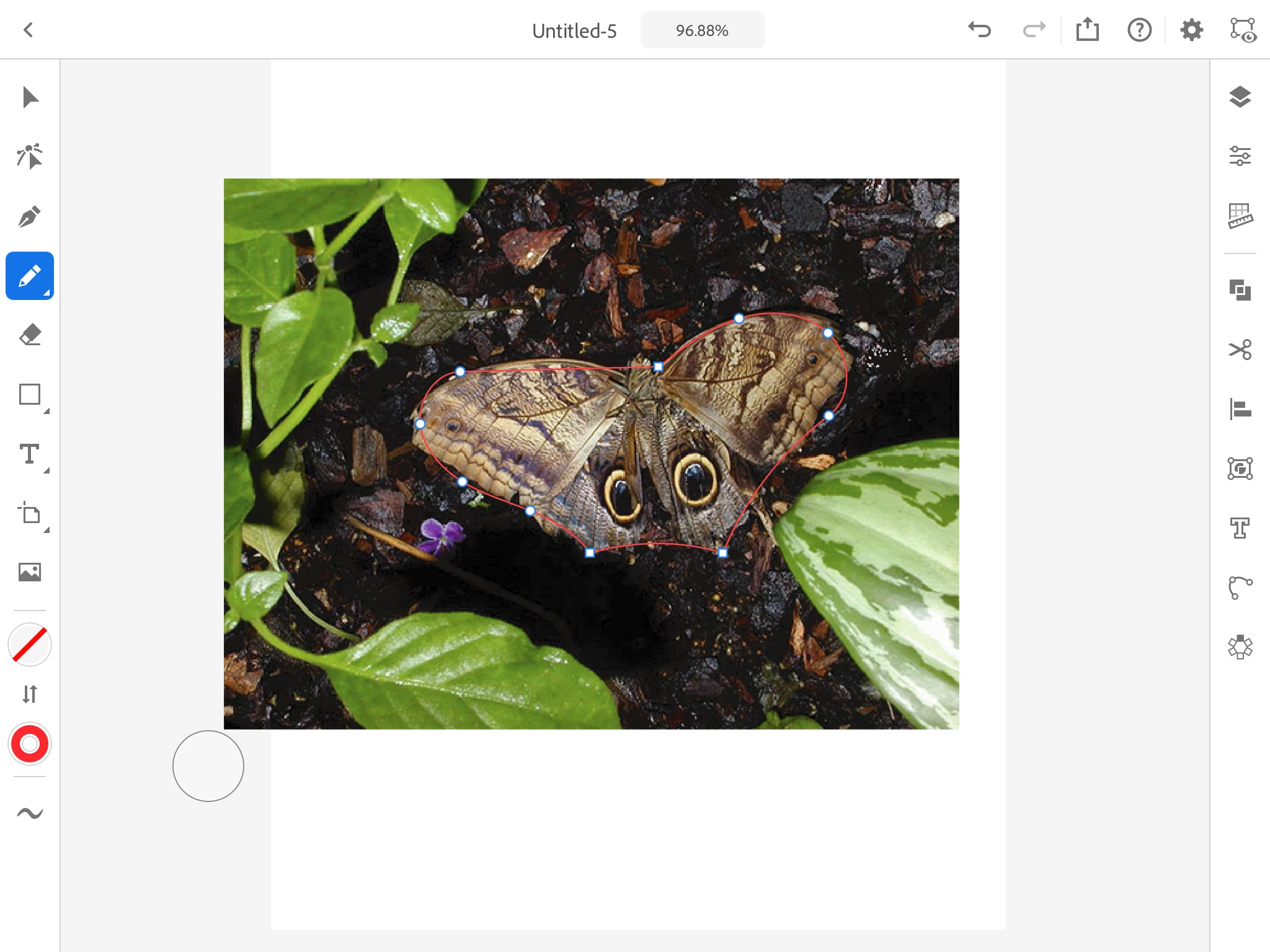
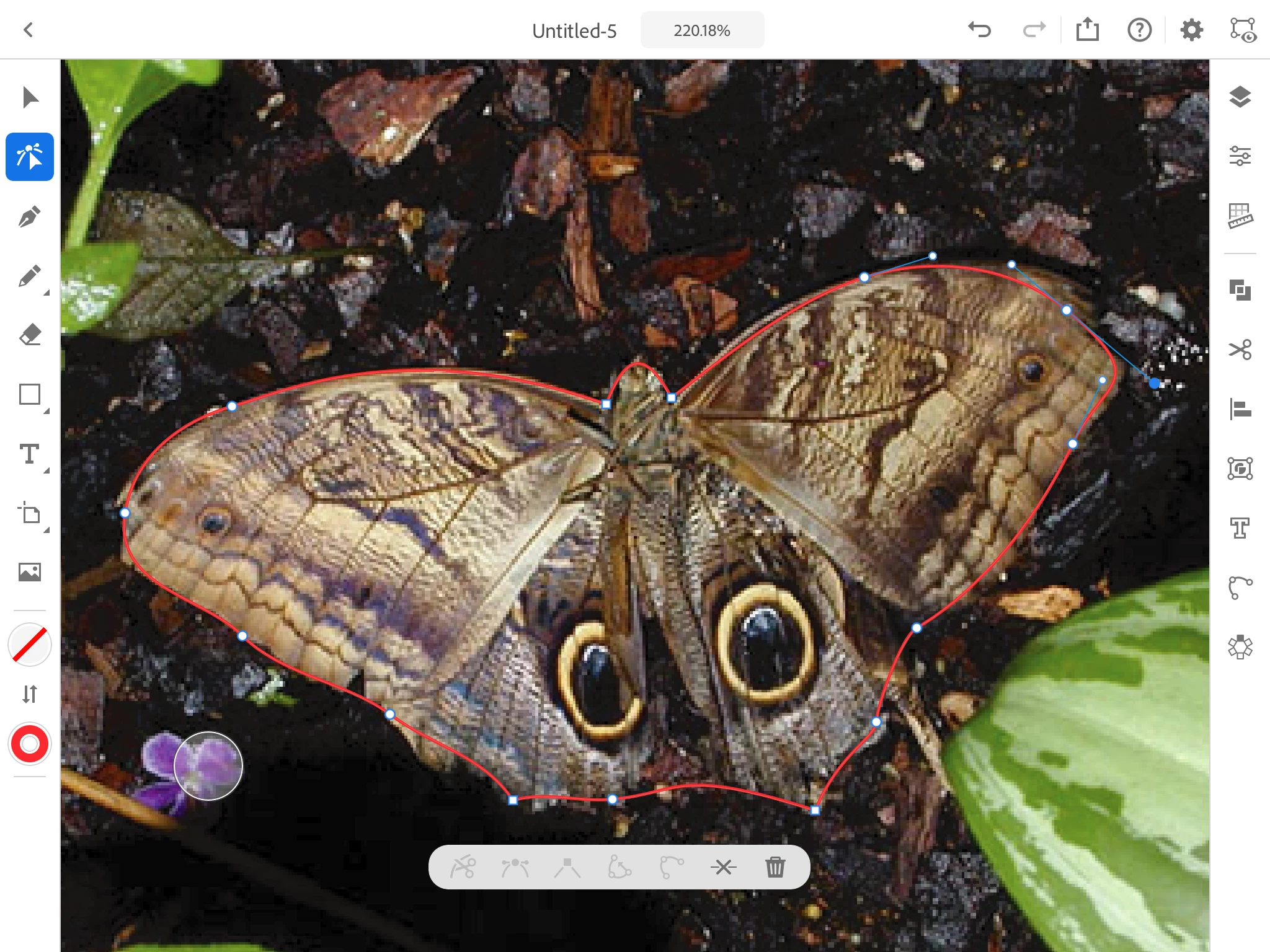
You can add anchor points with the Pen tool, then tweak the anchor points using the Direct Selection tool:
Now if you upload all this as is into the Glowforge dashboard, what you will see is this:
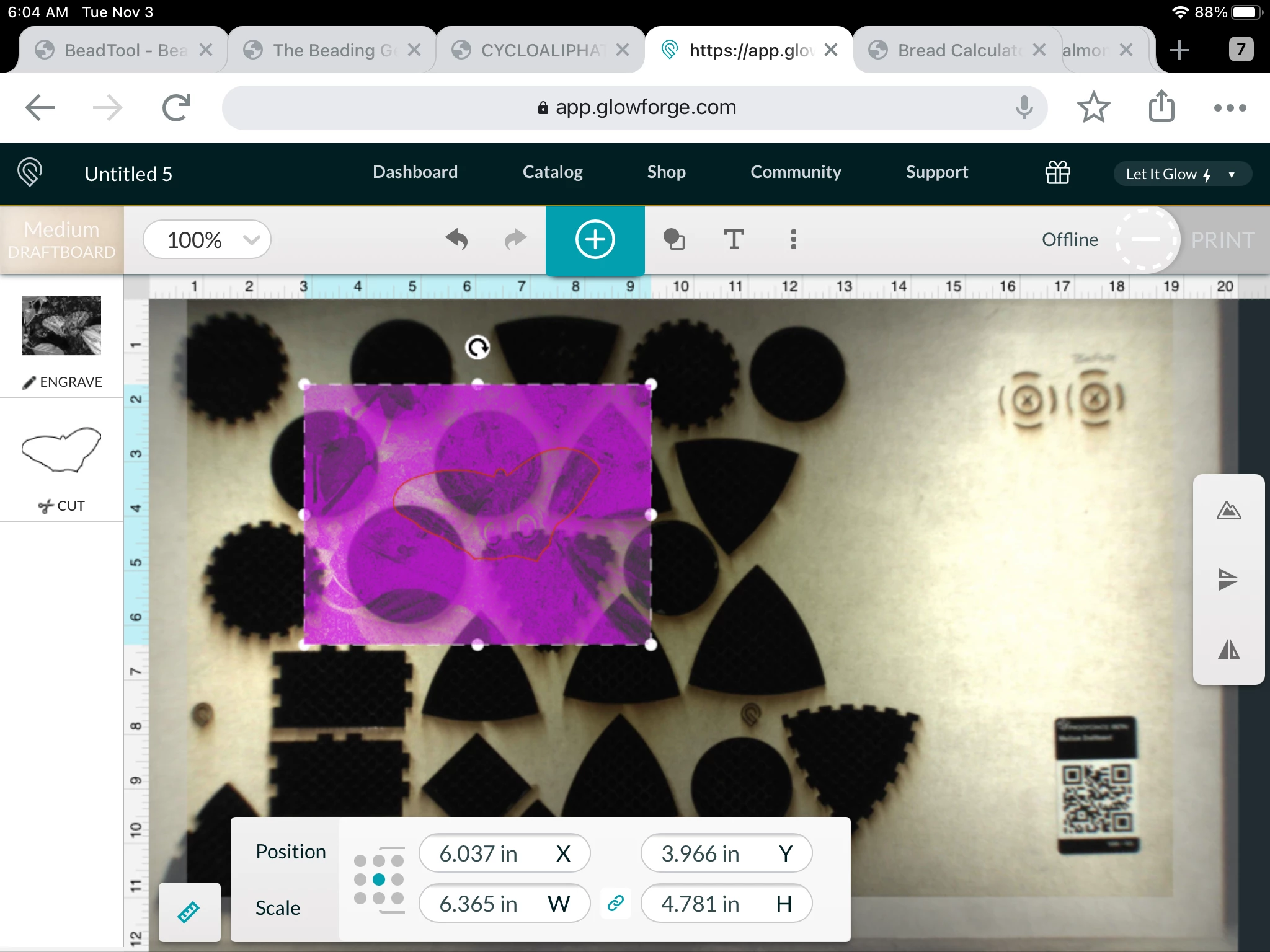
Personally, I would get rid of the bitmap before uploading the outline--it only causes confusion. Or you can set it to Ignore instead of Engrave.



 AdChoices