elena.bubeeva
Known Participant
October 23, 2018
Answered

101: how to create a background in colour behind the text that is of the same shape as a text

  • October 23, 2018
  • 3 replies
  • 2020 views

Hi guys,

I searched under Text and Typography, however still can’t find what I need. How do I create a background in colour behind the text that is of the same shape as a text?

Like it‘s written TEXT in white on a black background?

PS I have a screenshot but cant really attacg it here.

Thanks!
    This topic has been closed for replies.
    Correct answer Barb Binder

    Hi Elena:

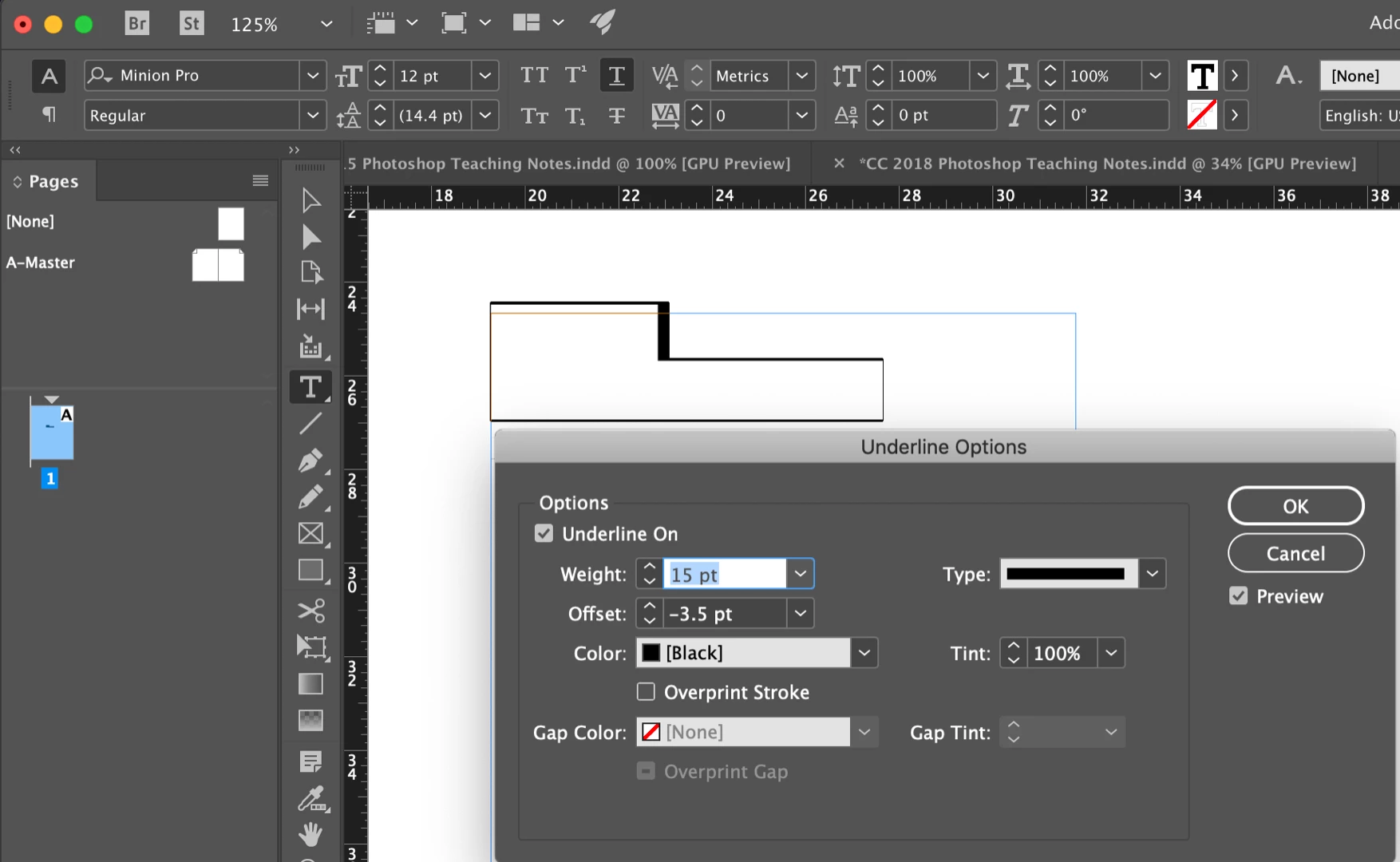
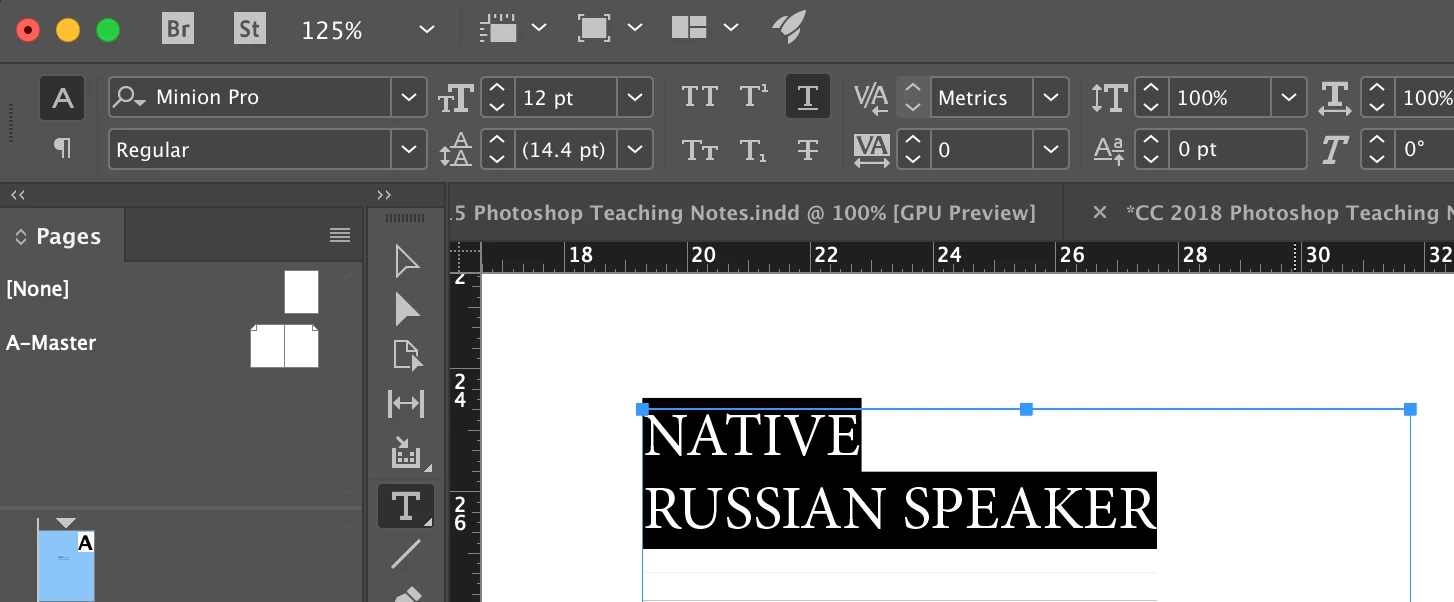
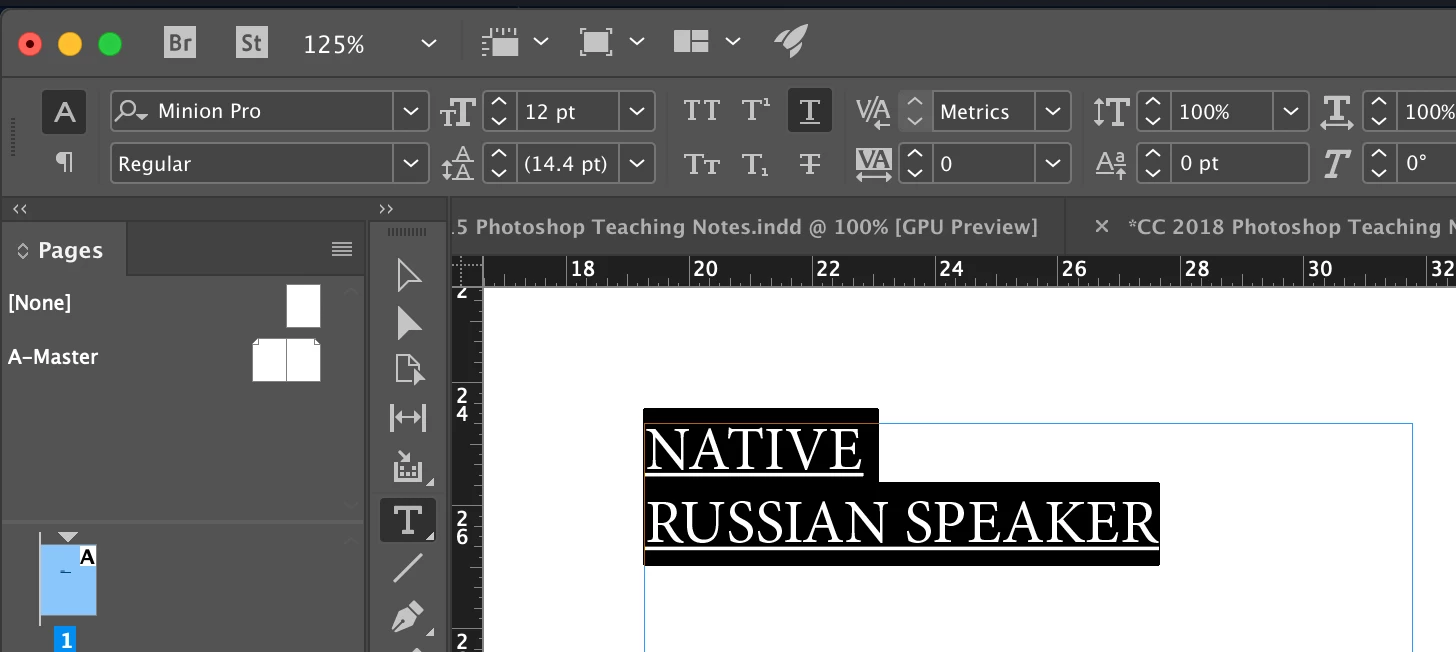
    I think Jeffrey's approach is a good one. Here are the visuals to support his answer.

    1. Type in the text and turn on underline.

    2. Alt/Opt click the underline button to access Underline Options. Increase the weight, adjust the offset and change the color to Black.

    3. Change the text color to Paper/White.

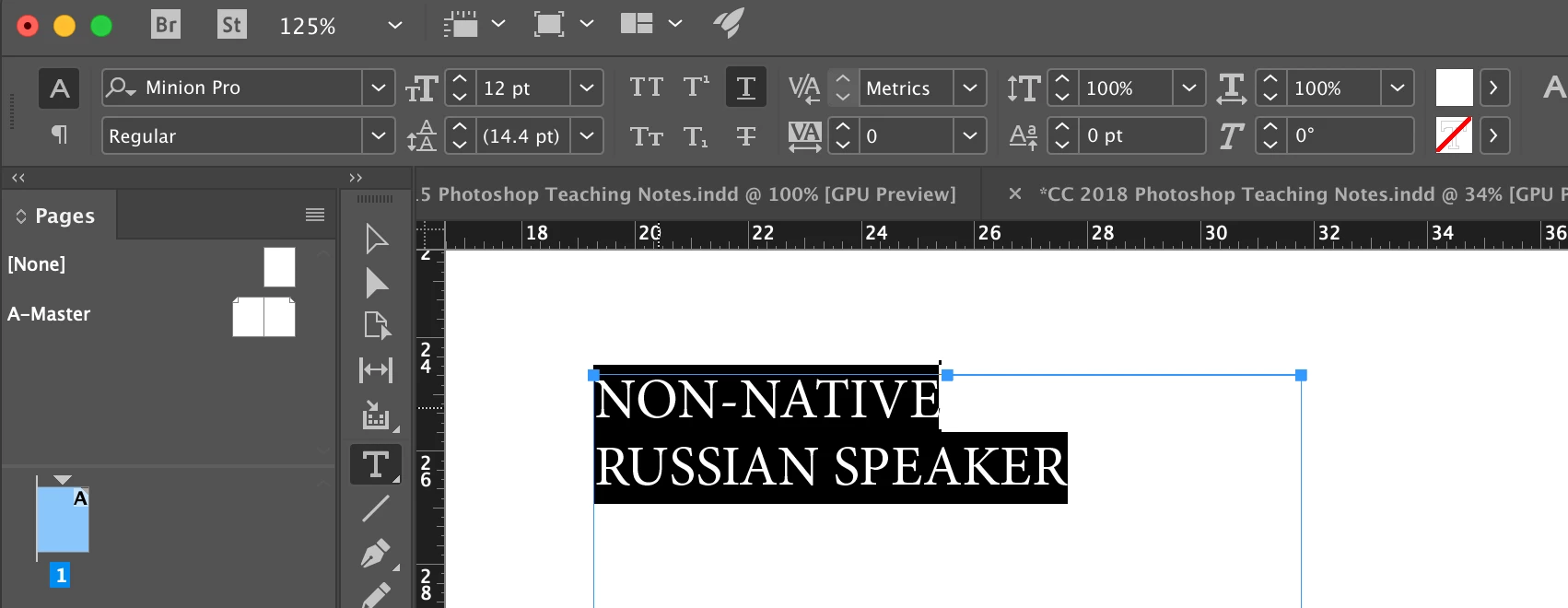
    4. Now when you change the text, the background changes with you.

    5. Save this as a  style and you can apply it to any text.

    ~Barb

    3 replies

    Barb Binder
    Community Expert
    Community Expert
    October 23, 2018

    Hi Elena:

    Follow the link in your email to view this thread in your web browser, and use this button to add your screen shot. That will help us help you more quickly.

    ~Barb

    ~Barb at Rocky Mountain Training
    Inspiring
    October 23, 2018

    How about giving the text a stroke of whatever thickness and color?

    elena.bubeeva
    Known Participant
    October 23, 2018

    Hi,

    how can you do this? also interested.

    Barb Binder
    Community Expert
    Barb BinderCommunity ExpertCorrect answer
    Community Expert
    October 23, 2018

    Hi Elena:

    I think Jeffrey's approach is a good one. Here are the visuals to support his answer.

    1. Type in the text and turn on underline.

    2. Alt/Opt click the underline button to access Underline Options. Increase the weight, adjust the offset and change the color to Black.

    3. Change the text color to Paper/White.

    4. Now when you change the text, the background changes with you.

    5. Save this as a  style and you can apply it to any text.

    ~Barb

    ~Barb at Rocky Mountain Training
    Community Expert
    October 23, 2018

    Hi Elena,

    do you mean you want to define a stroke value to text with alignment outside?

    Perfectly doable with InDesign.

    For including screenshots use the Insert Image icon of the forum editor.

    You cannot attach images when answering replies by mail.

    Regards,
    Uwe

    Inspiring
    October 23, 2018

    I just used the screen clip tool, copy from there and paste in the reply.

    Strange I didn't notice your reply, since it is stamped 10 minutes earlier than mine!

    Barb Binder
    Community Expert
    Community Expert
    October 23, 2018

    Your comments need to move through the moderation, Uwe's don't.

    Please add the screen shot through the web browser, and not through your email.

    ~Barb

    ~Barb at Rocky Mountain Training