141/5000 "Some of the files needed for color management are missing. Please reinstall the application to make sure it works correctly."
I have a little problem, even if I install it, it follows the problem. as the message says, there are color profiles either RGB and CMYK that have disappeared from some folder and that is why they are not being read, I investigated and I noticed that windows saves color profiles in this path C: \ Windows \ system32 \ spool \ drivers \ color
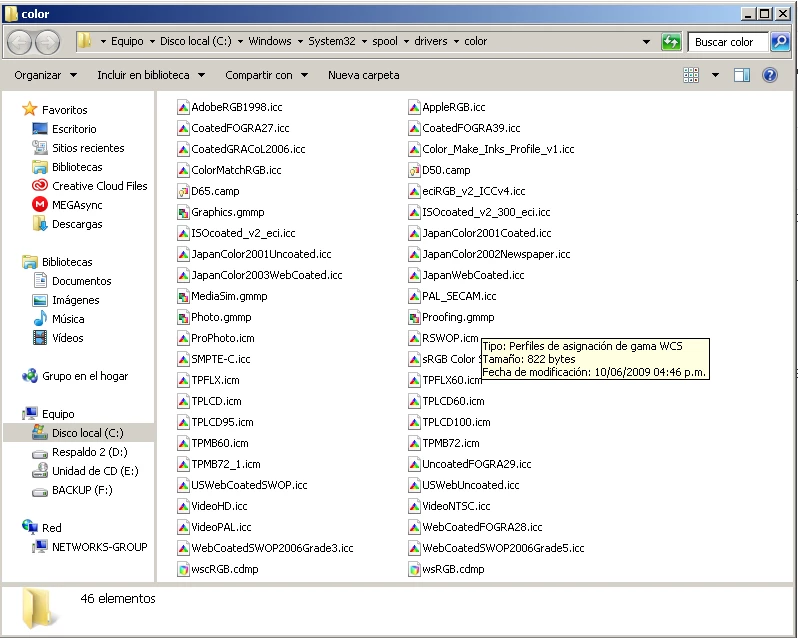
I decided to search the Internet for profiles that had disappeared such as the CMYK Japan, I found some
but not the ones that had the originals before, I put them in the windows path however inDesign jumped with the same error, although I could see the color profiles that I placed in the windows color folder through InDesign and Photoshop etc,
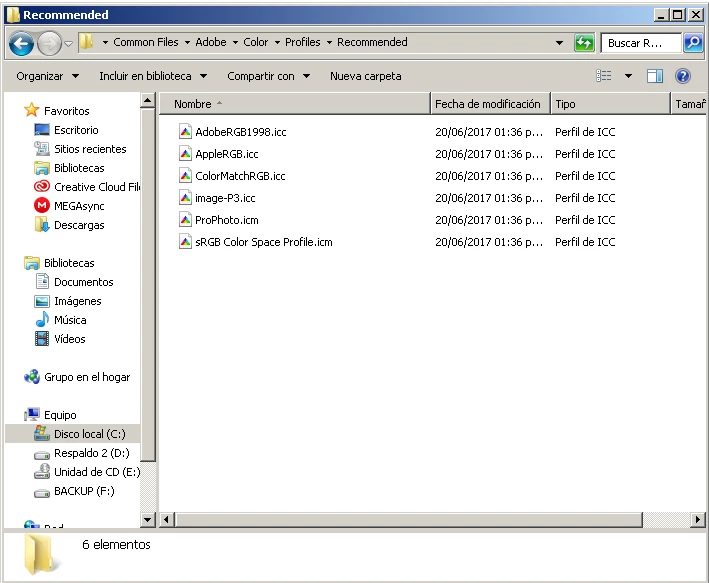
I guess the adobe color profiles are saved separately in this or in these paths C: \ Program Files (x86) \ Common Files \ Adobe \ Color \ Profiles \ Recommended In these folders there are only 15 profiles and I suppose there are more missing if someone could check.
I mean 9 profiles in C: \ Program Files (x86) \ Common Files \ Adobe \ Color \ Profiles
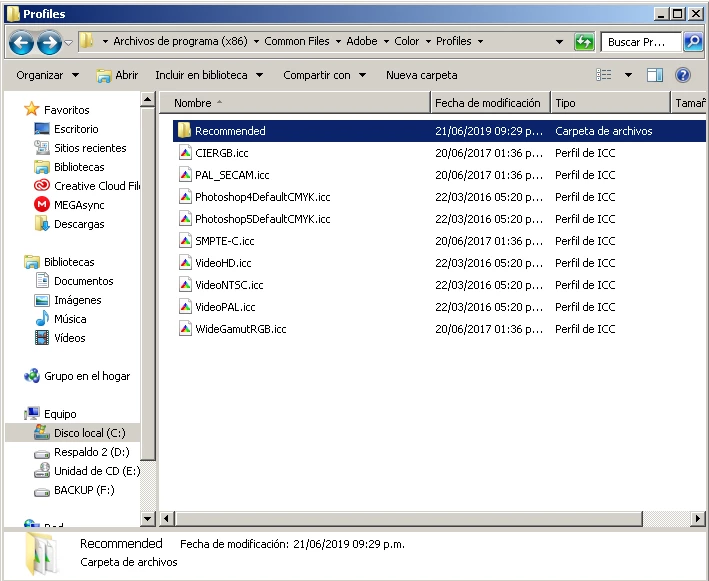
And 6 color profiles C: \ Program Files (x86) \ Common Files \ Adobe \ Color \ Profiles \ Recommended
In this folder there are 16 profiles C: \ Program Files (x86) \ Common Files \ Adobe \ Color Profiles
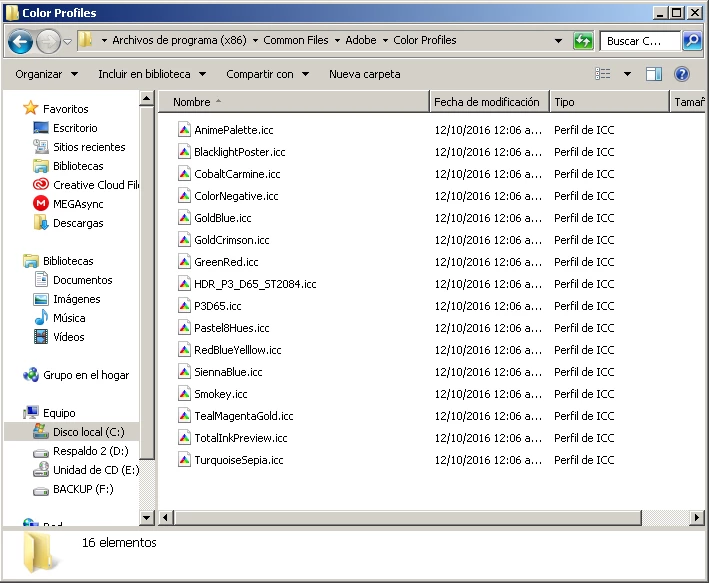
If someone could analyze if it is the correct amount, then did the profiles disappear from the adobe route or from the windows route?
 AdChoices