Inspiring
July 13, 2025
Answered

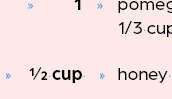
2/3 to appear as the 1/2 and 1/4 glyphs

  • July 13, 2025
  • 3 replies
  • 750 views

how can I get the 1/3 to appear as the 1/2 which was entered as a glyph??
 

Correct answer BobLevine

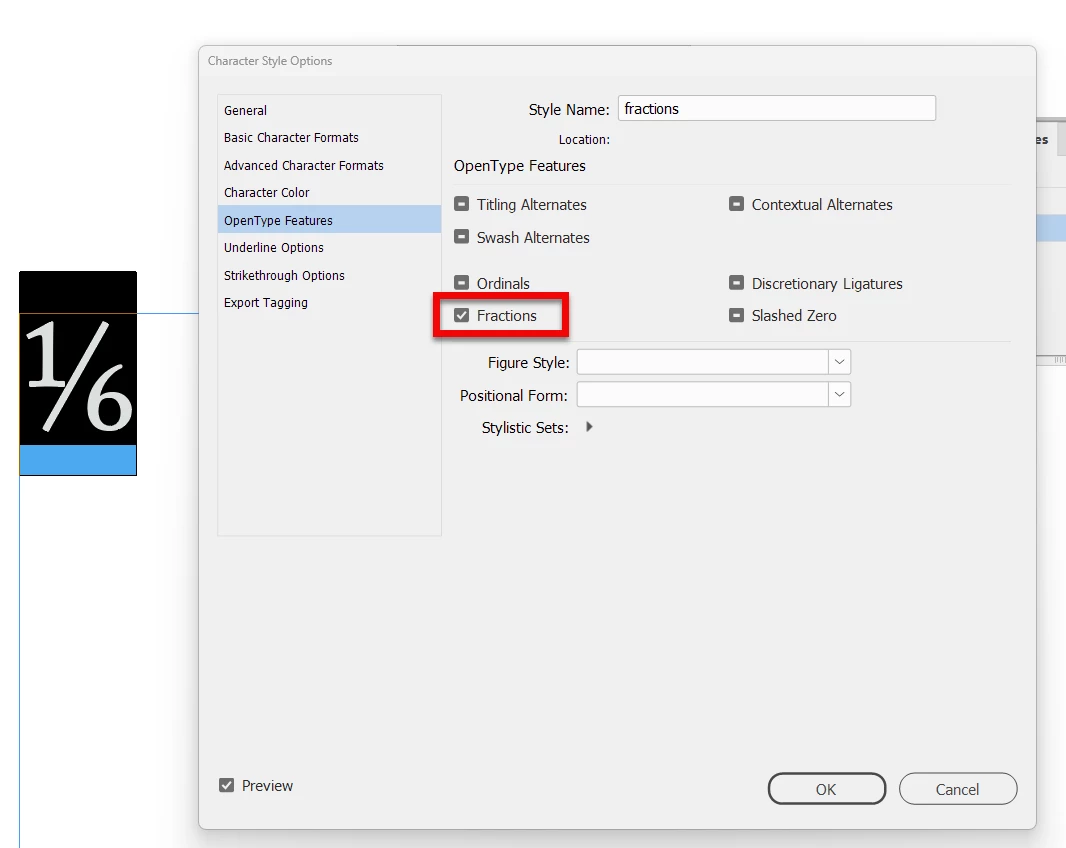
Use a Pro OpenType font with built in captions. You can create a character style for it.


3 replies

Mike Witherell
Community Expert
Community Expert
July 13, 2025

In addition to what Bob said, if you want to automate it within a Paragraph Style (which would delegate downhill to apply that Fraction-Building Character Style, go into the Paragraph Style Options dialog box and click on GREP Style; then click New GREP Style, and then type in \d+/\d+ and also choose the Fraction-Building Character Style. Once setup, the paragraph style will automatically apply whenever it sees any digits-forward-slash-digits. This might be a solution for some older fonts.


These frees you from having to locate so-called "vulgar" fractions pre-drawn whole in the glyphs. It also frees you from manually choosing superscripted/subscripted numerals in the Glyphs panel.

Mike Witherell
BobLevine
Community Expert
BobLevineCommunity ExpertCorrect answer
Community Expert
July 13, 2025

Use a Pro OpenType font with built in captions. You can create a character style for it.


Inspiring
July 13, 2025
please explain how I get to pro opentype font
BobLevine
Community Expert
Community Expert
July 13, 2025

The same way you'd get any other font. There are endless choices via Adobe Fonts.


Having the fraction feature allows you to type any fraction and have it display properly. The screenshot you see in my post was done with Adobe Caslon Pro and I typed 1/6 and applied the character style.

rob day
Community Expert
Community Expert
July 13, 2025

Hi @hendy_5450 , It depends on the font—if you want weighted fractions you would have to use a font with a large glyph set like Myriad Pro, which has a few fractions plus numerator and denominator glyphs:
