Participant
September 20, 2025
Answered

2026 Calendar

  • September 20, 2025
  • 4 replies
  • 1186 views

I have the Indesign file for our company 2025 Calendar, and I wanted to update it for 20269. The person who created the 2025 Calendar is no longer here so I can not ask how they set it up. From the googling and chatgpting I did it looks like there was a script to add the Calendar dates. However, when I look at the script file it is not there. Any suggestions, tips, help on what I can do to update this for 2026?

Correct answer Eugene Tyson

The way I do calendars is with a blank return and numbering


Quick Setup 

In Type menu (at the top between Layout and Object) 

Go to Bullets and Numbering and define lists - and then set it like this (I put in Calender you can name it what you like).
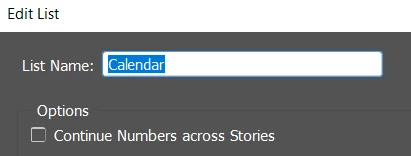


Insert some blank returns 

Then set a new character style - I said Cal Dates here

Select Numbers

Select List you just created ('Calendar') 

As per below
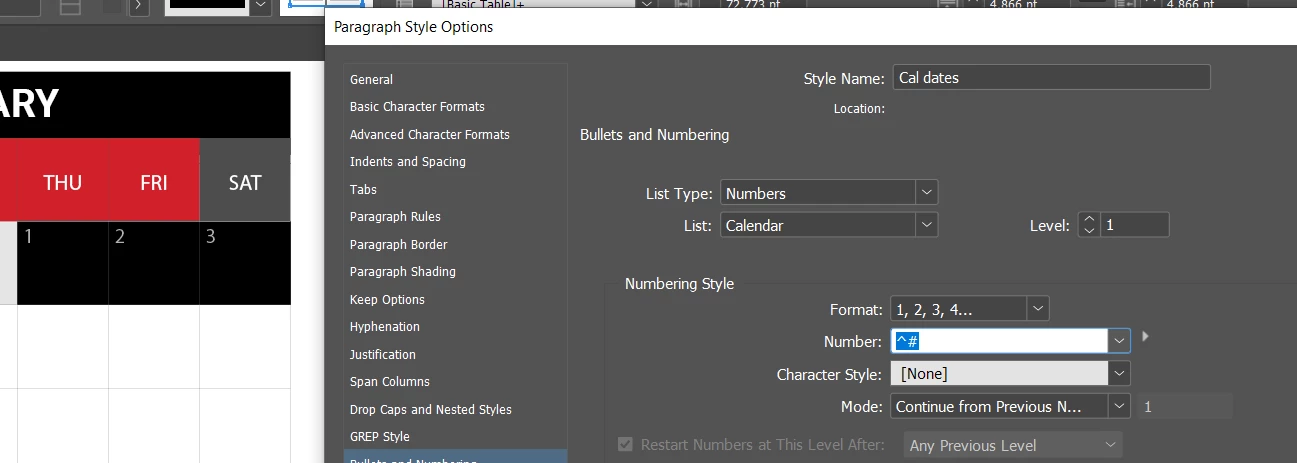


Then just copy the blank return to all cells


Select cell and copy



Then paste 
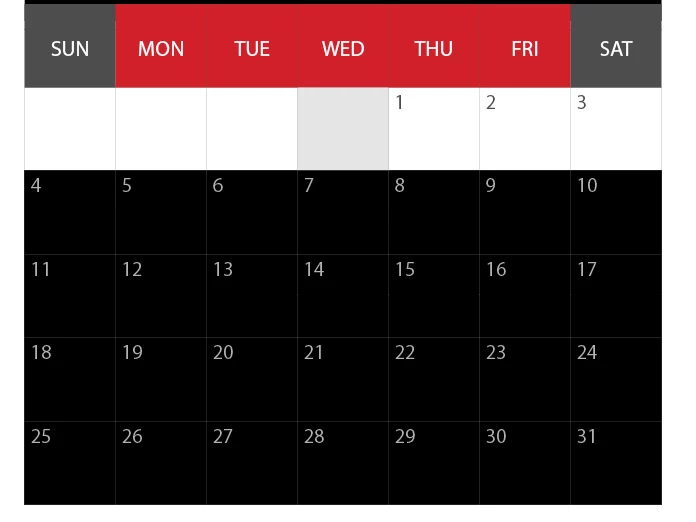
 

Then select all cells of next month and Paste the blank cell as steps above
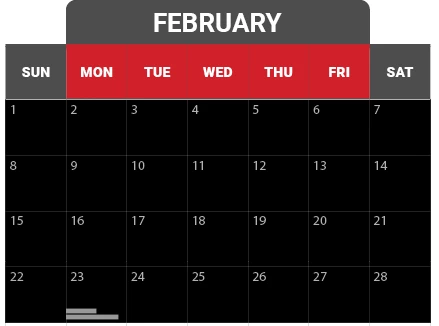


Delete any excess dates


You can then select other dates like Sat/Sun and apply another style to make it red text - just make sure it's based on your new style

Make sure you select the character colour to be red
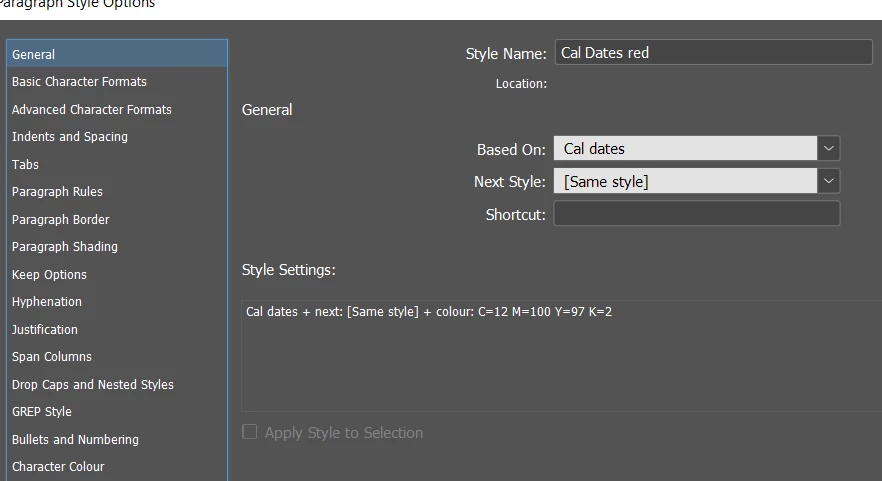


You can take further steps of automation with Table Styles

But might be more work than necessary 


It's quick then to paste the numbers and style the left and right columns and put in extra faded dates. 


Seems like the person setup styles, but seems to be all tanked, there's paragraph styles, character styles and table styles already in place - looks like they were doing a good job. 


But none of the styles are applied to anything that I can see. 


Best to delete all the styles not in use and start over with your own styles and way of working it. 


Maybe they did use the Calendar Wizard script https://calendarwizard.sourceforge.net/


Hard to know. Maybe that's where all the styles came from. 


If you need it updated and can't do it yourself then it's obviouly worth paying a professional to handle the changes. 


Let us know if you get stuck or need more help.



4 replies

shawn_5025
Participant
February 11, 2026

Updating a calendar in InDesign can be tricky when you don't have the original setup. It reminds me of how complex ancient time systems are, It's amazing how different cultures track cycles.


[link removed by moderator]

Jeff Witchel, ACI
Community Expert
Community Expert
October 28, 2025

I would suggest Calendar Wizard, an InDesign Script for creatiing totally custom calendars. Works great! https://calendarwizard.sourceforge.net/download.html

I've been using it for years to create wall calendar for a non-profit. 

Mario Fritsche
Legend
September 21, 2025

Hello,
you will encounter problems with the layout in May and August. These months require 6 weeks.

---Mario
Eugene TysonCommunity ExpertCorrect answer
Community Expert
September 21, 2025

The way I do calendars is with a blank return and numbering


Quick Setup 

In Type menu (at the top between Layout and Object) 

Go to Bullets and Numbering and define lists - and then set it like this (I put in Calender you can name it what you like).


Insert some blank returns 

Then set a new character style - I said Cal Dates here

Select Numbers

Select List you just created ('Calendar') 

As per below


Then just copy the blank return to all cells


Select cell and copy


Then paste 


Then select all cells of next month and Paste the blank cell as steps above


Delete any excess dates


You can then select other dates like Sat/Sun and apply another style to make it red text - just make sure it's based on your new style

Make sure you select the character colour to be red


You can take further steps of automation with Table Styles

But might be more work than necessary 


It's quick then to paste the numbers and style the left and right columns and put in extra faded dates. 


Seems like the person setup styles, but seems to be all tanked, there's paragraph styles, character styles and table styles already in place - looks like they were doing a good job. 


But none of the styles are applied to anything that I can see. 


Best to delete all the styles not in use and start over with your own styles and way of working it. 


Maybe they did use the Calendar Wizard script https://calendarwizard.sourceforge.net/


Hard to know. Maybe that's where all the styles came from. 


If you need it updated and can't do it yourself then it's obviouly worth paying a professional to handle the changes. 


Let us know if you get stuck or need more help.