

Good Venture
Known Participant
May 24, 2023
Question

A Rendering Intent is used

  • May 24, 2023
  • 3 replies
  • 2409 views

Hi everyone,


I'm printing a PDF file created in InDesign. I've exported similar files with the exact same print configuration options, but this one is getting flagged with many errors from the printer.
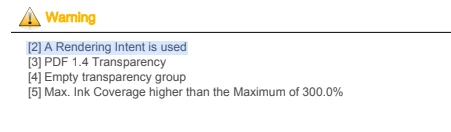
 

 The main problematic is that some items which display fine and are linked correctly in the InDesign document, when exported do not render correctly. See pictures below:

1 - InDesign
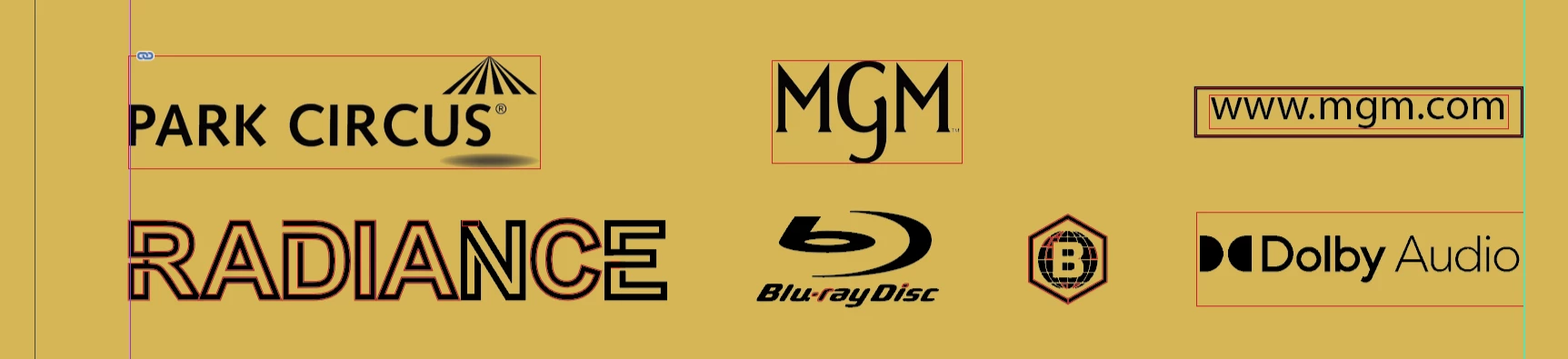
2 - exported PDF 

Any idea why this is happening? 


Thanks

This topic has been closed for replies.

3 replies

Known Participant
May 24, 2023

It seems like you have high compression or downsampling on.

Community Expert
May 24, 2023

In InDesing - go to Window>Info and select the images in your layout - what does it say about he Effective PPI?

Here's an article I wrote about these issues some time ago
https://creativepro.com/high-res-image-look-low-res/


Good Venture
Known Participant
May 24, 2023

In the case of the selected logo, see the info details below


Known Participant
May 24, 2023

Also, change the color space from those files to Grayscale. It's in quadri black which makes your ink coverage to high. Are you using effects?What does it look like when you export as a PDF/X-4?

Legend
May 24, 2023

1. A rendering intent is a normal thing. Why are you checking for it and reporting it as a problem?

2. PDF transparency is a normal thing, though it can be eliminated if really needed. Why do you consider it a problem.

3. An empty transparency group is of no interest. Why are you checking for it and reporting it as a problem?

4. High ink coverage may be a very serious problem. What steps do you take to avoid this? Are you designing in RGB or CMYK? What RGB and CMYK profiles do you use?

5. I'm not the designer, so I don't see any rendering issues. Please give full details on exactly where to look to see the issues. May need at least an actual PDF rather than a screen shot. 

Good Venture
Known Participant
May 24, 2023

All the errors have been flagged by the printers and not by the designer (me) 


1. A rendering intent is a normal thing. Why are you checking for it and reporting it as a problem?
-> I'm reporting this as an error because the flagged elements are the same that not are displaying well on the final print PDF.


Legend
May 24, 2023

I  did raise 5 points... So, what is your specific complaint about quality. You still haven't described it in detail. "Not displaying well" isn't descriptive enough. The last screen shot is VERY different from the one you posted.