Participant
June 24, 2023
Answered

A script that increases the text size and spacing with each line

  • June 24, 2023
  • 3 replies
  • 632 views

I am making a small zine, where I have a long text without paragraphs and I am looking for a script that increases the font size and the spacing with every line about a parameter (0.1pt for example). I am not good with code and still learning, so its a bit too complicated for me. Does someone have a solution?

This topic has been closed for replies.
Correct answer rob day

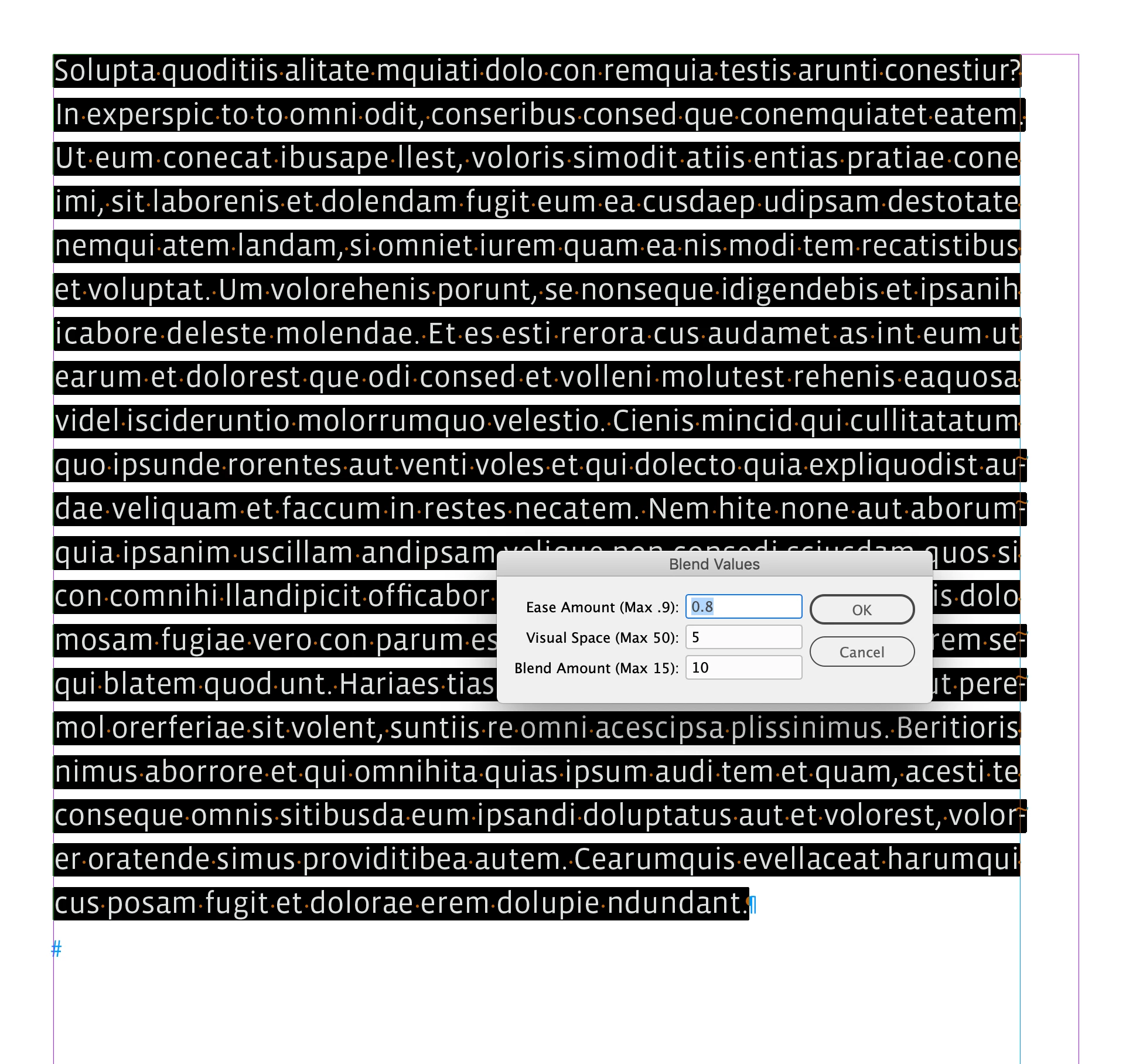
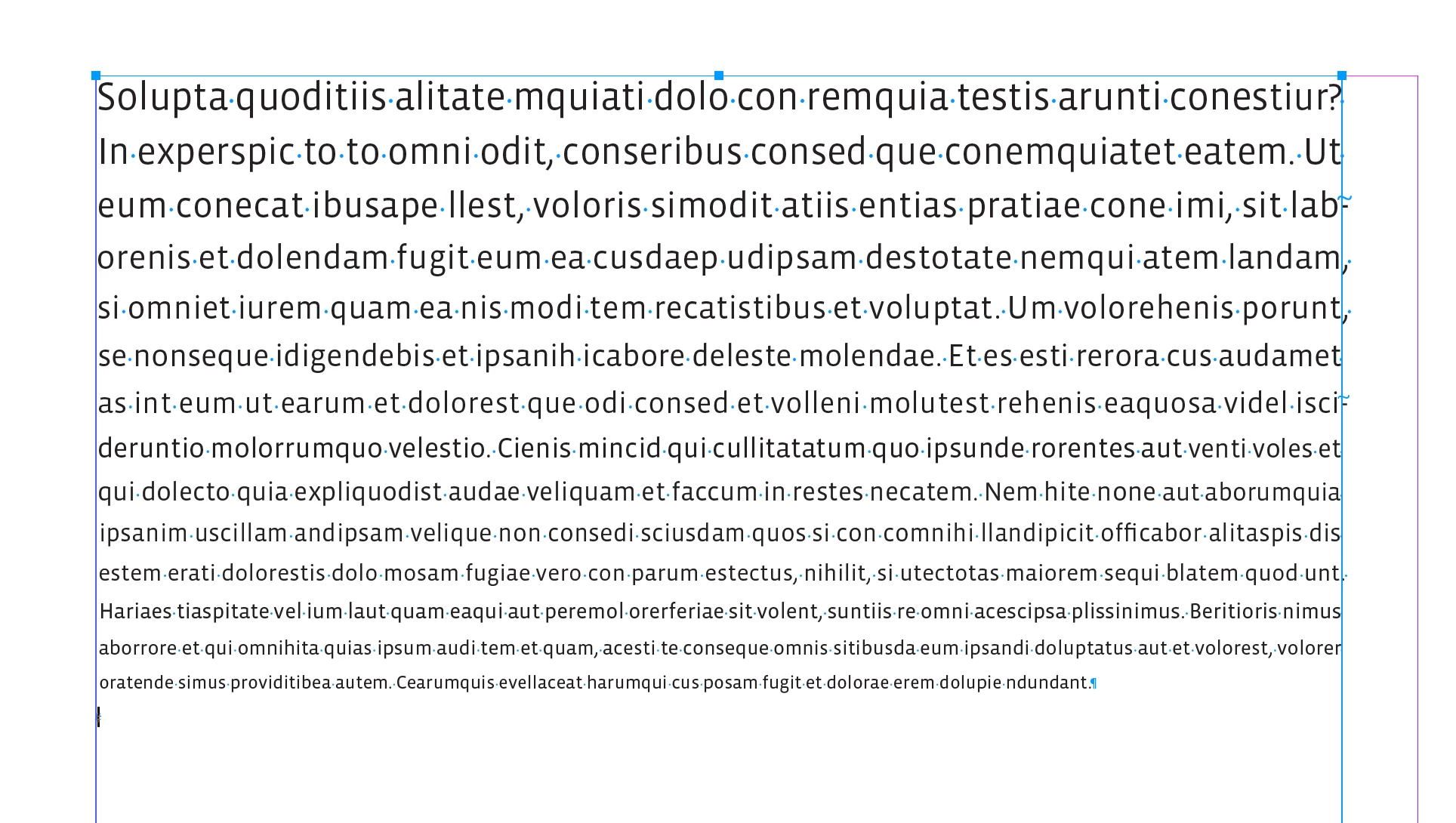
Hi @default1zn7l8u4ete5 , Not sure if this helps, but this script decreases the font size, with equal white space between the lines.


//Run with Undo 
app.doScript(makeDialog, ScriptLanguage.JAVASCRIPT, undefined, UndoModes.ENTIRE_SCRIPT, 'Blend Text');

var ease, vs, ba;
function makeDialog(){
    var s = app.activeDocument.selection[0];
    if (s.constructor.name == "TextColumn" || s.constructor.name == "Text" || s.constructor.name == "Paragraph") {
        var theDialog = app.dialogs.add({name:"Blend Values", canCancel:true});
        with(theDialog.dialogColumns.add()){
            staticTexts.add({staticLabel:"Ease Amount (Max .9):"});
            staticTexts.add({staticLabel:"Visual Space (Max 50):"});
            staticTexts.add({staticLabel:"Blend Amount (Max 15):"});
        }
        with(theDialog.dialogColumns.add()){
            ease = realEditboxes.add({editValue:.8, maximumValue:.9, minimumValue:.1, minWidth:100});
            vs = realEditboxes.add({editValue:5, maximumValue:50, minimumValue:0, minWidth:100});
            ba = realEditboxes.add({editValue:10, maximumValue:15, minimumValue:1, minWidth:100});
        }
        if(theDialog.show() == true){
            ease = ease.editValue;
            vs = vs.editValue;
            ba = ba.editValue;
            blendText(s)
            theDialog.destroy();
	    }
    }else{
        alert("Please Select More Than One Line of Text")
        return
    }
}


/**
* Adjust line size and update for reflows 
* @ sel selected text
* @ return void 
* 
*/
function blendText(sel){
    var sl = sel.lines
    blendLines(sel, ease, vs, ba);
    //adjust for reflows
    for (var i = 0; i < sl.length; i++){
        if (sl[i].characters[0].pointSize != sl[i].characters[-1].pointSize) {
            blendLines(sel, ease, vs, ba);
        } 
    };    
}

/**
* Blends point size and leading 
* @ selected text 
* @ an ease amount number between .1 and .9 
* @ visual space between lines number between 0 and 50
* @ the amount to blend number between 0 and 15
* @ return void 
*/

function blendLines(s, e, vs, ba){
    var doc = app.activeDocument;
    var oPL = doc.textPreferences.useParagraphLeading;
    doc.textPreferences.useParagraphLeading = false;
    app.scriptPreferences.measurementUnit = MeasurementUnits.POINTS;
    var x = s.lines;
    var psize = x[0].pointSize;
    var pp = ba/psize;
    for (var i = 1; i < x.length; i++){
        x[i].pointSize = psize - ((pp * i) * e)
    };
    for (var j = 1; j < x.length; j++){
        var d = x[j-1].descent;
        var a = x[j].ascent;
        x[j].leading = d+a+vs;
    };  
    doc.textPreferences.useParagraphLeading = oPL;
};


Dialog
 

Result

3 replies

Legend
June 25, 2023

Or, for most kinds of documents, if you used styles appropriately it's a simple change to a single screen setting....

rob day
Community Expert
Community Expert
June 24, 2023

Haven’t tested this much, but to increase the size change line 70 from


x[i].pointSize = psize - ((pp * i) * e)


to:


x[i].pointSize = psize + ((pp * i) * e)


rob day
Community Expert
rob dayCommunity ExpertCorrect answer
Community Expert
June 24, 2023

Hi @default1zn7l8u4ete5 , Not sure if this helps, but this script decreases the font size, with equal white space between the lines.


//Run with Undo 
app.doScript(makeDialog, ScriptLanguage.JAVASCRIPT, undefined, UndoModes.ENTIRE_SCRIPT, 'Blend Text');

var ease, vs, ba;
function makeDialog(){
    var s = app.activeDocument.selection[0];
    if (s.constructor.name == "TextColumn" || s.constructor.name == "Text" || s.constructor.name == "Paragraph") {
        var theDialog = app.dialogs.add({name:"Blend Values", canCancel:true});
        with(theDialog.dialogColumns.add()){
            staticTexts.add({staticLabel:"Ease Amount (Max .9):"});
            staticTexts.add({staticLabel:"Visual Space (Max 50):"});
            staticTexts.add({staticLabel:"Blend Amount (Max 15):"});
        }
        with(theDialog.dialogColumns.add()){
            ease = realEditboxes.add({editValue:.8, maximumValue:.9, minimumValue:.1, minWidth:100});
            vs = realEditboxes.add({editValue:5, maximumValue:50, minimumValue:0, minWidth:100});
            ba = realEditboxes.add({editValue:10, maximumValue:15, minimumValue:1, minWidth:100});
        }
        if(theDialog.show() == true){
            ease = ease.editValue;
            vs = vs.editValue;
            ba = ba.editValue;
            blendText(s)
            theDialog.destroy();
	    }
    }else{
        alert("Please Select More Than One Line of Text")
        return
    }
}


/**
* Adjust line size and update for reflows 
* @ sel selected text
* @ return void 
* 
*/
function blendText(sel){
    var sl = sel.lines
    blendLines(sel, ease, vs, ba);
    //adjust for reflows
    for (var i = 0; i < sl.length; i++){
        if (sl[i].characters[0].pointSize != sl[i].characters[-1].pointSize) {
            blendLines(sel, ease, vs, ba);
        } 
    };    
}

/**
* Blends point size and leading 
* @ selected text 
* @ an ease amount number between .1 and .9 
* @ visual space between lines number between 0 and 50
* @ the amount to blend number between 0 and 15
* @ return void 
*/

function blendLines(s, e, vs, ba){
    var doc = app.activeDocument;
    var oPL = doc.textPreferences.useParagraphLeading;
    doc.textPreferences.useParagraphLeading = false;
    app.scriptPreferences.measurementUnit = MeasurementUnits.POINTS;
    var x = s.lines;
    var psize = x[0].pointSize;
    var pp = ba/psize;
    for (var i = 1; i < x.length; i++){
        x[i].pointSize = psize - ((pp * i) * e)
    };
    for (var j = 1; j < x.length; j++){
        var d = x[j-1].descent;
        var a = x[j].ascent;
        x[j].leading = d+a+vs;
    };  
    doc.textPreferences.useParagraphLeading = oPL;
};


Dialog


Result

Participant
June 25, 2023

Oh thank you very much, it worked fine the first time i tried it. i'll try it out a bit now!