Known Participant
August 5, 2022
Answered

Ability to change page size moving other pages in spread or...

  • August 5, 2022
  • 2 replies
  • 705 views

Helloes,

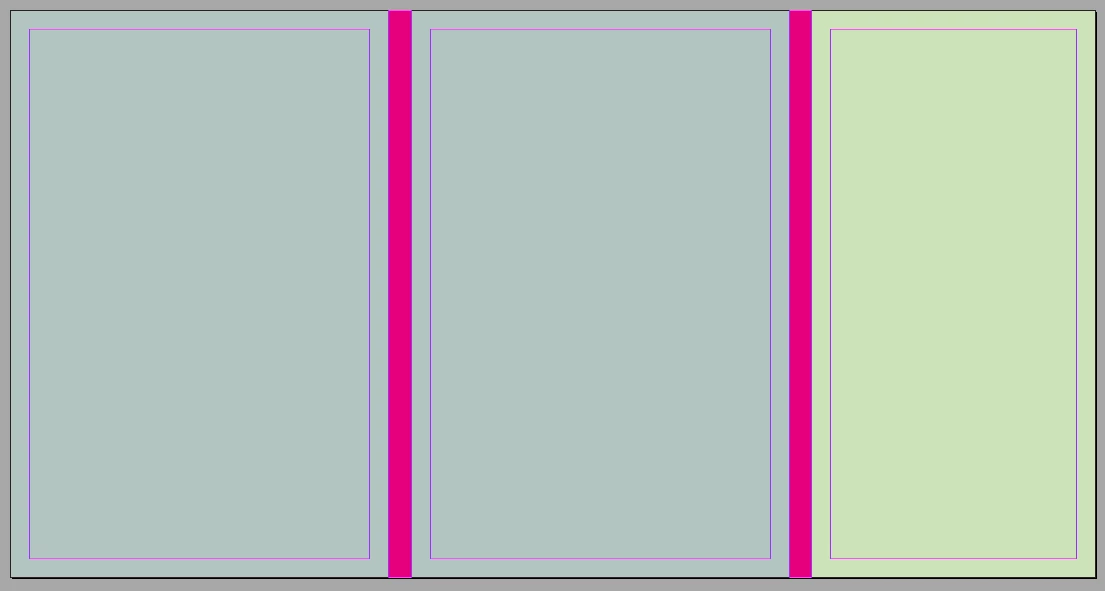
I have a simple project, a cover for a postcard set. But... I don't know in advance how many postcards will be there, be it 10 or 20 which makes quite a difference for a spine-page width. Is there a way to:

a) change page width within a spread in a way that spread will accomodate to the changes and move pages left and right accordingly (so these magenta pages might be 6 or 12 mm and pages won't overlap after changing the size)
b) create spread with gaps between pages, but export as a pdf without those gaps?
c) create whole project as separate pages and create a spread on export?
d) some other solutions?

Thanks!

This topic has been closed for replies.
Correct answer rob day

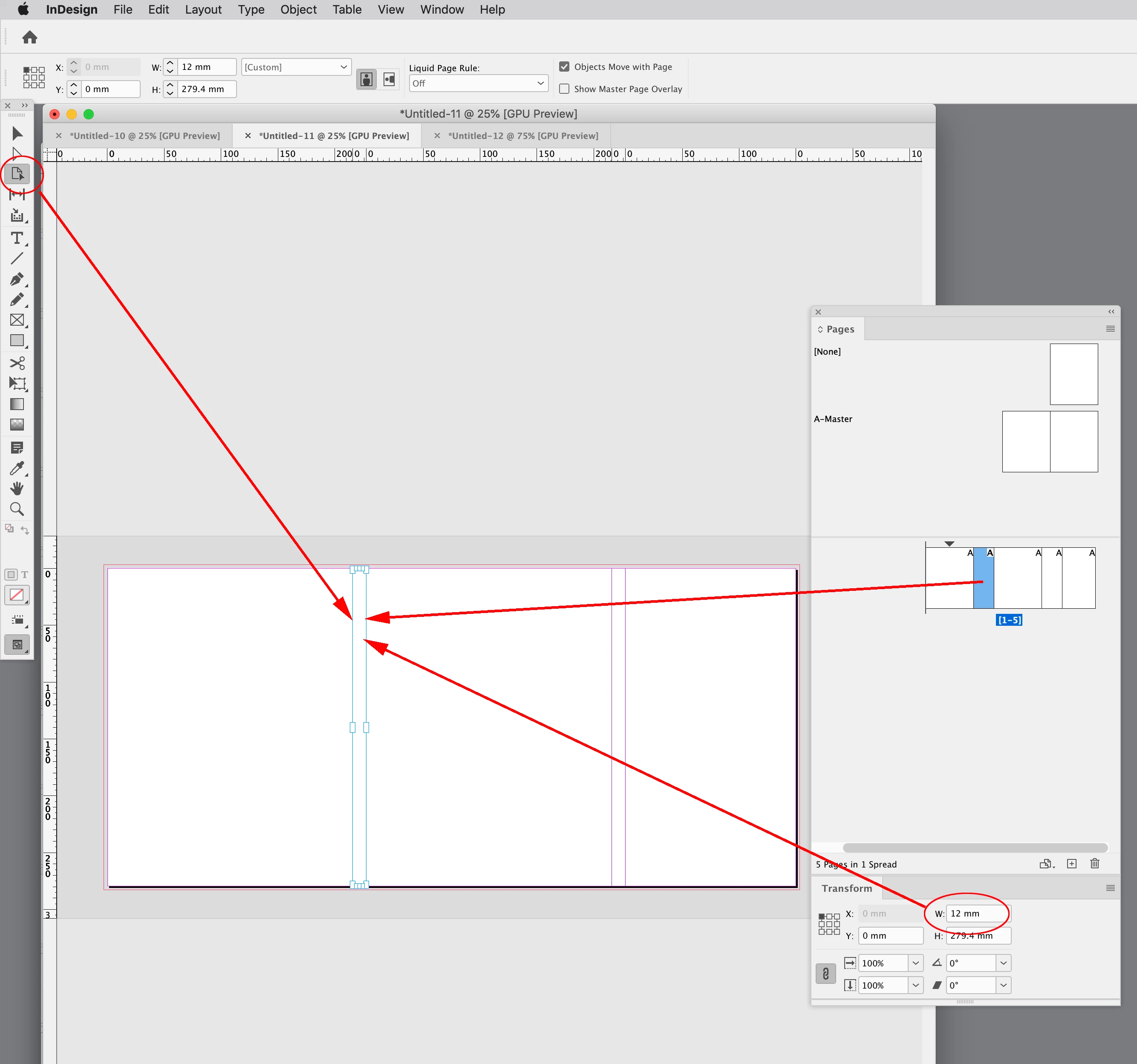
Hi @7x8 , If you setup your spread in a Facing Pages document, a change in page sizes will keep the spread together. Here I’ve selected the 2nd page in the spread with the Pages tool, and set its width to 12mm in the Transform panel:


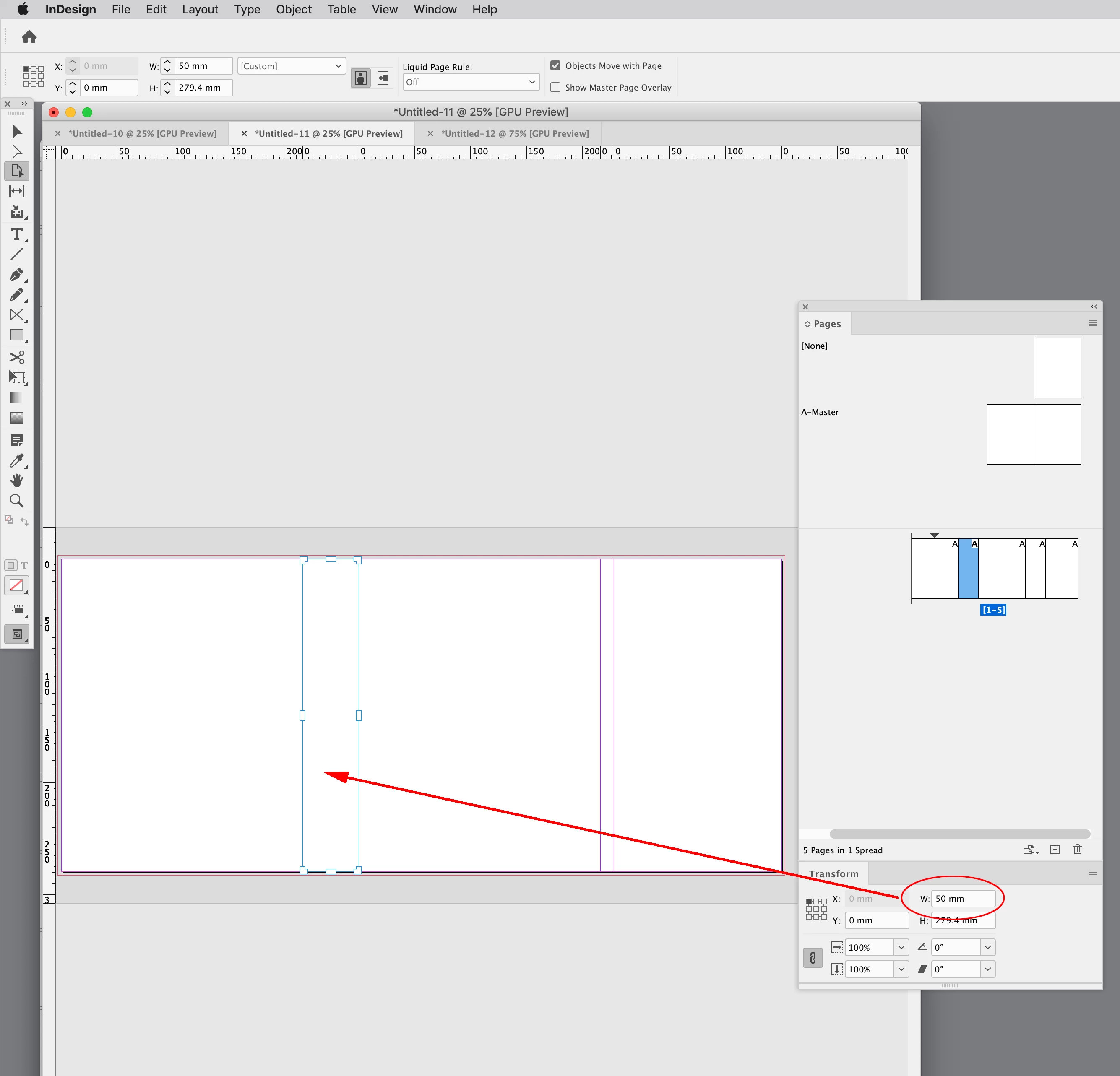
If I change the width the spread pages stay together. Looks like your doc is setup with Facing pages turned off.


2 replies

Peter Spier
Community Expert
Community Expert
August 5, 2022

It would help if we could see how the file is currently set up...

Robert at ID-Tasker
Legend
August 5, 2022

On the Pages panel - you can select page and on the bottom left you can click icon and set different size. 

7x8Author
Known Participant
August 5, 2022

Thanks, but it won't work as I need to - unless there's some switch or option I should toggle or turn either on or off.
After changing page size with "Edit page size option" spread gets mangled:

When changing master's size pages overlap:

rob day
Community Expert
rob dayCommunity ExpertCorrect answer
Community Expert
August 5, 2022

Hi @7x8 , If you setup your spread in a Facing Pages document, a change in page sizes will keep the spread together. Here I’ve selected the 2nd page in the spread with the Pages tool, and set its width to 12mm in the Transform panel:


If I change the width the spread pages stay together. Looks like your doc is setup with Facing pages turned off.