


Question
Accessibility issue - menu text size fails to integrate with default windows text size
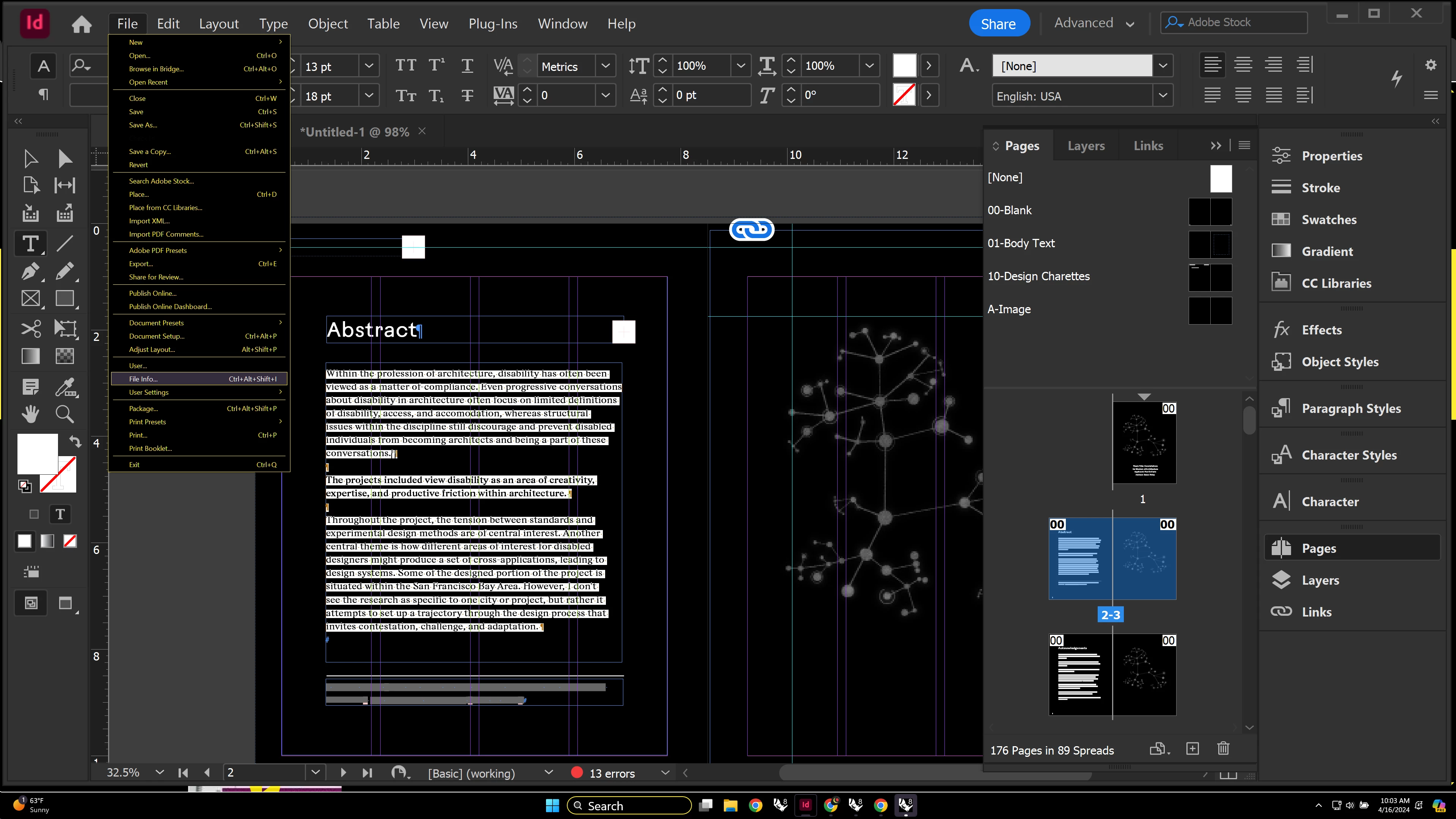
I've attached an image below to show what I'm talking about. As you can see I have my text size generally set quite high as a low vision indesign user, I believe around 160% in the Windows Settings. However, the menu text in Indesign does not adjust to this, making the text too small for me to really see without leaning into the screen, slowing down my ability to work in indesign. If there are any fixes for this I'd be interested to know them. Ideally InDesign would integrate more smoothly with Windows accessibility settings.
Also as a sidebar, I'm noticing the tags below this post don't show whether they're selected or not when you're in Windows High Contrast mode for low vision...
Thanks for you help.
 AdChoices