
Accessible Endnotes in InDesign for interactive PDF
Hello,
I'm having trouble getting my endnotes accessible. I use PAC (PDF Accessibility Checker) to check the PDFs that result from my InDesign documents, and always receive these error messages for the endnotes:
Failure error, for each hyperlinked endnote number in the Notes section:
1) 'ID missing in "Note" structure element'
Warning message:
2) '"Contents" entry on an annotaion exists, but is only comprised of white space'. This occurs for both the endnote number in the text and in the Notes section.
3) '"Note" element is not referenced by a "Link" element'. This only occurs for the endnote numbers in the Notes section.
4) '"Note" element does not contain a "Lbl" element'. This only occurs for the endnote numbers in the Notes section.
5) '"P" element contains "Note" element'. This only occurs for the endnote numbers in the Notes section.
These errors are making my documents inaccessible, and accessibility is important to me.
For context: The InDesign files are created from styled Word documents, with all the styles mapping correctly. The links between the endnote numbers in the text and the endnote numbers in the Notes section do work when clicked on, ie the hyperlink between the two is working both ways. The InDesign file is an .indd file with multiple sections - one for each chapter - with the endnote numbering restarting at each section. The books we publish are often academic texts and can have hundreds of endnotes, so to add an ID manually to each endnote is simply not practical.
When I look at the Object Properties for the endnote number, I can see that the Type is "Link", but everything else is blank. So there is no ID (error 1), which I would have thought InDesign would create automatically.
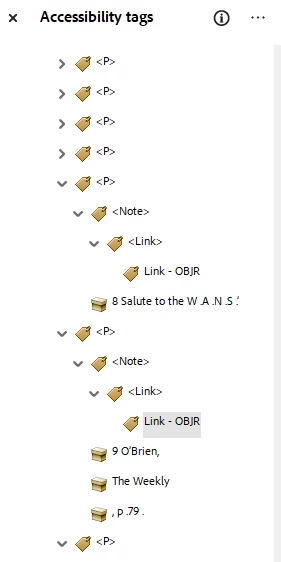
In the body of the book, the endnote numbers are automatically tagged as "Reference" with a child tag "Link". In the Endnotes section of the book, the endnote numbers are within a "P" tag, with a child tag "Notes".
I guess, first and foremost, what might I do to resolve 1), where there is currently no "ID" listed in the properties of the "Link" tag. If I can fix this, at least our books will have a chance of meeting minimum accessibility requirements.
A couple of screenshots are attached.
Any help you can offer with this would be greatly appreciated. And apologies if some of my terminology is
incorrect.
incorrect.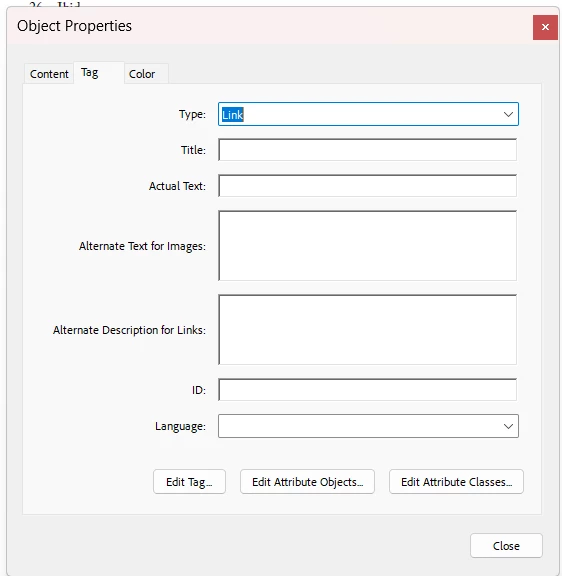


 AdChoices