

Answered
Accidentally rotated text in the bounding box - How to restore to level?
It's so easy to 'touch' the cursor to a surface in the document while editing text and now to find out I accidentally rotated, not the bounding box 'A' but an internal box 'B' that seems to be the 'level' or 'rotated' state for the text itself. This is beyond me to know how to restore this as all of the text in this document should be level and I need to restore it. What do you recommend? Is it possible to bring this back to level?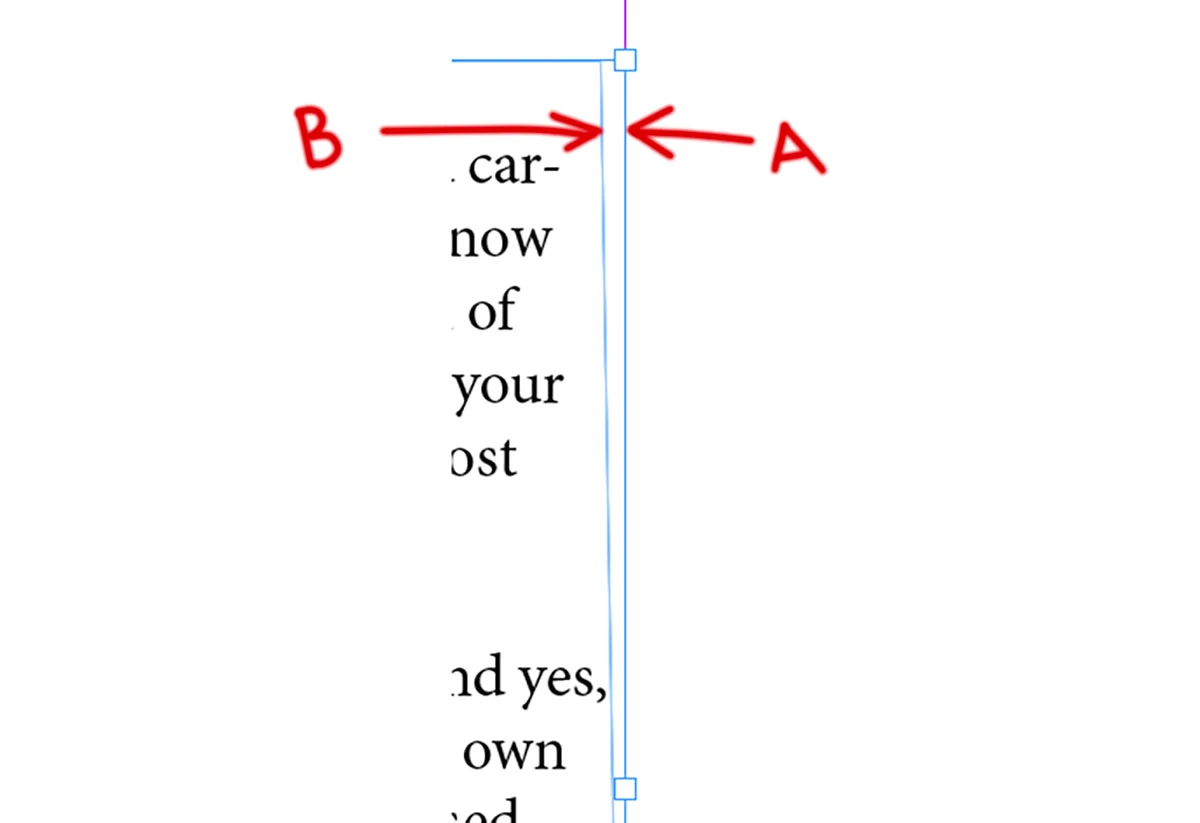
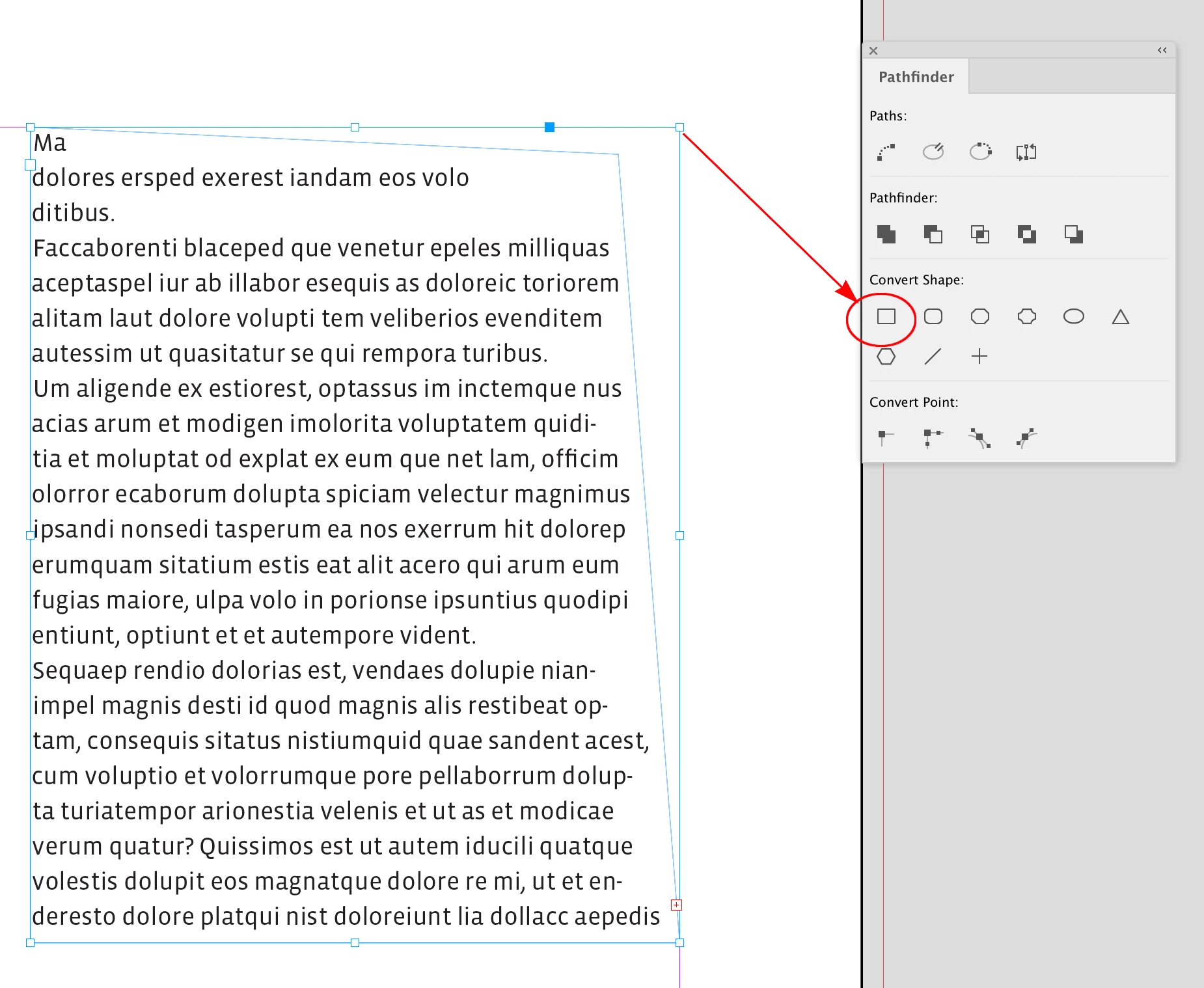
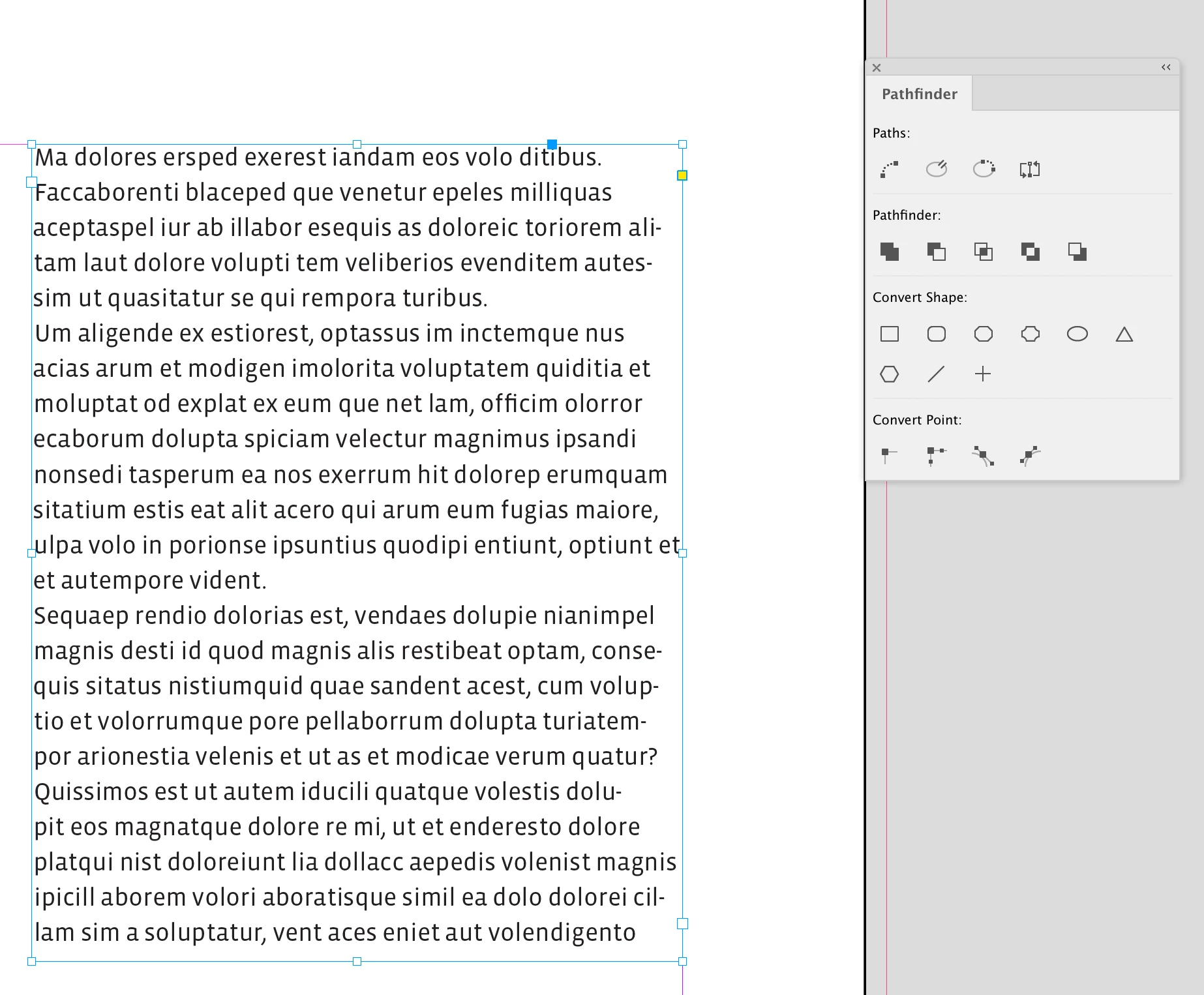


 AdChoices