Answered
Accidently turned a text area into a Form. How do I revert it back to just print?
Still learning the ins and outs of InDesign.
I converted a text area into a Form by mistake. I don't see how to revert it back to just being regular text.

Still learning the ins and outs of InDesign.
I converted a text area into a Form by mistake. I don't see how to revert it back to just being regular text.
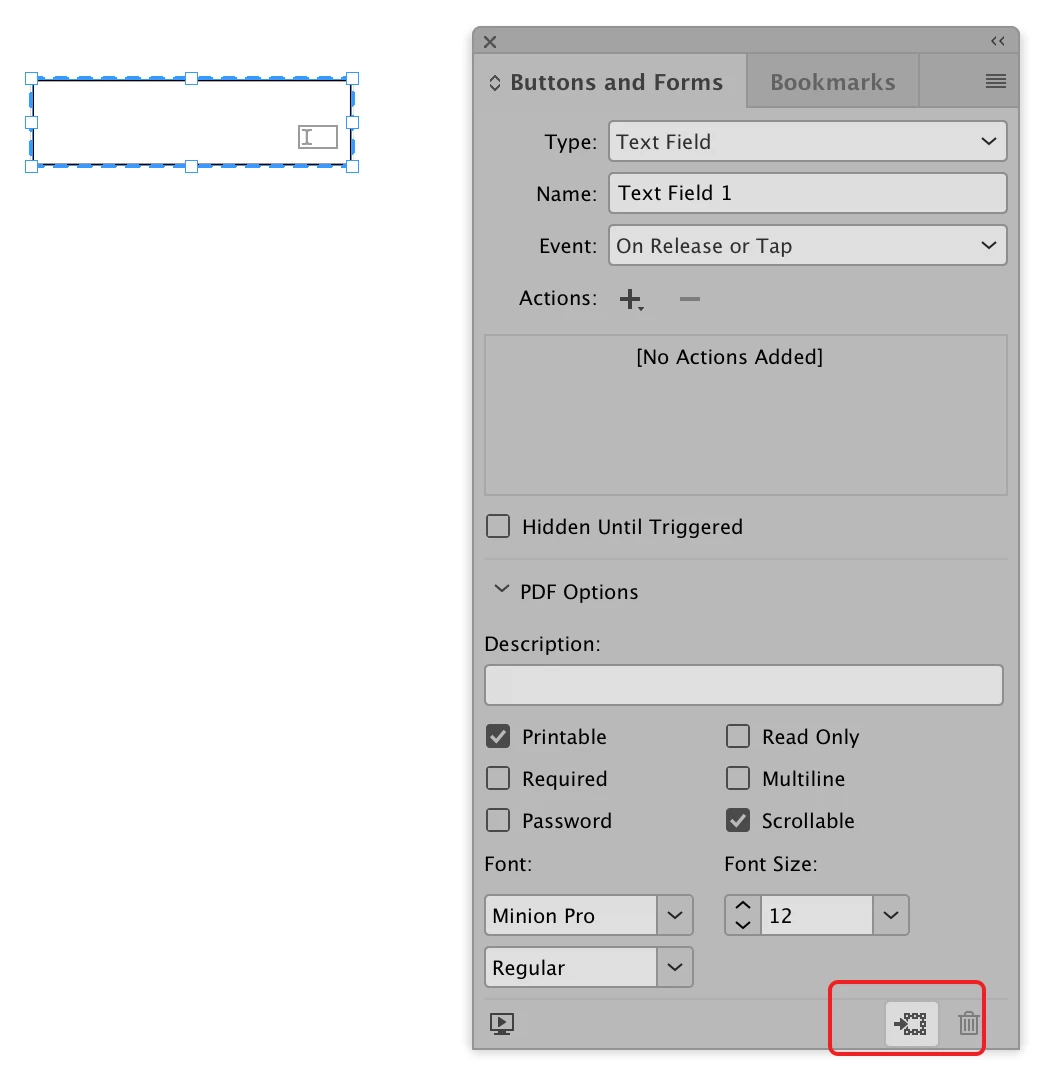
Click on the Form Field to select it. Then click on the Convert to Object button at the bottom of the Button and Forms panel.
Already have an account? Login
Enter your E-mail address. We'll send you an e-mail with instructions to reset your password.
 AdChoices