

Erica Gamet
Inspiring
September 17, 2018
Question

Ack! All My Tools and Panels Disappeared!

  • September 17, 2018
  • 2 replies
  • 2489 views

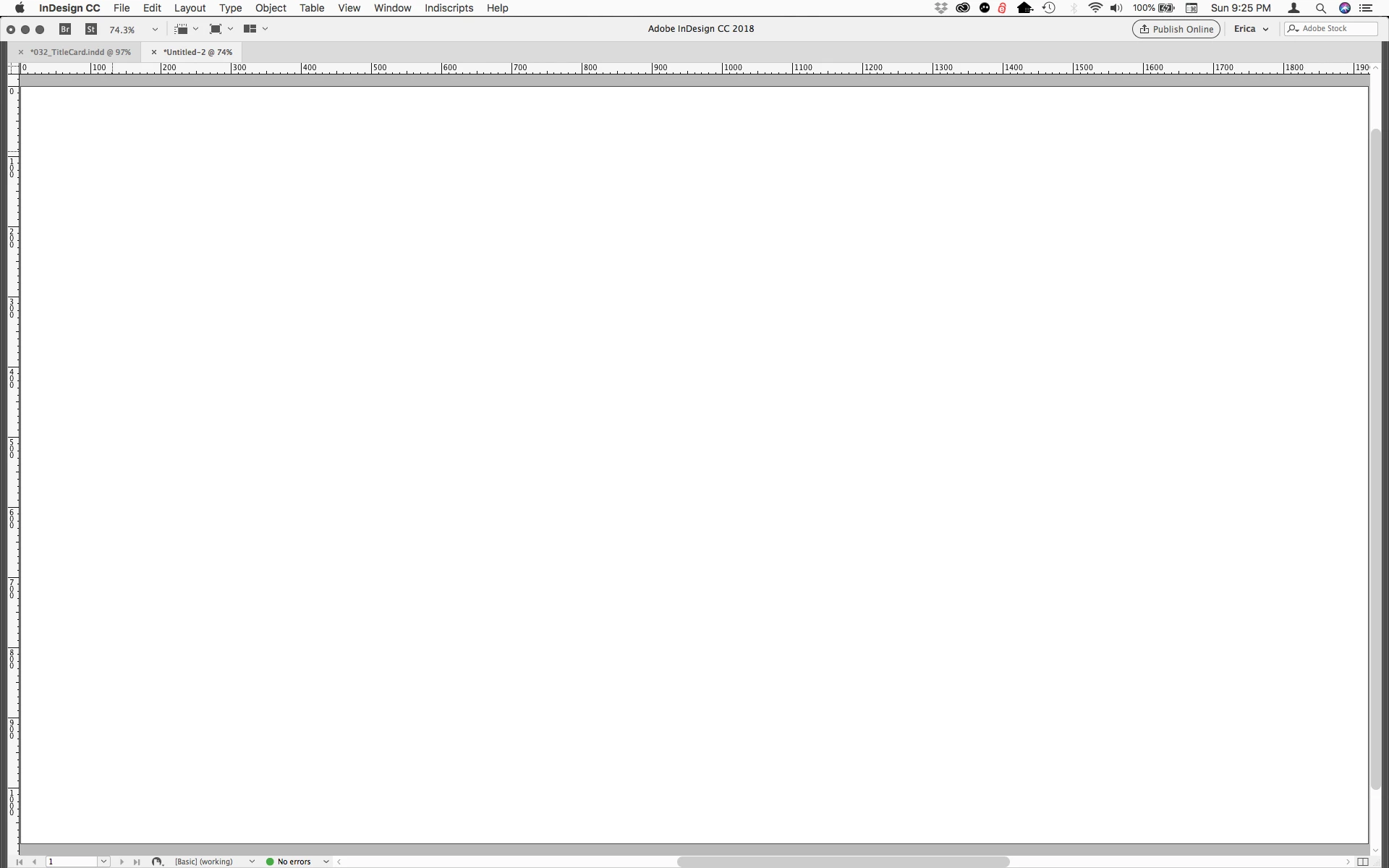
I often get the question (usually in a panicked voicemail/email): "Where have all my panels and tools gone in InDesign?! Have I broken InDesign?"

It's actually an easy thing to accidentally hide these without even knowing it.

If your screen suddenly looks like the screenshot below, you most likely hit the Tab key when not in a text frame. That clears all the panels (including the Tools and Control panels), giving you more of your artboard to work with. Just hit Tab again and they should come right back.
    This topic has been closed for replies.

    2 replies

    Srishti Bali
    Community Manager
    Community Manager
    September 18, 2018

    Hi Erica

    Thanks for sharing such content. This will surely be helpful to many users in the community.

    Regards,

    Srishti

    jane-e
    Community Expert
    Community Expert
    September 17, 2018

    Good tip, Erica—I wish we could click “Helpful” on a first post!

    Erica Gamet
    Inspiring
    September 17, 2018

    I get asked a lot, and I noticed there was an old, closed question asking the same (with another answer). It's not a big or earth-shattering thing, but it's a common question for sure.

    jane-e
    Community Expert
    Community Expert
    September 18, 2018

    Hi Erica,

    Yes, I get it all the time, too—this is one of those "tricks" that works in Photoshop, Illustrator, InDesign, and even the first version of PageMaker.

    Now that you have commented, I can click "helpful", because some people report turning off their computers trying to solve this one!

    See you next month?