Answered
add divider under rows?
Hello, in InDesign, how can i add divider line (maybe 2pt weight line) between rows instead of these empty rows? i don't see the option in table options, please help. Thank you.
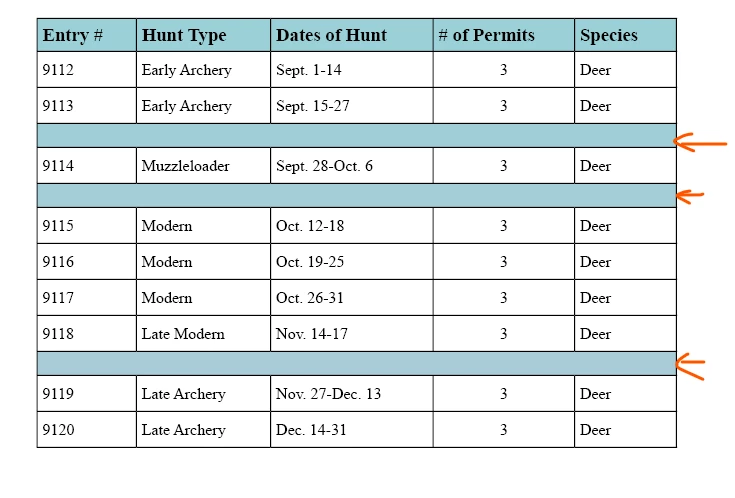

Hello, in InDesign, how can i add divider line (maybe 2pt weight line) between rows instead of these empty rows? i don't see the option in table options, please help. Thank you.
Personally, I would use a cell style. An empty row could move to the next page if the table splits across pages and you might not want to start withthat at the top of the page.
Also, empty rows are not allowed in accessible documents, so best to avoid them completely.
PS: I LOVE working with tables in InDesign! 😁
Already have an account? Login
Enter your E-mail address. We'll send you an e-mail with instructions to reset your password.


 AdChoices