
Inspiring
April 3, 2023
Answered

Add inside column border to table header row

  • April 3, 2023
  • 3 replies
  • 1528 views

Hi,

I've been trying everything but cannot seem to accomplish what I want. I have a table style set up with cell styles. The table will not have an outside border, but will have column borders and a top and bottom row border for the header row and end of table. I want it to look like this:
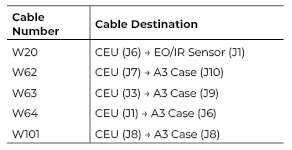
However; I have to manually add in that middle column border in the header row as well as remove the inside row strokes manually as there is no option in cell styles to change that otherwise it looks like this:
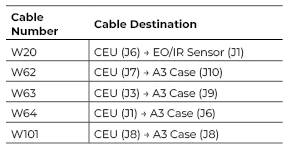
My body cells are using a left and right cell style in order to get the "middle" column border.

Am I missing something? I feel like it should be simple and I have too many tables to keep manually applying the strokes to.

Thank you!

This topic has been closed for replies.
Correct answer FRIdNGE

Follow the Styles! …


(^/)


Magic.indd

3 replies

Robert at ID-Tasker
Legend
April 3, 2023

You can define CellStyle without right / left edges - and when applied to a header - it should give you what you need? 


James Gifford—NitroPress
Legend
April 3, 2023

Applying it all as a style, without having to do a manual override, is the question. The sample does it but I'm unable to decipher how. 🙂


Robert at ID-Tasker
Legend
April 3, 2023

You can - in the Cell Style definition - click on each edge SEPARATELY and define it's properties.


FRIdNGE is using a clever trick 😉 he is defining border color of the table in TableStyle definition - without specifying thickness - then thickness and color of only some edges in the CellStyle definition - then InDesign is "building" finall edge by mixing info from Cell AND Table Styles - kind of HTML's CSS I guess 😉


My solution was a bit different - but partially based on the first part - that you can format each edge of the CellStyle separately - so top and bottom formatted - left and right blank.


FRIdNGE
April 3, 2023

I don't tell it's simplistic but it's not really so hard to play!


I've just applied the "XXXX" table style [parametered on the first table] to the second table basically created with default settings:


(^/)  The Jedi

James Gifford—NitroPress
Legend
April 3, 2023

I wasn't able to get this to work without the component cell styles showing a + and wanting 'clear overrides,'; which restored the right-hand vertical border. Unless your solution also has this (possibly ignorable) glitch, I'm not sure how you achieved it. 🙂


FRIdNGE
April 3, 2023

The 3 table/header/cell styles are pure!


(^/)

James Gifford—NitroPress
Legend
April 3, 2023

Tables can be frustrating in this regard; there are limits to how styles apply and a hierarchy of how things like strokes are applied.


Without doing any experimentation, let me ask: have you tried defining a separate set of styles for one or both header cells?


dpajewskiAuthor
Inspiring
April 3, 2023

I was going to try that but you can only use 1 cell style for a header row. I wanted to make a left and right like you can do for the body cells.