Answered
Add script for crop marks
Hi can anyone help me how I add the scrips: crop marks? I don't automatically have it. I've tried following the guides that are given on the page but they don't help. Anyone else with the same problem?

Hi can anyone help me how I add the scrips: crop marks? I don't automatically have it. I've tried following the guides that are given on the page but they don't help. Anyone else with the same problem?
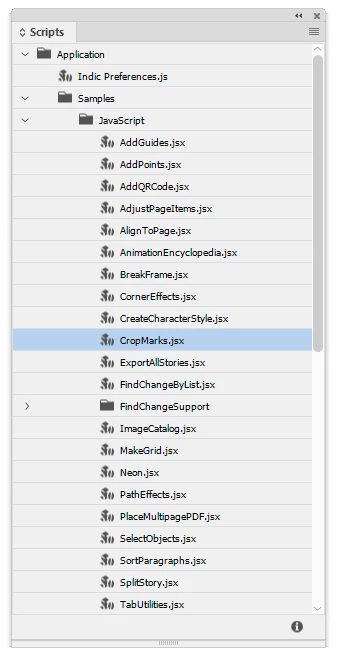
Did you look in the correct place? It's a sample script, it should be there. Open InDesign's Scripts panel (Window > Utilities, Scripts), then in the panel open the Application > Samples > JavaScript folder. The script should be there.
Already have an account? Login
Enter your E-mail address. We'll send you an e-mail with instructions to reset your password.
 AdChoices