Inspiring
October 22, 2018
Answered

Add text if ParagraphStyle is found

  • October 22, 2018
  • 1 reply
  • 1324 views

Dear scripters,

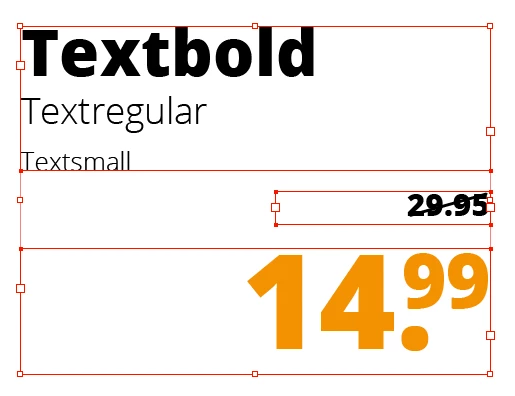
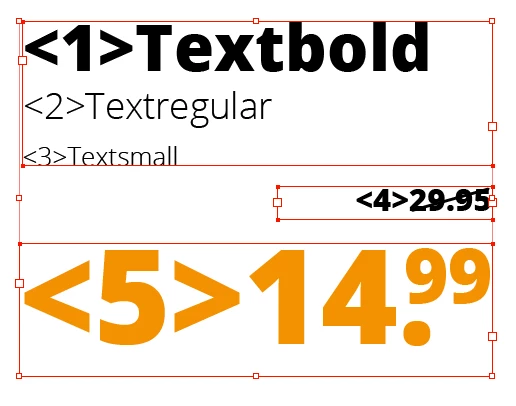
Can you let Indesign to look for an specific paragraph style and if found than add an specific text before that line see picture below.

Before
After
Already thanks for you'r help.

Greetings.

This topic has been closed for replies.
Correct answer Manan Joshi

Try the following code

function addTextToPara(pStyleName, prefixText)

{

       app.findGrepPreferences.appliedParagraphStyle = pStyleName

       var paraList = app.activeDocument.findGrep()

       for(var i = 0 ; i < paraList.length; i++)

       {

            paraList.contents = prefixText + paraList.contents

       }

       app.findGrepPreferences = NothingEnum.nothing;

}

//Change the argument with the name of the paragraph style you want to search and the text you want to add before that para

addTextToPara("Paragraph Style 2", "<1>")

-Manan

1 reply

Manan JoshiCommunity ExpertCorrect answer
Community Expert
October 23, 2018

Try the following code

function addTextToPara(pStyleName, prefixText)

{

       app.findGrepPreferences.appliedParagraphStyle = pStyleName

       var paraList = app.activeDocument.findGrep()

       for(var i = 0 ; i < paraList.length; i++)

       {

            paraList.contents = prefixText + paraList.contents

       }

       app.findGrepPreferences = NothingEnum.nothing;

}

//Change the argument with the name of the paragraph style you want to search and the text you want to add before that para

addTextToPara("Paragraph Style 2", "<1>")

-Manan

-Manan
Inspiring
October 23, 2018

Hi Manan,

That worked perfectly!

Many thanks.