Answered
adding crop marks to individual things on one sheet
I am going to be printing several of my cards on one A1 sheet so I can then cut it myself, am I able to add individual crop marks for each different card I place on the sheet?

I am going to be printing several of my cards on one A1 sheet so I can then cut it myself, am I able to add individual crop marks for each different card I place on the sheet?
Hi caitlinl32871084 ,
as long there is a rectangular object or a group that reflects the exact position and size of a card, you could use a script that comes with InDesign to set crop marks.
If not you could easily add rectangles on an additional laye and then do the script action on the rectangles.
Select all rectangles, open Window > Utilities > Scripts.
Under Samples > JavaScript you'll find cropmarks.jsx
Double-click it's name:
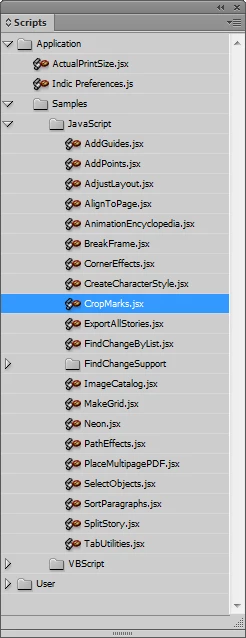
A new dialog pops up:
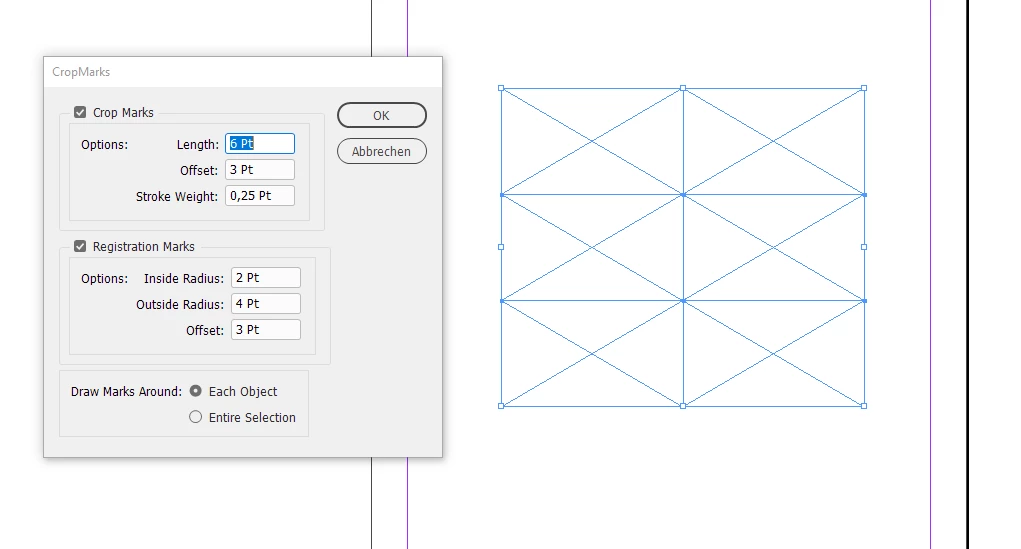
No registration marks needed, so turn off that option:
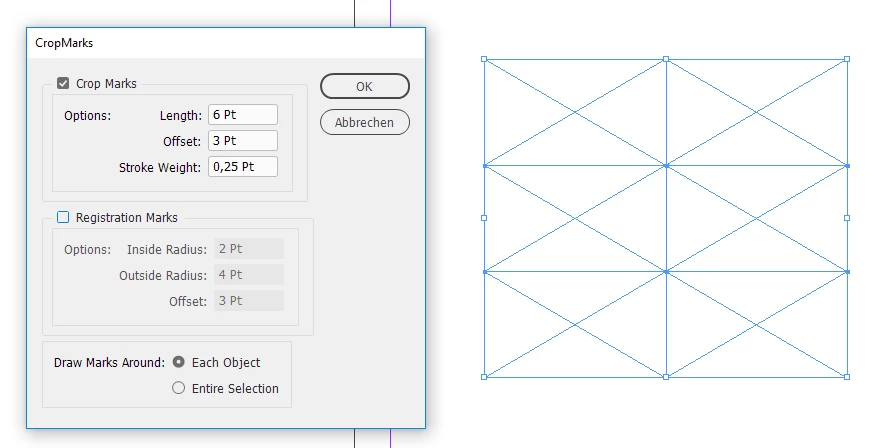
Run the action with OK. Below the result where I first removed my helper rectangles:

Remove all elements that you do not need. Like the inner cropmarks here with my sample.
The script is just drawing simple graphic lines.
Best do that action with helper rectangles on an additional layer so that you can easily remove elements.
Regards,
Uwe
Already have an account? Login
Enter your E-mail address. We'll send you an e-mail with instructions to reset your password.
 AdChoices