Participant
May 16, 2020
Answered

Adobe fonts missing in InDesign

  • May 16, 2020
  • 2 replies
  • 873 views

Hi everyone, 

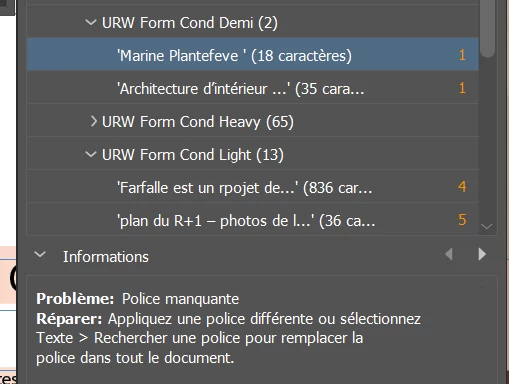
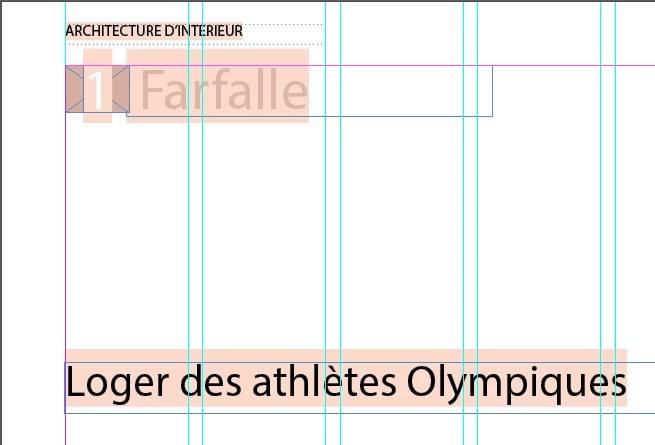
I have an issue with one of my fonts : I activated it (URW Form cond) but when i try to use it on one of my texts, it goes pink and an error message shows up saying that the font is missing. I really need that font, what can i do to fix this ?

Thanks in advance


{Renamed by MOD}

This topic has been closed for replies.
Correct answer Srishti_Bali

Hi there,


We have been waiting for your response to this query. Kindly update the discussion if the issue is resolved or if you need further assistance with it.


You may also refer to this help article (https://helpx.adobe.com/in/creative-cloud/how-to/resolve-missing-fonts-typekit.html) for more details about font related issues. 


Thanks,
Srishti

2 replies

Srishti_Bali
Srishti_BaliCorrect answer
Legend
June 2, 2020

Hi there,


We have been waiting for your response to this query. Kindly update the discussion if the issue is resolved or if you need further assistance with it.


You may also refer to this help article (https://helpx.adobe.com/in/creative-cloud/how-to/resolve-missing-fonts-typekit.html) for more details about font related issues. 


Thanks,
Srishti

jmlevy
Community Expert
Community Expert
May 16, 2020

Bonjour,


Es-tu certaine que la police utilisée dans le fichier est exactement la même que celle qui est activée ? Est-ce un fichier créé par quelqu'un d'autre ?