


Adobe ID | IngramSpark | Error Messages | Low Resolution | ICC Color Profiles
I created a book using InDesign. The book was published in both print and eBook versions successfully on Amazon. I now want to publish it on IngramSpark. However, when I try to upload the content file and cover-spine-back cover file in IngramSpark I receive the following error messages.
[Content File Error]
"LOW RESOLUTION IMAGES IN FILE: We recommend color and black and white images be 300 ppi. For line art, we recommend 600 ppi bitmap images. For best results, please correct the issue(s) listed. You may refer to the File Creation Guide for further instructions on creating a compliant PDF."
The book's content, which is all in black and white, features an illustration (created by an artist I hired) in the beginning of each chapter. Per Link info in each chapter file, the illustrations' resolutions are inconsistent. Some are at 300 ppi and some lower.
(Q1) Assuming this is the problem, is there a way to change/increase the resolutions on my own without having to purchase additional software, or go back to the artist to resave the illustrations? (I don't have Adobe Acrobat Pro or Adobe Illustrator.)
(Q2) I tried to increase the resolution in the Export Book to PDF stage to no avail. Is there something else I can do to avoid trying to manipulate each illustration and/or document file?
[Cover-Spine-Back Cover File Error]
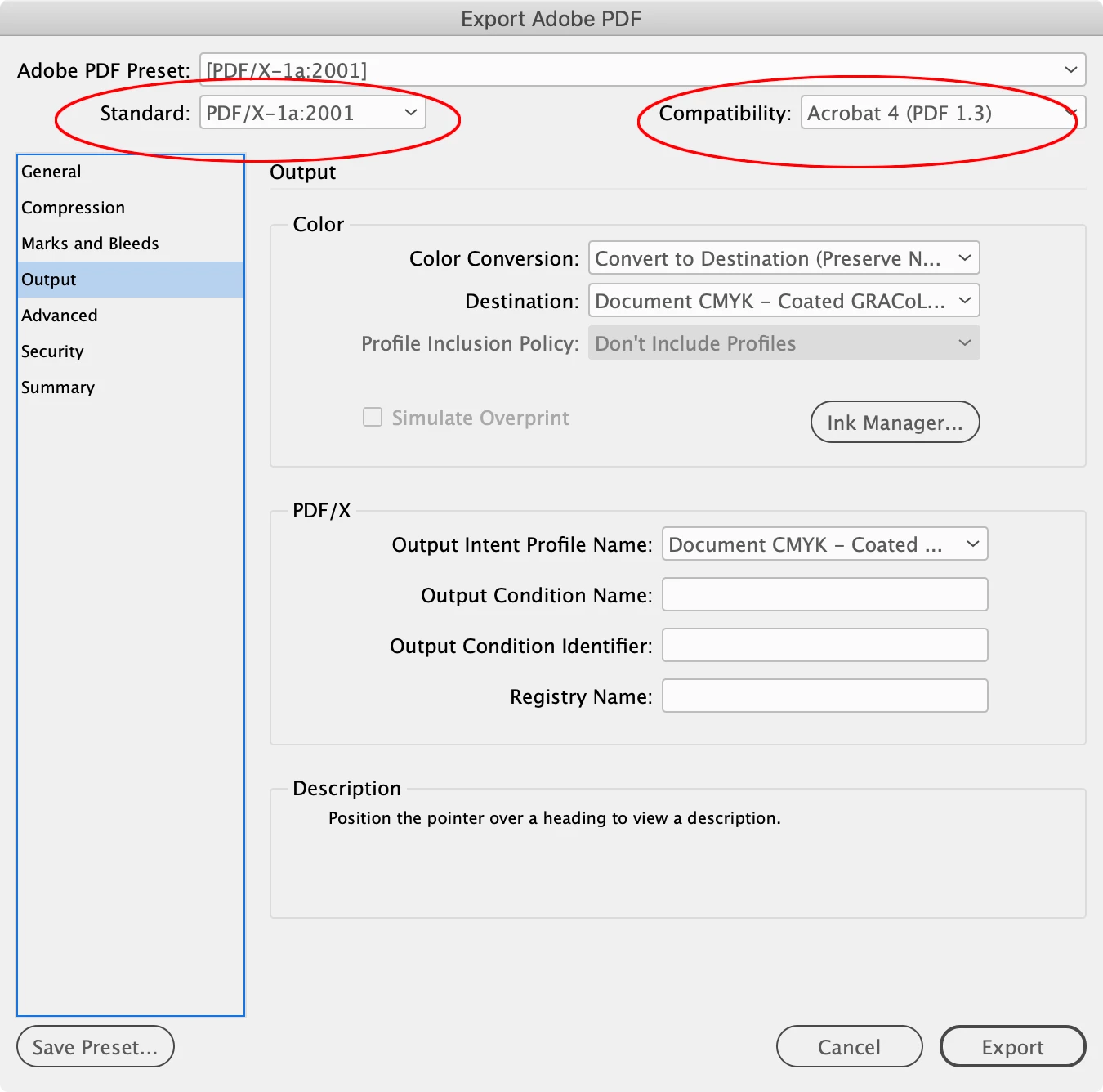
"PDF CONTAINS ICC COLOR PROFILES: We request files with no color profiles assigned. Please convert all colors to grayscale for black and white images, or CMYK for color images and remove all color profiles. Saving a new PDF with the default setting of PDF/X-1a:2001 will address the issue. For best results, please correct the issue(s) listed. You may refer to the File Creation Guide for further instructions on creating a compliant PDF."
The Cover-Spine-Back Cover file features black and white text as well as color illustrations. I simply imported the illustrations via Copy-Paste or File > Place... when I created the file.
(Q3) How do I convert all color images to CMYK and remove all color profiles as suggested above by IngramSpark's error message? I don't recall ever establishing or manipulating these settings when I created the file. When I select Color, the CMYK % boxes are empty.
 AdChoices