Answered
Adobe In Design - Windows
Hi All, Can you explain how I save a brochure to read like a brochure when exported to PDF? I want our customers to see it as an actual spread and not single pages.
Thanks!

Hi All, Can you explain how I save a brochure to read like a brochure when exported to PDF? I want our customers to see it as an actual spread and not single pages.
Thanks!
Print booklet to PDF would create printer's spreads, where readers spreads are probably desired.
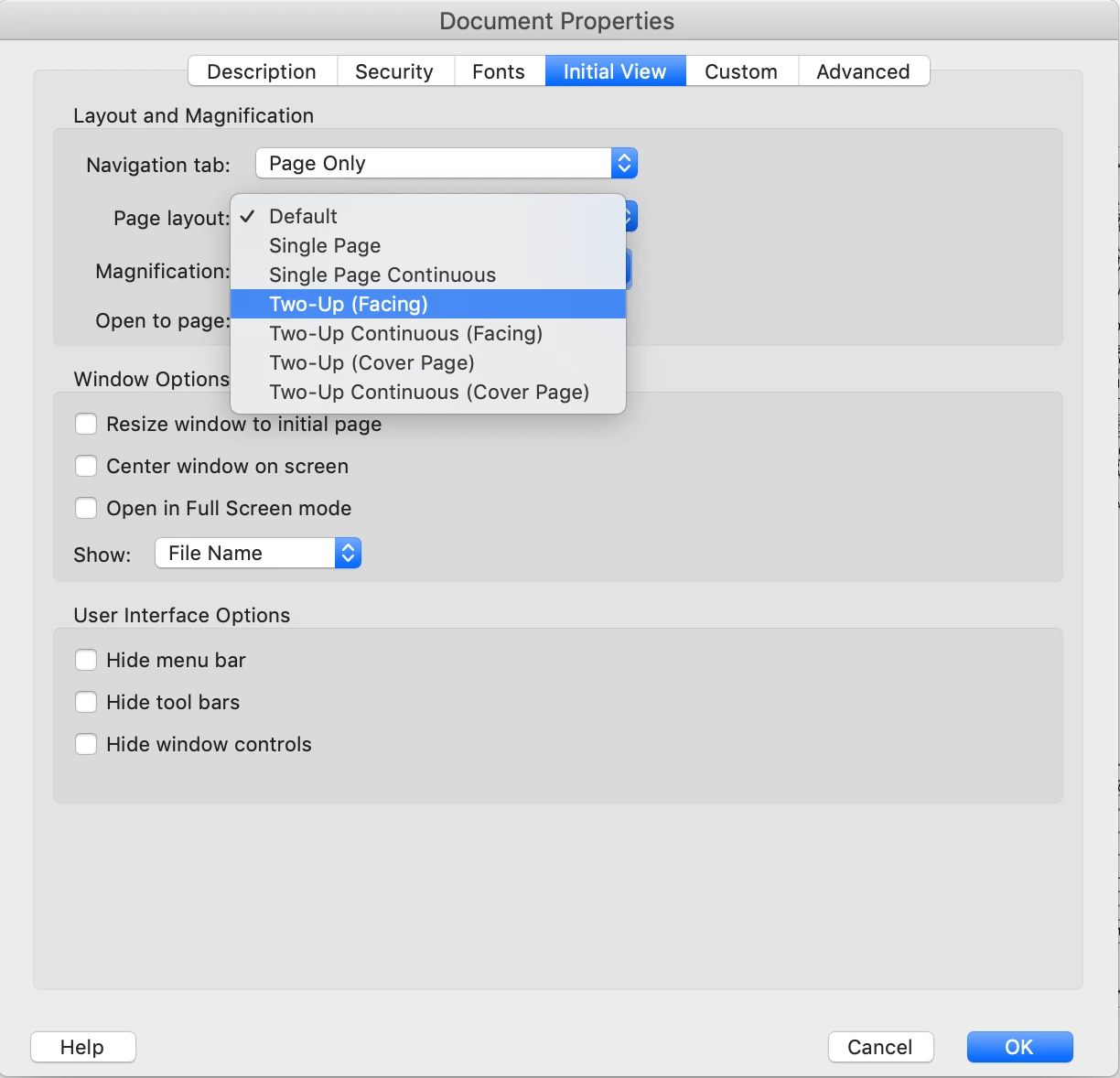
You can set the inital PDF view to spread pages in Acrobat, (File> Properties> Initial view) but this might not work in some non-Adobe viewers. Another option would be to create a new spread document, place the original PDF (or InDesign file) into the new document and export to a new spread PDF.
Do not send the spread pdf to your printer, as they would need to re-impose it into printer's spreads, send single pages (with bleed).
Already have an account? Login
Enter your E-mail address. We'll send you an e-mail with instructions to reset your password.
 AdChoices