

Adobe InDesign CC 2018 has stopped working
Computer is running Windows 10, 64 bit.
When we try to open InDesign from the start menu/desktop/taskbar it comes up and says "Adobe InDesign CC 2018 has stopped working". Have done a repair on InDesign, and get the same results. Did a full uninstall of all Adobe Creative Suite programs, restarted, and reinstalled, but still getting the same issue. If we open Adobe Create Cloud, and open the program from there, it works fine. If we right click the .exe file and run as Admin it also seems to work (this is not an option for the user as the system is restricted by the company. I just happen to have an one time override). The user would rather be able to just click on the program icon on the desktop and open the program. User also stated that if she navigates to the file, right clicks and does "Open With" it also works.
Did see other posts of others having the same issue. Was there a solution to this?
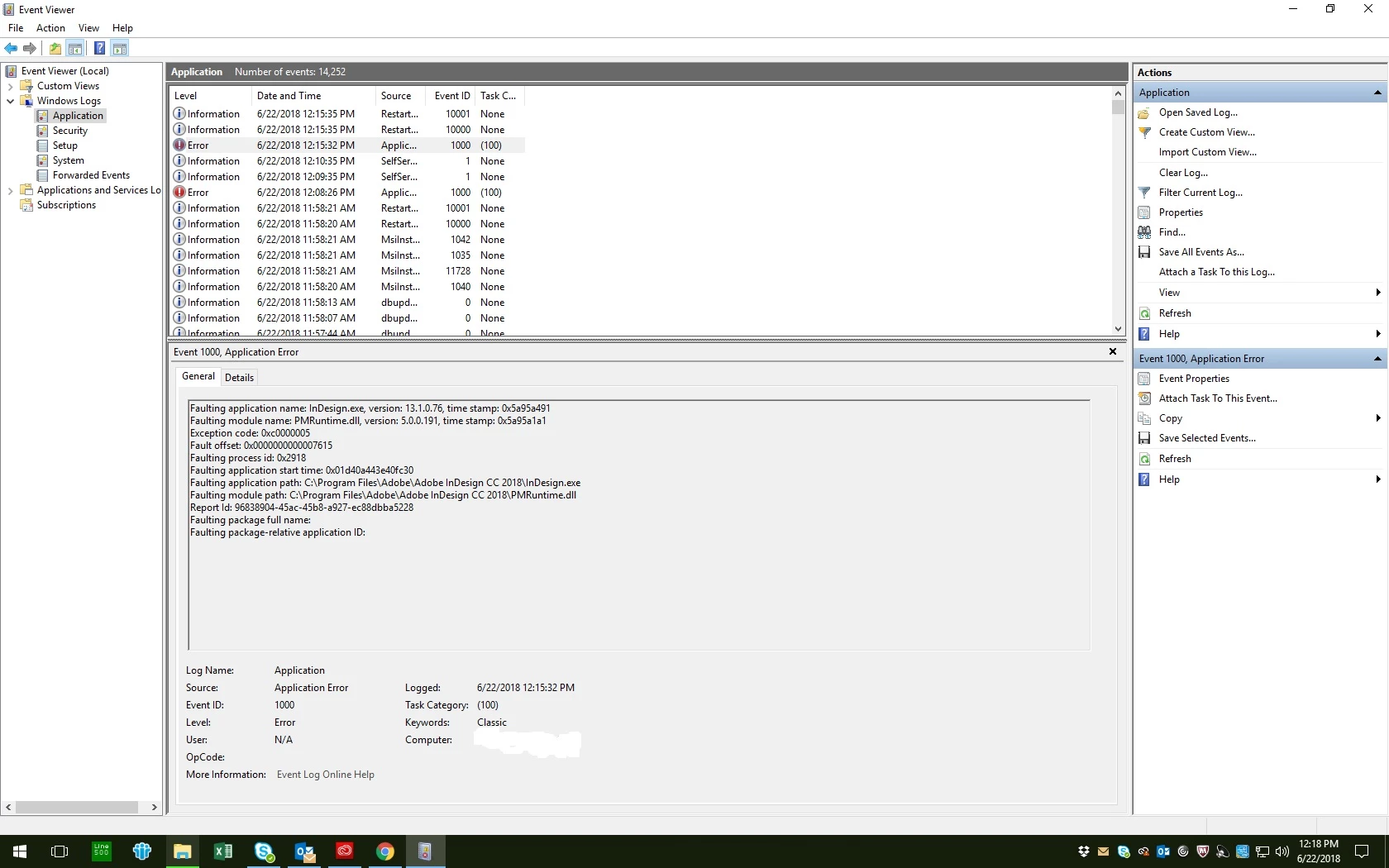
I have a screen shot of the even viewer as well (attached), if that might help someone determine what the issue is, and what we need to do to correct it.
Thank you for your time and support.
[Moderator: Moved from Adobe Creative Cloud to InDesign ]
 AdChoices