
Participant
August 14, 2025
Question

Adobe InDesign display colors paled and desaturated.

  • August 14, 2025
  • 1 reply
  • 238 views

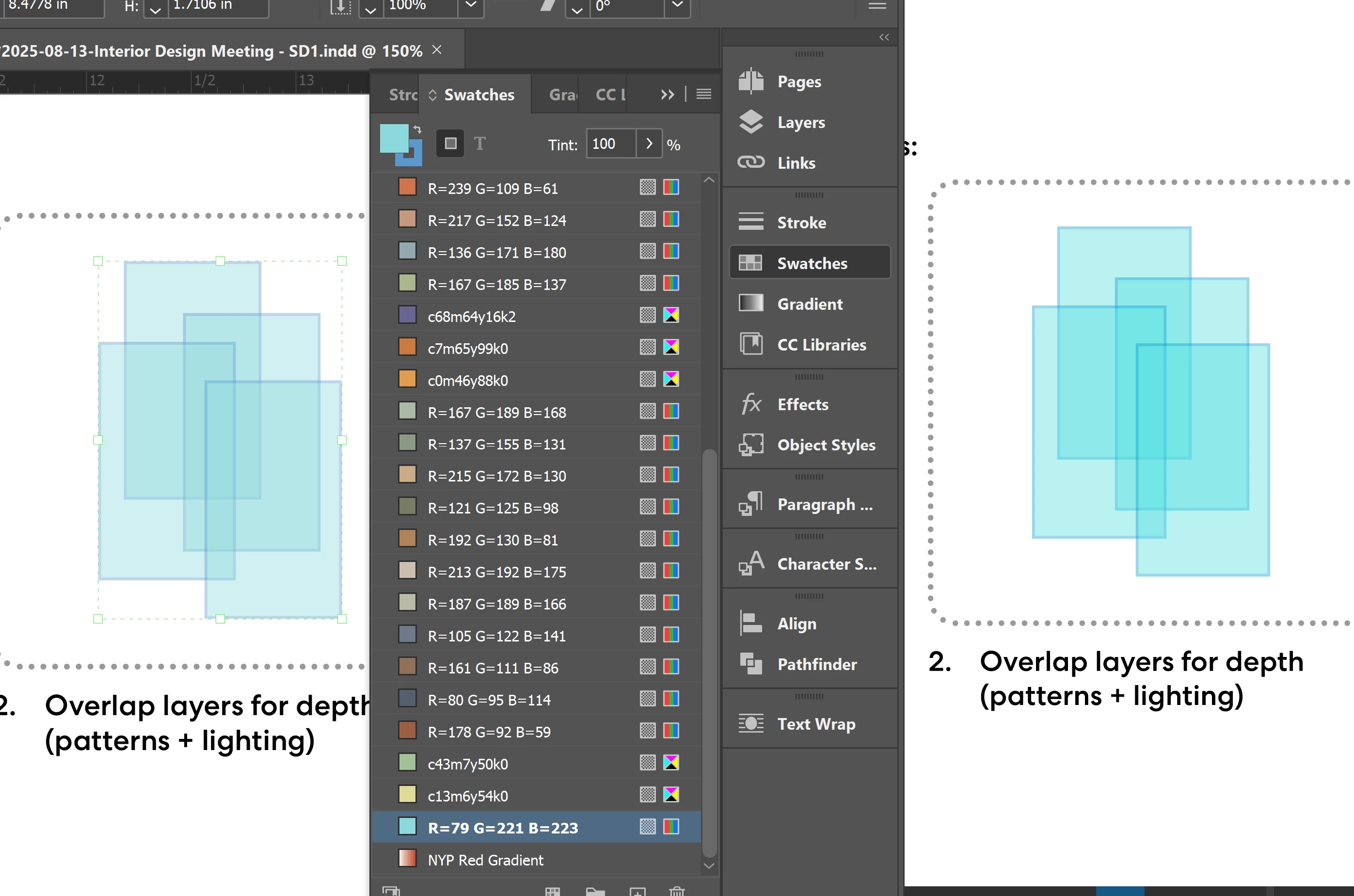
My InDesign display colors incorrectly than the exported PDF. Indesign showns more desaturated and pale.

I have tried - turn off GPU preview; color setting to North America General Purpose 2 and s RGB; document setup to Web; Transparency blend to RGB; set swatches to RGB color; turn on and off proof colors but still doesn't work. 


1 reply

rob day
Community Expert
Community Expert
August 14, 2025

Hi @Jingyan330652528vo2 , If there is any transparent object on the page and you want RGB colors to display in your document’s assigned RGB space, set your Transparency Blend Space to Document RGB. Keep in mind your RGB color is outside the CMYK color gamut of most print devices.


Participant
August 14, 2025

hi @rob day , yes i did that. 

this doesn't only happen to transparent graphics. I think the overall indesign is desaturated include jpeg photos and other solid colors. 


rob day
Community Expert
Community Expert
August 14, 2025

Sorry, I missed that you already have the blend space as RGB. Make sure you don’t have Overprint/Separation Preview or Proof Colors turned on:


Also, for RGB color make sure you assign the seem RGB color profile—the RGB profile affects the display of RGB color. For non print projects use sRGB, for print projects use a larger gamut profile i.e, AdobeRGB: