

ronit_2543
Participant
February 10, 2026
Question

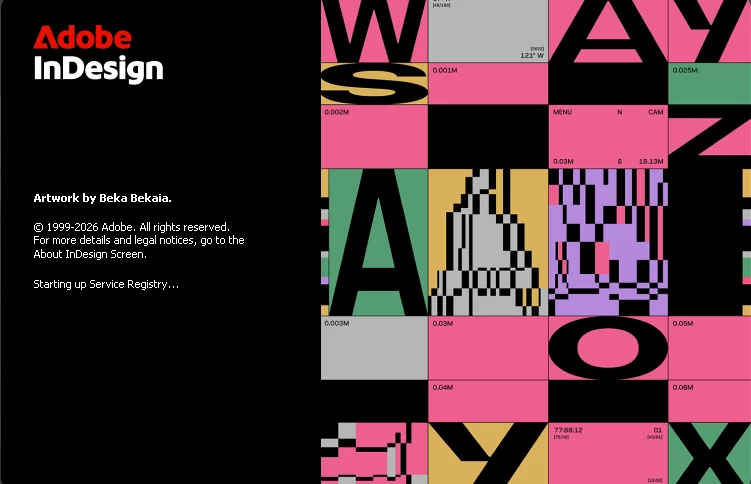
Adobe InDesign (first-time install) is stuck on “Starting up service registry” on Windows 11 and does not launch despite reinstalling and signing out of Creative Cloud.

  • February 10, 2026
  • 1 reply
  • 41 views

Hi, I’ve installed Adobe InDesign for the first time on Windows 11, but it’s not launching. The application gets stuck on “Starting up service registry” during startup and does not open, even after waiting for more than 5 minutes.

I have already tried reinstalling InDesign, signing out and signing back into Creative Cloud, and restarting my system, but none of these steps worked.

This is a fresh installation and I’m facing this issue from the first launch itself. Please let me know how to resolve this problem. 
 

    1 reply

    Abhishek Rao
    Community Manager
    Community Manager
    February 10, 2026

    Hi @ronit_2543,


    Thanks for reaching out and sorry you’re running into this on a fresh install. Could you please confirm the exact InDesign version you’ve installed? In the meantime, I’d recommend trying the troubleshooting steps outlined in this article, which specifically covers launch issues like getting stuck at “Starting up service registry”: https://helpx.adobe.com/indesign/kb/crash-on-launch.html.

    I’d also suggest reviewing and trying the suggestions shared in these similar community threads, as they address the same startup behavior on Windows and have helped other users resolve it:
    https://community.adobe.com/questions-671/indesign-starting-up-service-registry-868869?postid=868869#post868869 and
    https://community.adobe.com/questions-671/indesign-16-2-1-freezes-on-startup-windows-10-pro-during-starting-up-service-registry-867960?postid=867960#post867960

    Please let me know how it goes after trying those and share an update so we can take this further.

    Abhishek

    ronit_2543
    Participant
    February 10, 2026

    latest version of indesign 


    Abhishek Rao
    Community Manager
    Community Manager
    February 10, 2026

    Hi @ronit_2543,


    Thanks for the update. Could you please confirm if you were able to try the other troubleshooting steps and suggestions shared in the threads I linked earlier, and let me know whether any of them helped?


    Looking forward to your update so we can take this further.

    Abhishek