
Participant
January 31, 2023
Question

Adobe indesign is downloading a file from com.microsoft.onedrive

  • January 31, 2023
  • 2 replies
  • 1673 views

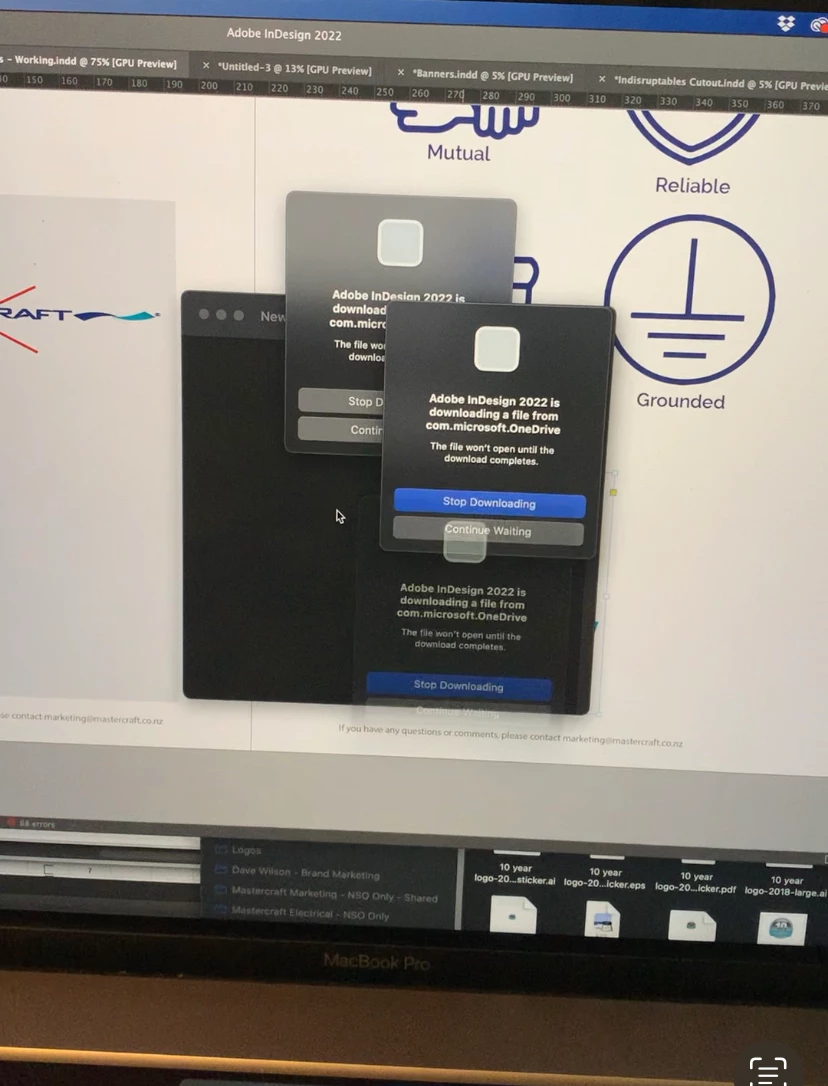
When I try to link (place) an image from OneDrive to Indesign I get the following error message: Adobe indesign is downloading a file from com.microsoft.onedrive. The file wont open until the download completes.


The pop up window appears multiple times all over the screen and I cant close the prompt or stop the process without completely turning it off.


I am using a MacBook Pro with Montere 12.5


See image below. Help would be much appreciated.
 

This topic has been closed for replies.

2 replies

BobLevine
Community Expert
Community Expert
January 31, 2023

You need to disable cloud-only for any folders that InDesign needs access to.

Participant
October 5, 2023

How do you disable Cloud Only?

James Gifford—NitroPress
Legend
January 31, 2023

I don't believe OneDrive is a directly accessible file resource. Files have to be downloaded locally (which sometimes is done as a background, temp download, making it seem seamless). I don't think ID can link directly to OneDrive resources.


I could be wrong; I tend not to use cloud file systems except for sharing.


BobLevine
Community Expert
Community Expert
January 31, 2023

It works exactly the same as Dropbox. AFAIK, all of the cloud services now have the ability to download on demand. InDesign hates that and will throw the alert (it's not an error) when Cloud-Only is enabled.

James Gifford—NitroPress
Legend
January 31, 2023

Thanks for the correction — I know it keeps changing and I solve(d) the problem by never relying on cloud resources. 🙂


So they all simply mirror those folders rather than allowing the files to actually reside on the remote resource. I bet that's giving some users questions about where their local storage space is going. 🙂