



Question
Adobe InDesign MAX Release: MathML Support to create math expressions

Hello Everyone,
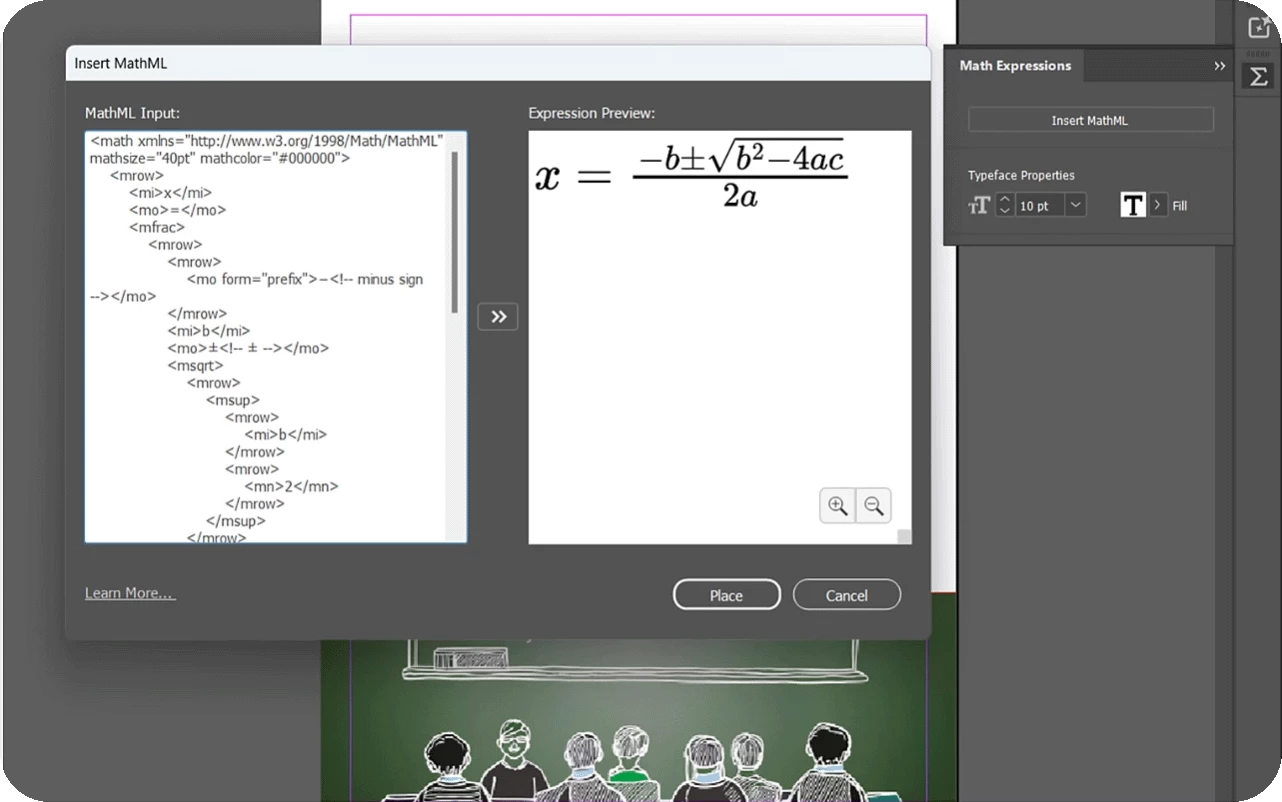
We are thrilled to introduce the new MathML feature in InDesign. Now, you can easily create, style, and edit math expressions with the new MathML panel. Seamlessly integrate complex equations into your documents, styled to match your text. Perfect for scientific and academic content!
Insert a math expression
|  |
Edit a math expression
1. Right-click the math expression and select
2. Update the MathML code in the MathML Input section.
3. Select the Preview Expression icon to see the updated expression in the Expression Preview section.
4. Select Save.
Click 'Subscribe' below to bookmark this post for easy reference.


 AdChoices