
Participant
August 21, 2025
Answered

Adobe Printer options

  • August 21, 2025
  • 2 replies
  • 209 views

Hi everyone my Adobe took an update last night and now when i go to print in any Adobe application 

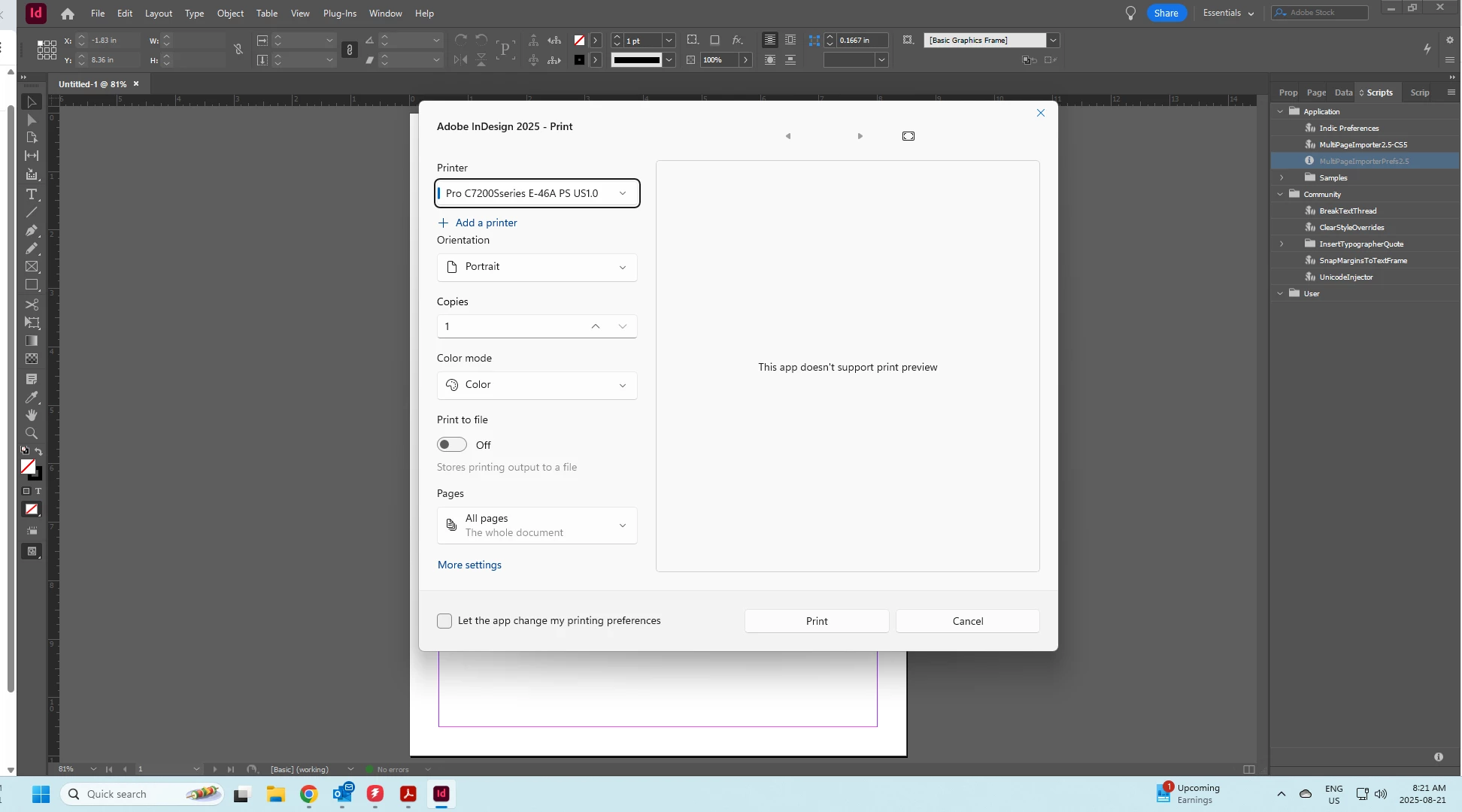
i get my usual print screen  but when i go to the setting of my spacific printer i get this white screen that looks like an adobe print app this never use to be like this and when i usually go to the printer setup it would go directly to my printer setup, has adobe changed to this new style or an i the only one this is happening to.
Correct answer Abhishek Rao

Hi @Jovial_photo3802


Thanks for the detials anf the screenshot. Would you mind trying the suggestion in this Microsoft article and update if that helps: How do I get rid of the new 'Windows Print' dialogue? - Microsoft Q&A

Looking back to hearing from you. 

Abhishek 

2 replies

Abhishek Rao
Community Manager
Abhishek RaoCommunity ManagerCorrect answer
Community Manager
August 21, 2025

Hi @Jovial_photo3802


Thanks for the detials anf the screenshot. Would you mind trying the suggestion in this Microsoft article and update if that helps: How do I get rid of the new 'Windows Print' dialogue? - Microsoft Q&A

Looking back to hearing from you. 

Abhishek 

Participant
August 21, 2025

Thank you 

that article from Microsft fixed the issue

Willi Adelberger
Community Expert
Community Expert
August 21, 2025
  1. Export as PDF and print from Acrobat.
  2. Probably the print driver is outdated and should be updated. Until an update is available do 1.
Participant
August 21, 2025

it shows this screen for every printer i have and the drivers are all pretty recent