Participant
July 22, 2025
Question

Adobe Text font family divided into two groups

  • July 22, 2025
  • 1 reply
  • 118 views

The Adobe Text font family is divided into two groups – 'Regular' and 'Other styles' – and this issue only occurs in InDesign. 
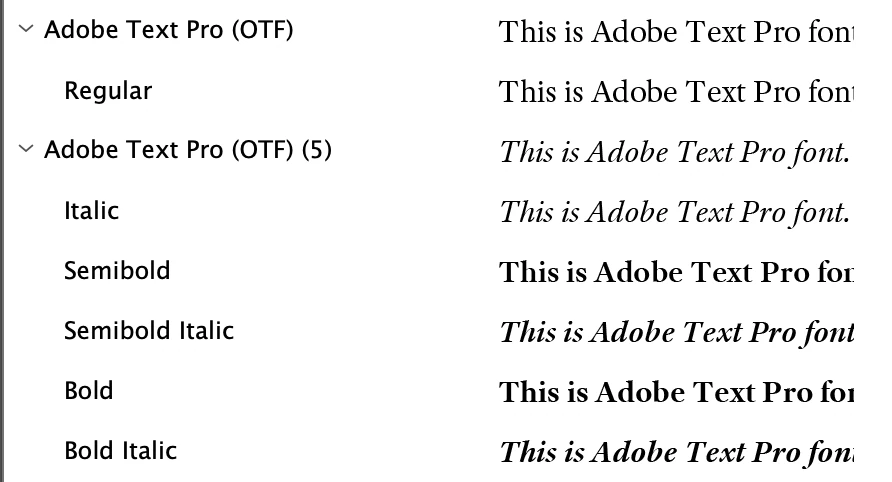
 

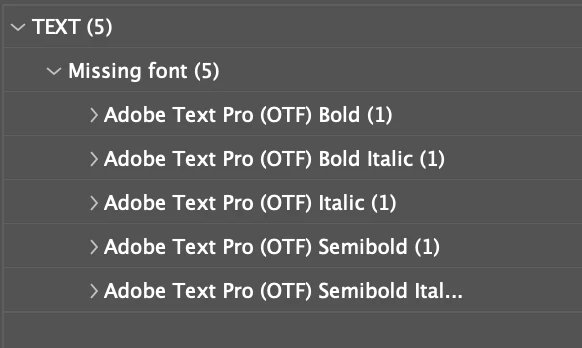
Every time I launch InDesign, it defaults to the 'Regular' font group. As a result, any text using other styles is marked as missing. 
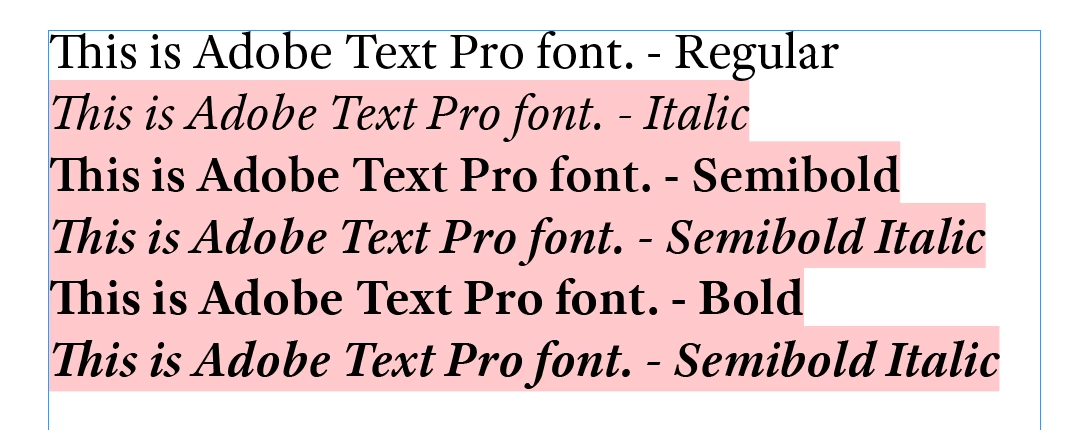
 

I have tried uninstall/reinstall/restart InDesign/clean cache and everything...


Is there a way to combine those two groups?

Thank you.

1 reply

Legend
July 22, 2025

InDesign differentiates between OTF-CFF and OTF-TT . You likely have a mixture.


There are some incomplete attempts where InDesign finds the other font when the family names match.

E.g. the pink indicator is more strict than the composer, so you still see the intended output.

There can also be differences to the worse when you use the document fonts feature.


Reinstall a consistent set of fonts, and follow the typical instructions to purge font caches.