
Advanced control of text flow in columns - help!
Hi,
So I've created a document with master pages, primary text frames etc. The text frames have 3 columns, and titles and subtitles which span all columns and the copy which is split into the columns. All text is in paragraph styles and there are graphics covering large areas of the page which the text will also wrap around.
An example is like this:
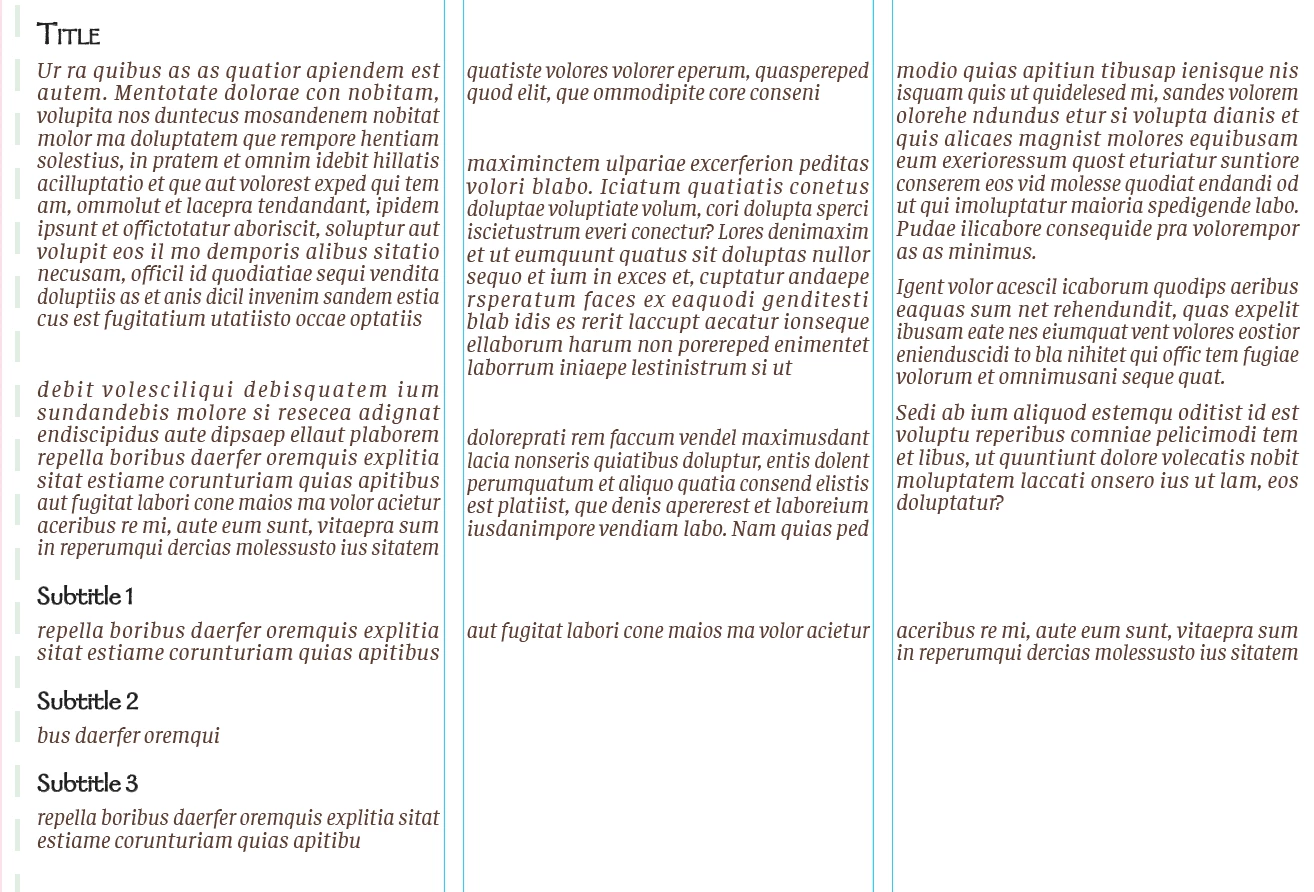
Is there a way to manually control/split the text so that the "Title" and all the copy under that goes in the first 2 columns, then the "Subtitles 1-3" go in the 3rd column? Then the next "Title "would go under all of that? For example:
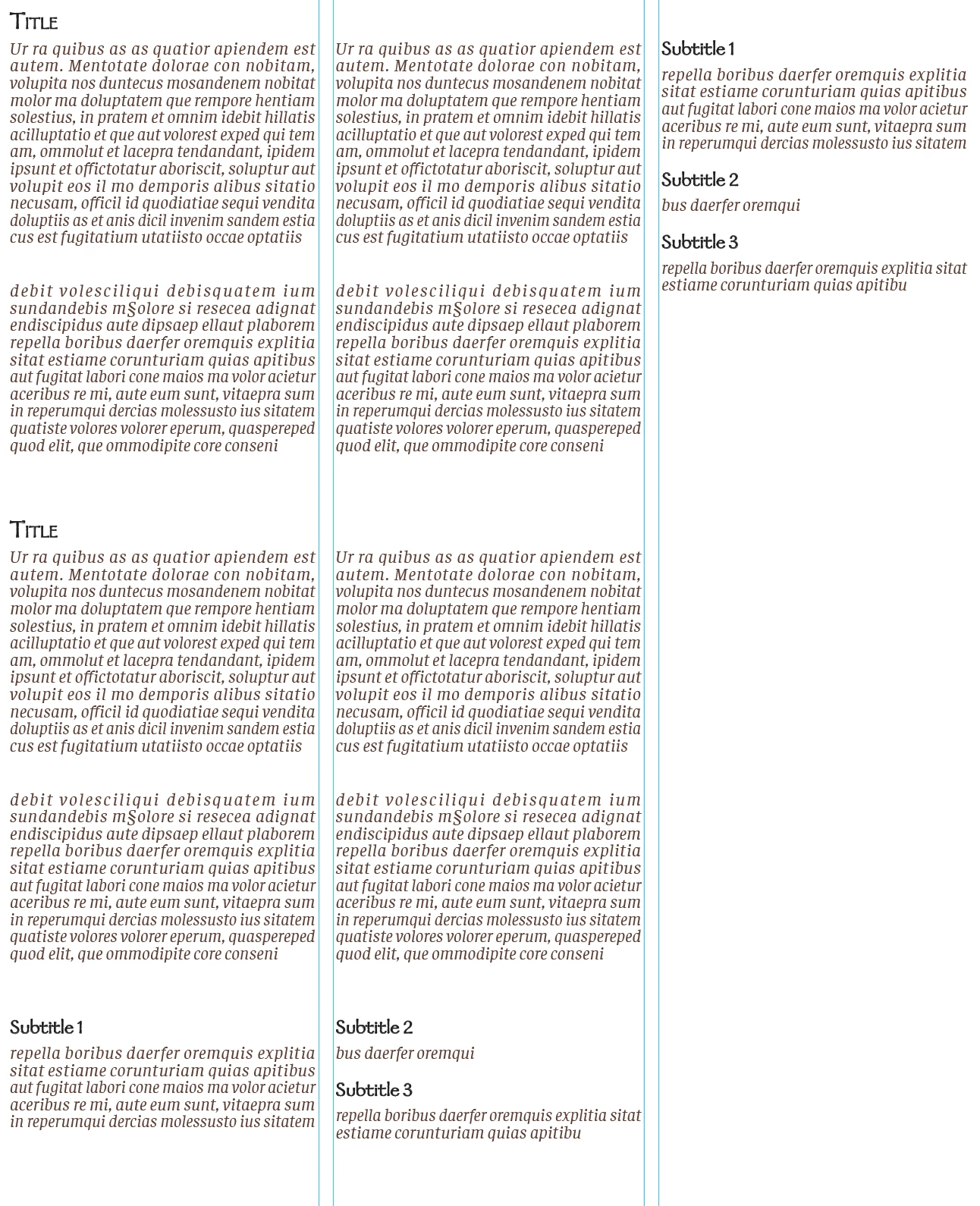
I have around 12 spreads which will all have variations in where I want the "horizontal splits" to go and how long the copy under each section is/how many columns it should take up. I tried the title spanning 2 columns which just put everything in the 1st two columns and nothing in the 3rd and likely isn't a solution with the variations in other spreads.
I know I can force stuff into the next column but that's not really what I'm looking for. The only thing I can think of is to have a ton of text boxes and not use threaded frames but that seems wrong. I'm sure there must be a way of doing this but I can't describe it accurately enough for google or You Tube to tell me what I need.
Thanks in advance!
 AdChoices