Known Participant
August 15, 2021
Answered

Advice on Workflow needed

  • August 15, 2021
  • 3 replies
  • 548 views

CC on a Mac. I have a multi-chapter InDesign project. It includes links to multiple artboards in multiple .AI files. I'm a solo operator with a sometimes unreliable internet connection. So my inclination is to keep all of this material arranged in one folder on my harddrive. But I want to also keep it backed up, so that in the case of a crash I won't loose work. I keep my Desktop & Documents Folders in iCloud for this reason; however, trying to keep this big project there as well is making me crazy, as I sit and watch the spinning beachball.


Could someone offer me advice?
This topic has been closed for replies.
Correct answer rob day

Yes that should work. You might want to experiment with a small folder of files first, so that you fully understand how it will work and check the sync’ing.


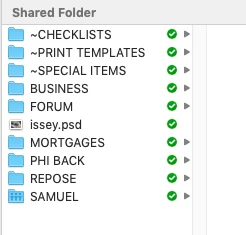
Sync’d files should show a green checkmark in your finder:


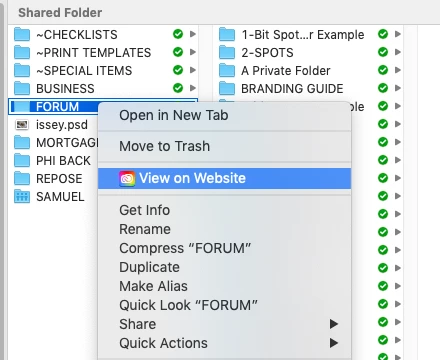
Right click a file or folder and you can choose View on Web:


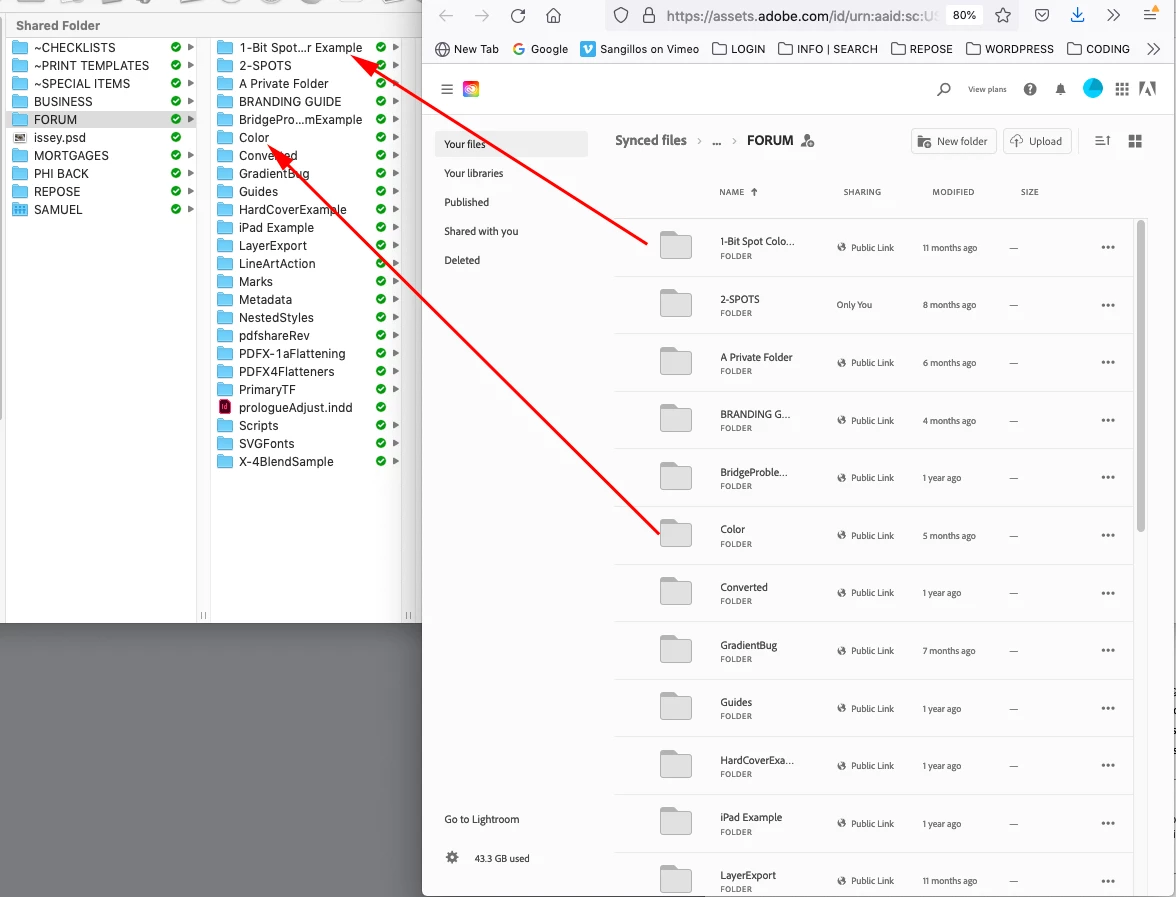
Watchout for special characters in your file and folder naming:


https://helpx.adobe.com/creative-cloud/help/sync-creative-cloud-files.html

3 replies

rob day
Community Expert
Community Expert
August 15, 2021

If you save your InDesign documents and their assets in your Creative Cloud Files folder, which is installed by default in you User folder,  all the files will automatically get sync’d and backed up to your Adobe Cloud account, in the background when you do have an internet connection. An intermitent internet connection wouldn’t stop the sync’ing—for large files a slow internet connection might be a problem.


You wouldn’t see any performance hit because the InDesign files and their links would be local with the backups on your Adobe cloud server. If you were to lose your drive, the Creative Cloud Files folder would automatically get restored when you log back into your Adobe account.


There is also an incremental feature with the Adobe cloud servers, so you can log into your creative cloud web account, go to a file and download past versions.

Known Participant
August 15, 2021

Can I move everything out of iCloud and into the Creative Cloud Files folder in Mac Finder by simply dragging their folders from the former to the latter?

rob day
Community Expert
rob dayCommunity ExpertCorrect answer
Community Expert
August 15, 2021

Yes that should work. You might want to experiment with a small folder of files first, so that you fully understand how it will work and check the sync’ing.


Sync’d files should show a green checkmark in your finder:


Right click a file or folder and you can choose View on Web:


Watchout for special characters in your file and folder naming:


https://helpx.adobe.com/creative-cloud/help/sync-creative-cloud-files.html

Willi Adelberger
Community Expert
Community Expert
August 15, 2021

Links? You mean links to files used as images in the INDD? Package the project.

Known Participant
August 15, 2021

Isn't that something you do only when you are finished with the project and need to hand it to someone else?

Willi Adelberger
Community Expert
Community Expert
August 15, 2021

You can do it at any point in time. Later added files can be selected in the Link Panel and in the menu you find a Helper Command to copy files to … and you can bring a copy to the link folder, or you can make a new package at the end of each day.

Luke Jennings3
Community Expert
Community Expert
August 15, 2021

You could buy an external hard drive and use your Time Machine app to make regular backups of your Mac.