
Yxarata
Inspiring
February 4, 2026
Answered

Afficher numéro des pages dans la fenêtre du ducument lui-même

  • February 4, 2026
  • 5 replies
  • 80 views

Bonjour,

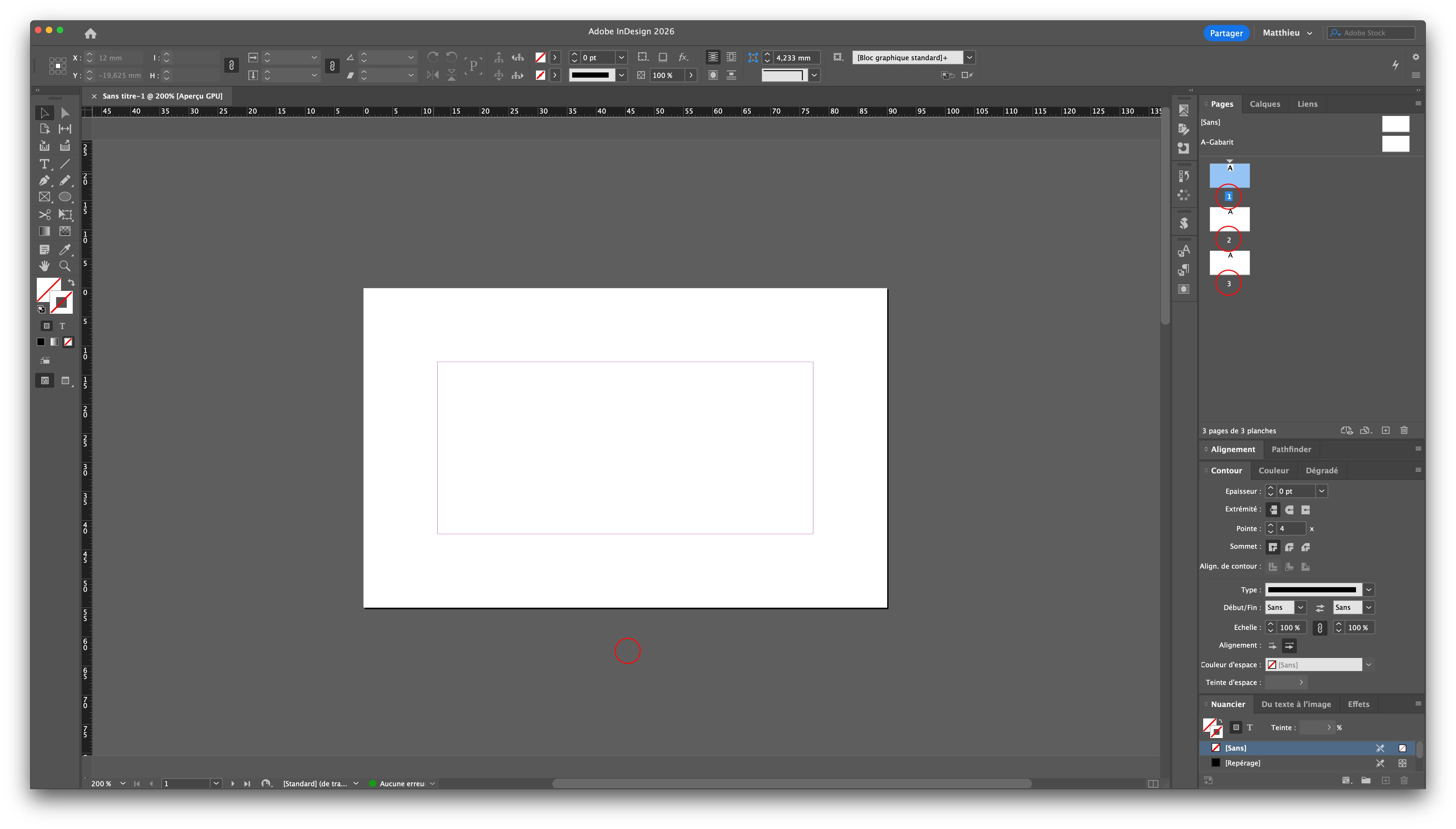
existe-t-il une solution pour faire apparaître dans le document lui-même, sous chaque page par exemple, les numéros de celles-ci comme présent dans la fenêtre “Pages”

 

Correct answer FRIdNGE

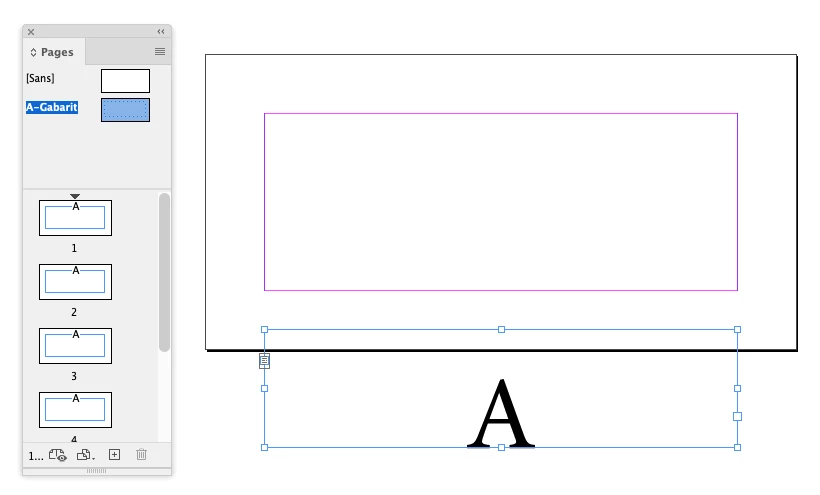
Just add a text frame on the parent page …


(^/)  The Jedi

5 replies

Yxarata
YxarataAuthor
Inspiring
February 6, 2026

une solution comme ceci activable dans les options d’affichage serait un plus.
@adobe 
@Adobe - Steve Cordero 
@Adobe Administration 
@Adobe Indesign Guide hlep 


Mac Mini Tahoe 26.2
FRIdNGE
February 6, 2026

Same Trick! …


(^/)

Yxarata
YxarataAuthor
Inspiring
February 6, 2026

Il est vrai aussi que le numéro de page s’affiche en bas à gauche de la fenêtre Indesign.
Mais lorsqu’on dézoome avec plusieurs pages affichées on peut vide être perdu.


Mac Mini Tahoe 26.2
Mike Witherell
Community Expert
Community Expert
February 4, 2026

Hi Y,

Your question raises a good observation about the clarity of the InDesign interface. Fridnge has a workable solution, tho.

On the other hand, learn to double-click on page icons (or their labels) within the Pages panel instead of dragging the vertical scroll bar on the right side of the document window. Learn, also, the many keyboard shortcuts for navigating to specific pages/spreads.

Mike Witherell
BobLevine
Community Expert
Community Expert
February 4, 2026

You could also set up a slug area and add it there.

Yxarata
YxarataAuthor
Inspiring
February 4, 2026

that's to say ?

Mac Mini Tahoe 26.2
FRIdNGE
FRIdNGECorrect answer
February 4, 2026

Just add a text frame on the parent page …


(^/)  The Jedi

Yxarata
YxarataAuthor
Inspiring
February 4, 2026

Oui, merci j’y avait bien pensé mais je voulais savoir s’il existait une option native à Indesign sans avoir à créer soi-même un bloc texte supplémentaire

Mac Mini Tahoe 26.2