

Answered
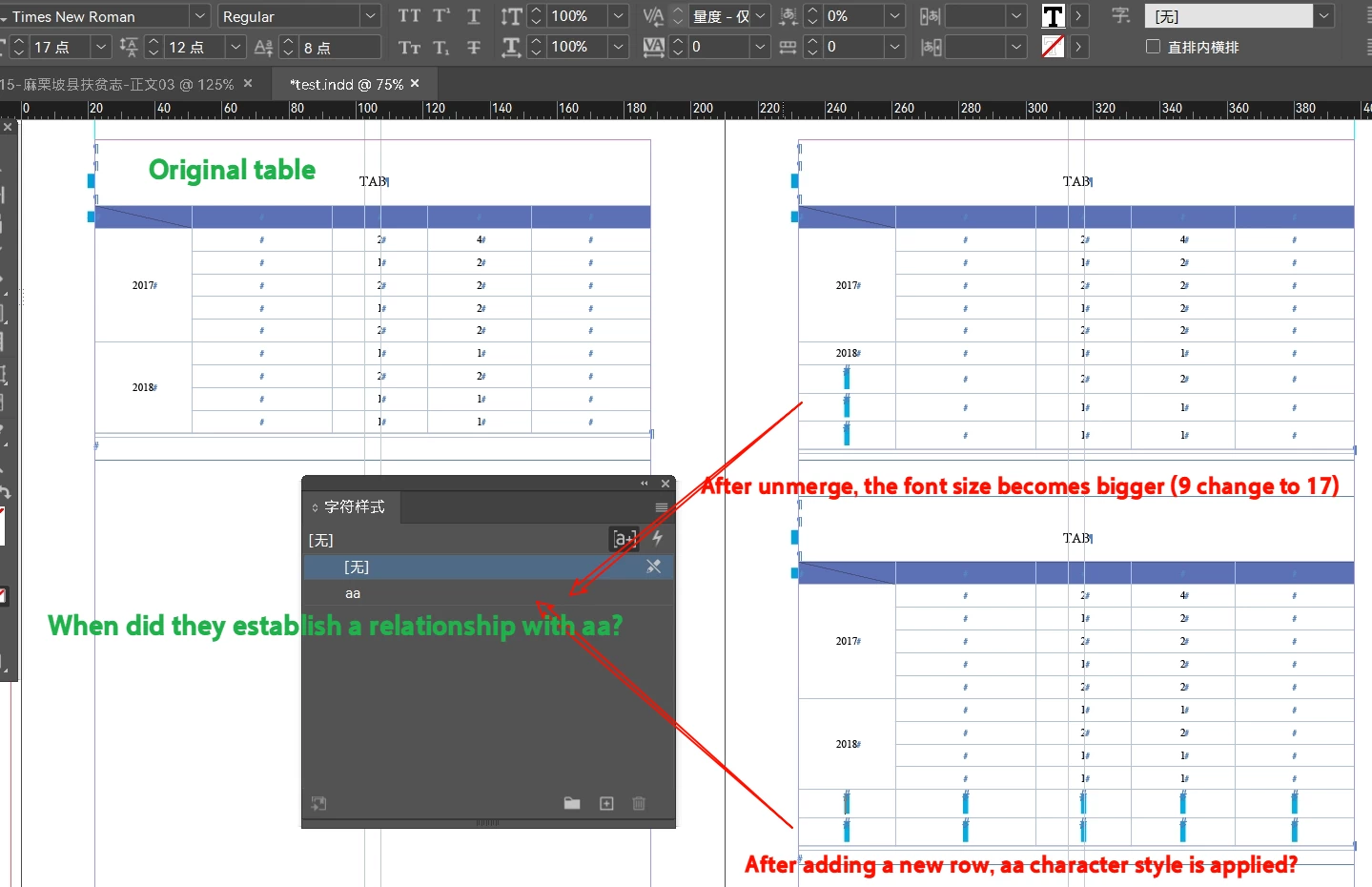
After unmerging cells, or adding new rows: strange “preferences” appear!
inexplicable relationship.
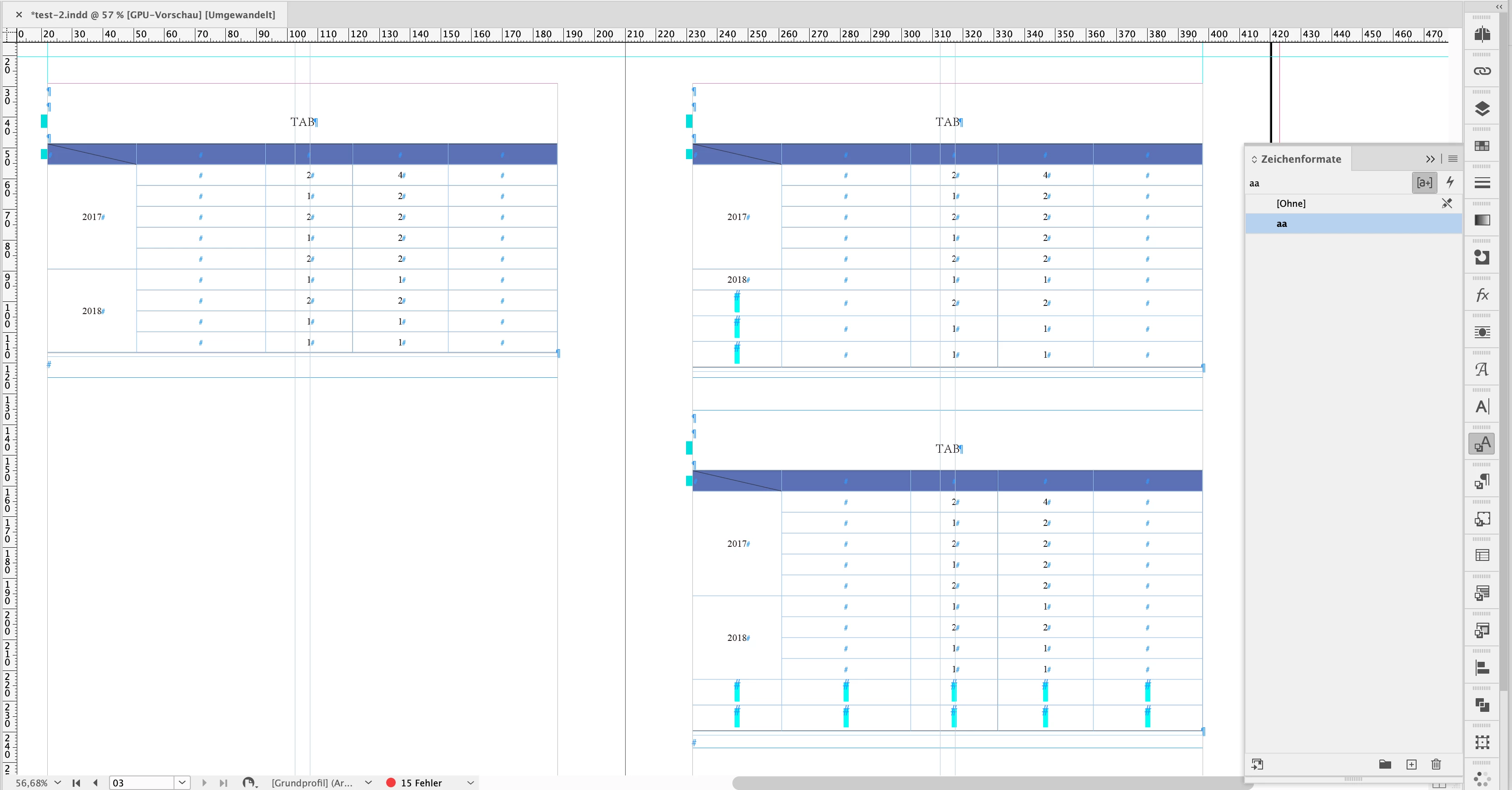
When you unmerge cells, the font of the rows suddenly gets bigger.
When you add new rows, the font of the rows suddenly gets bigger too.
I researched this for a long time and realized that the preference option appeared.
These rows establish a relationship with the aa character style, and it's a bit creepy how they do it ......


 AdChoices