garyr98135419
Participating Frequently
June 28, 2018
Answered

Align first line of first footnote to baseline grid

  • June 28, 2018
  • 1 reply
  • 2813 views

I'm trying to set up footnotes with a smaller font size and leading than the body text. I would like the first line of the first footnote in a column to align to the baseline grid, so that there is the same amount of space between each first footnote and the body text, but each subsequent footnote would follow along without any extra/varying amount of leading. Of course I can't use "align first line to baseline grid" on the footnote's paragraph style, because that will lead to some footnotes having extra space in between, like so:

So I tried having the footnote paragraph style be "align none to baseline grid" and then created an additional style for just the first footnote (which I would apply manually to  every first footnote) and had that style include "align first line to baseline grid". However, this didn't help matters, as subsequent footnotes did not move up to meet the bottom of the first footnote:

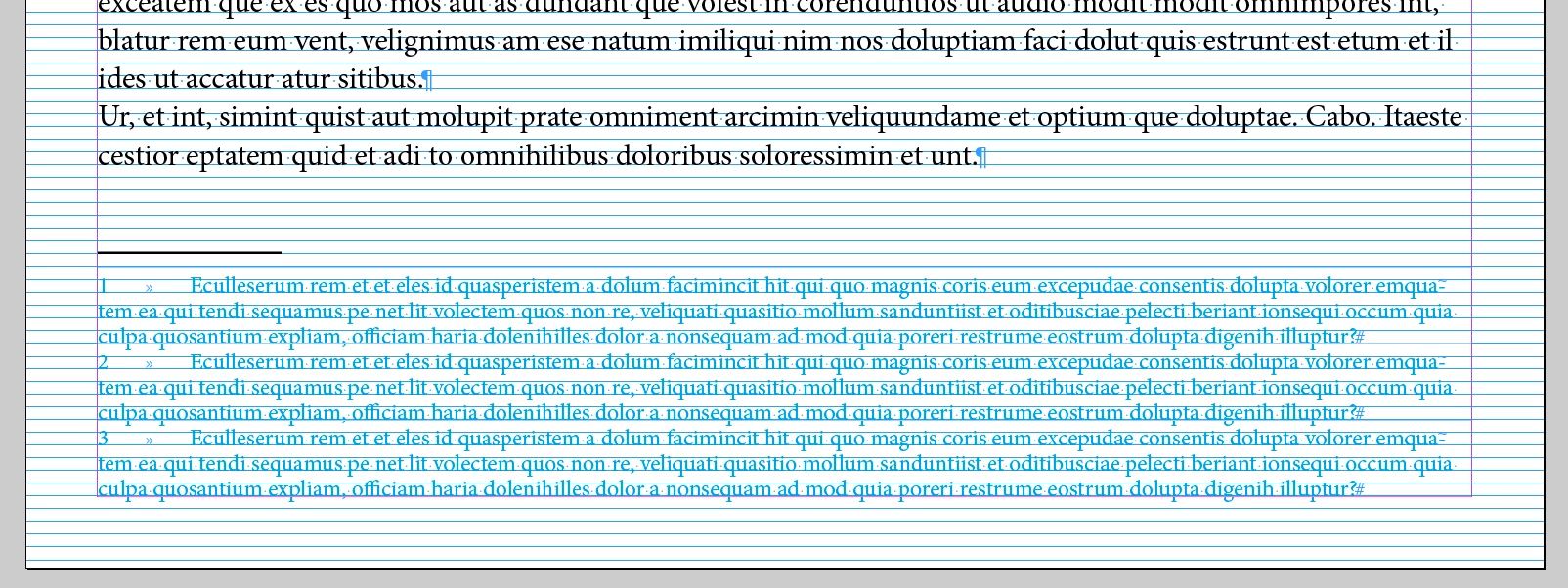
So, my question is, is there a magic combo of options to make the FIRST line of the FIRST footnote align to the baseline grid, but all others fall directly after the first with no extra space. I'd like the footnotes to look like this, but with the same amount of space between them and the body text:

    This topic has been closed for replies.
    Correct answer FRIdNGE

    Hi Michel,

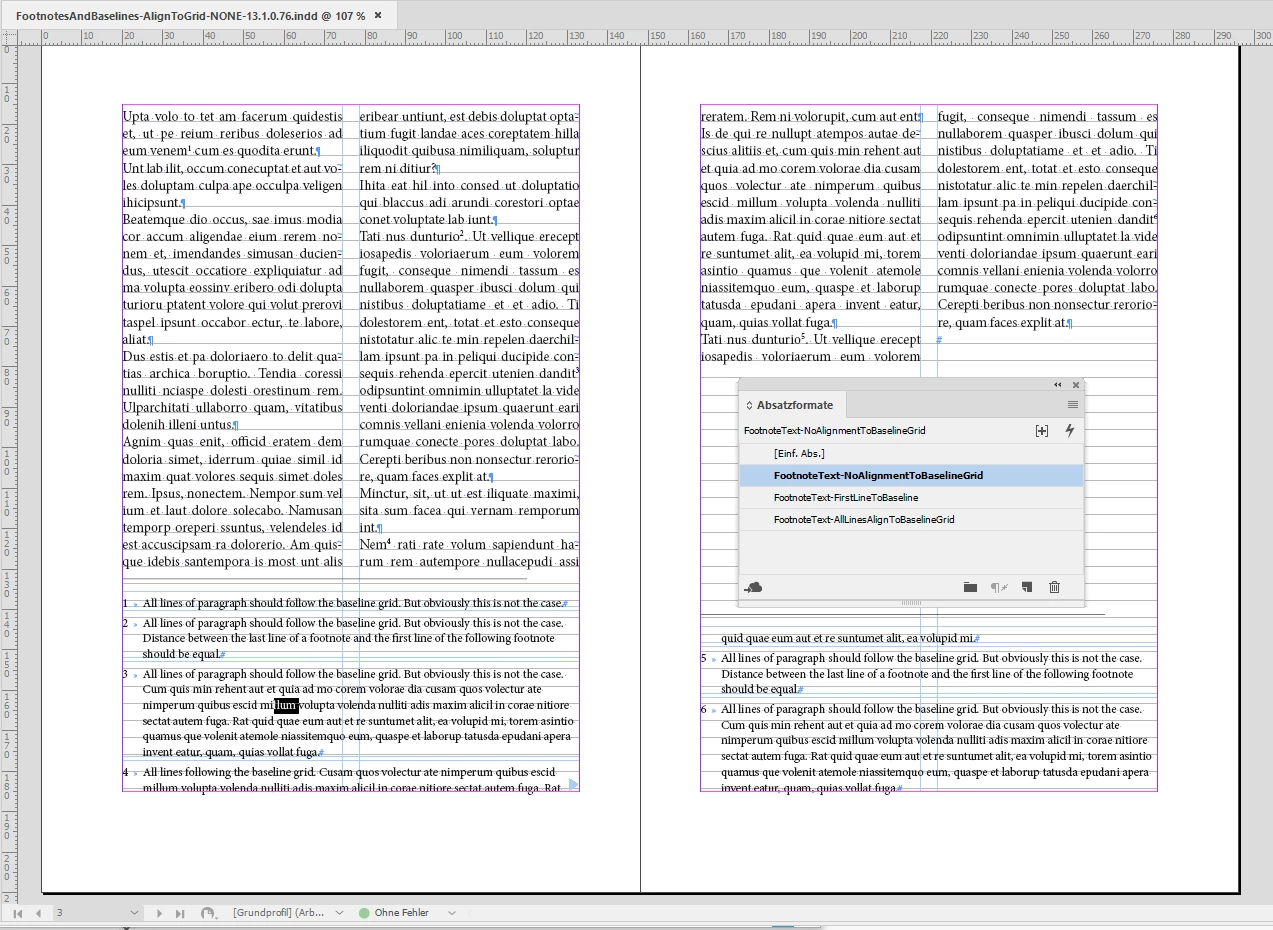
    I don't see any footnote text align to the baseline grid at all.

    Be the setting All Lines or First Line only of the applied paragraph style.

    There is a difference in leading if I do None and change that to All Lines, but the lines of the footnote text will never align with the document's baseline grid.

    Tested with inDesign CC 2018.1 version 13.1.0.76 on Windows.

    Footnote text, Align to Baseline Grid: None

    Footnote text, Align to Baseline Grid: First Line

    Footnote text, Align to Baseline Grid: All Lines

    Regards,
    Uwe


    Aha! You're true! … the script triggers nothing about the grid even if the code is correct!

    I think we could play with the grid if we use a small 5 pts grid where the current text [12 pts] has a 15 pts leading and the footnotes [9 pts] 10 pts!

    Just good maths! 

    Best,

    Michel

    1 reply

    Community Expert
    June 29, 2018

    Hi Gary,

    since every footnote text is an entity for itself I see no way to achieve what you want.

    Observer the entity's bounds of a footnote text, the horizontal non-printing lines. In case the first line is following the baseline grid the height of the footnote text area changes drastically as seen with your second screenshot for footnote text 5. Distances between footnote texts are meassured from footnote text area to footnote text area and not from the last baseline of the footnote text to the first baseline of the next footnote text.

    Regards,
    Uwe

    FRIdNGE
    June 29, 2018

    Hi Uwe,

    To be discussed with you! …

    [condensed version]

    var myTextFrames = app.activeDocument.textFrames.everyItem().getElements(),  T = myTextFrames.length,  t;

    for ( t = 0; t < T ; t++ ) if ( myTextFrames.footnotes.length != 0 ) myTextFrames.footnotes[0].paragraphs[0].gridAlignFirstLineOnly = true;

    Best,

    Michel, for FRIdNGE

    Community Expert
    June 29, 2018

    Hi Michel,

    your script will apply the first line of the first footnote text to the baseline grid.

    Yes. But it will not solve the problem Gary has with the distance to the next footnote text.

    An ugly way would be to use baselineShift to change the distance of the second footnote text in the same text frame and all other lines below it.

    Regards,
    Uwe