Participating Frequently
January 25, 2021
Answered

Align numbering / bullet points right from the text

  • January 25, 2021
  • 3 replies
  • 678 views

Hi all,


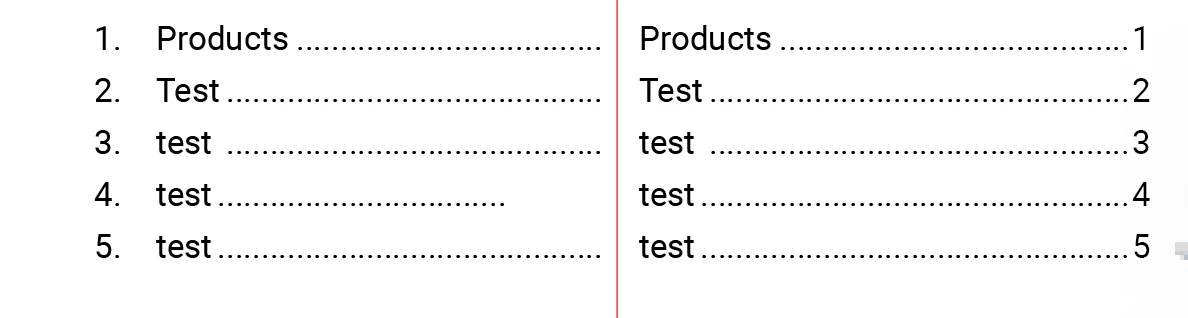
I'm struggeling with the numbering and bullets in InDesign, I want to align the numbers on the right side of the text, but I can't do it automatically (Like the right paragraph). Is this possible to align the bullet and numbering option on the right of the text?
 

This topic has been closed for replies.
Correct answer FRIdNGE

Feature requests so often mentioned have never been, imho, a right solution!

... unless "time" has no importance for you and unless you can wait ... years (or even indefinitely)!


Just For Comment:


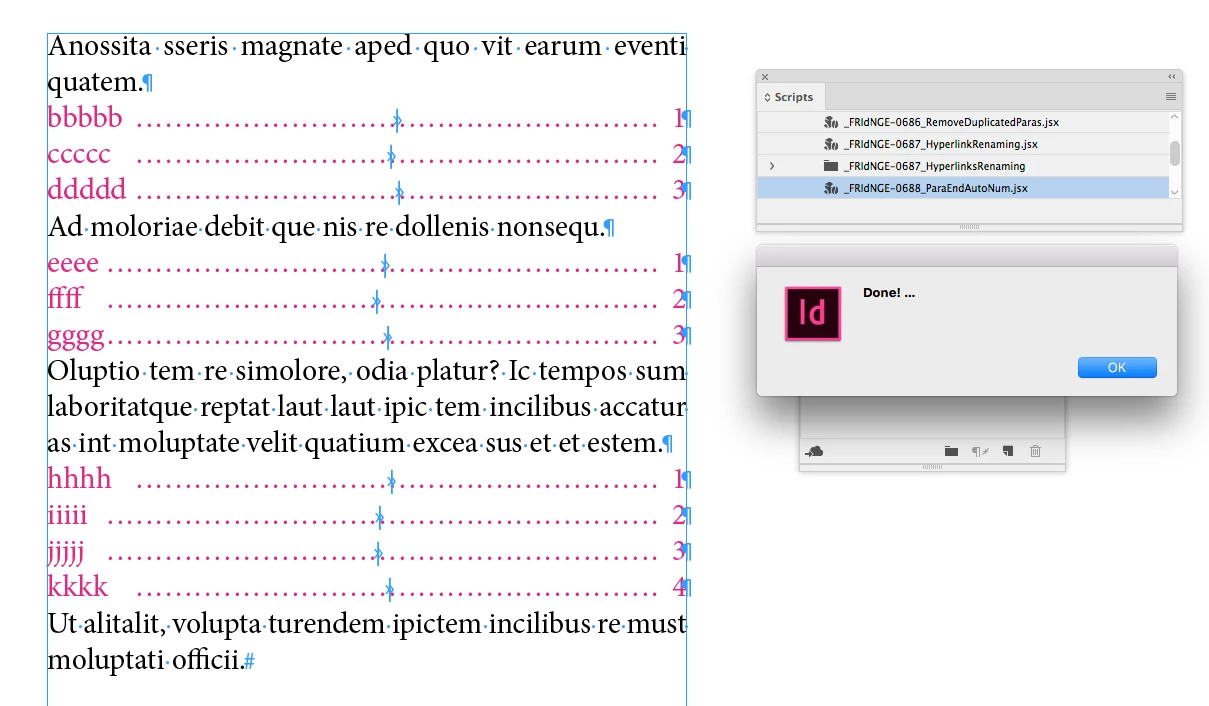
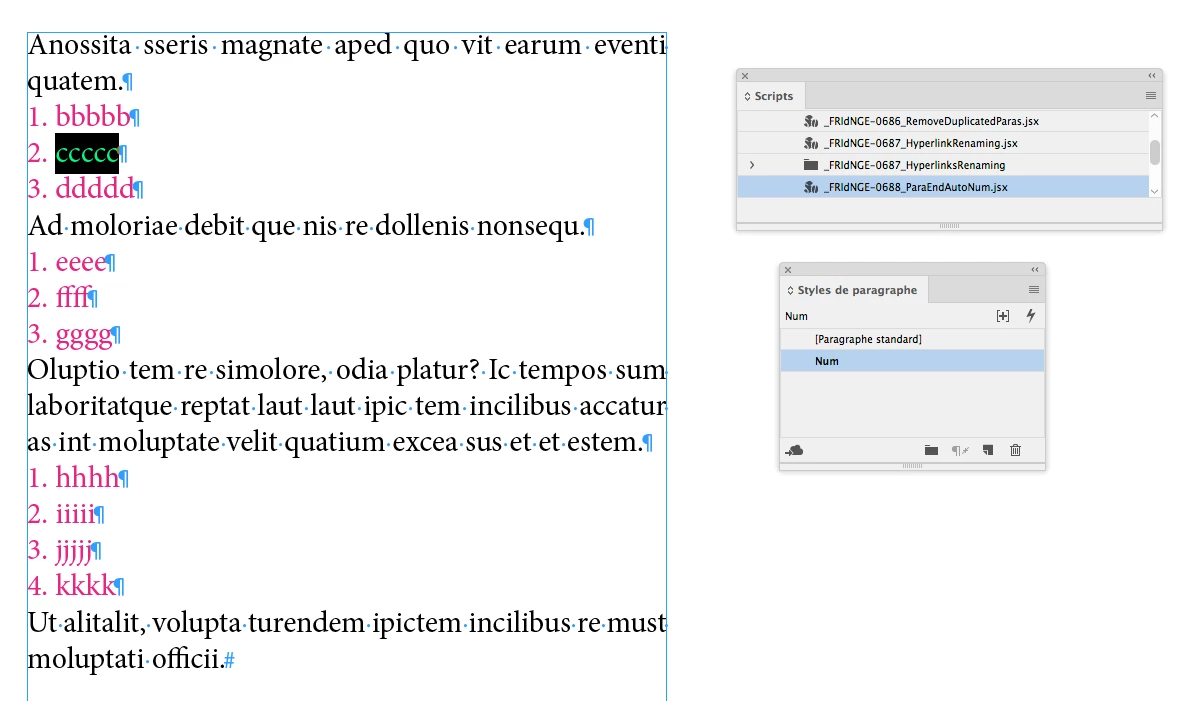
Using an ID existing version, could it be done … without pain?

Sure!


Just 1 click!


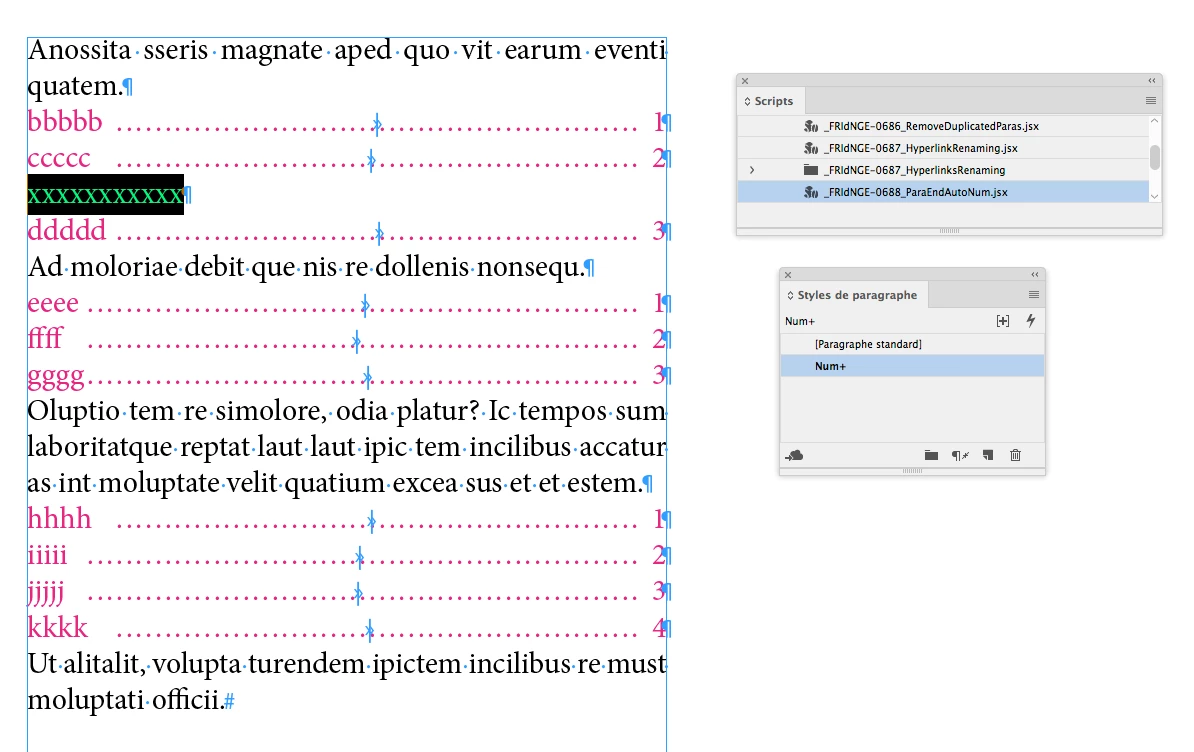
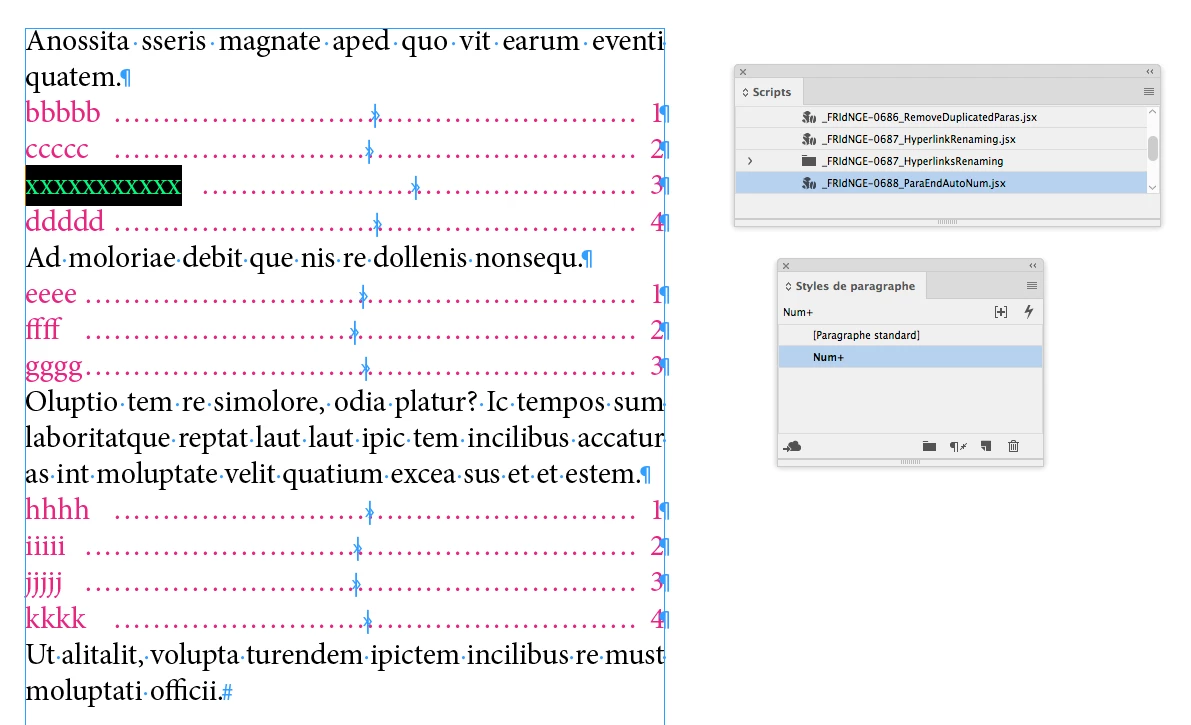
If, later, you add a new para in your list, you can keep cool: just run the script again!


Note the main "auto-numbering" is still here! but just "mise en sommeil" like "la Belle au Bois-dormant"! [x2 in french]


(^/)  The Jedi

3 replies

FRIdNGE
FRIdNGECorrect answer
January 25, 2021

Feature requests so often mentioned have never been, imho, a right solution!

... unless "time" has no importance for you and unless you can wait ... years (or even indefinitely)!


Just For Comment:


Using an ID existing version, could it be done … without pain?

Sure!


Just 1 click!


If, later, you add a new para in your list, you can keep cool: just run the script again!


Note the main "auto-numbering" is still here! but just "mise en sommeil" like "la Belle au Bois-dormant"! [x2 in french]


(^/)  The Jedi

FemkeB97Author
Participating Frequently
January 26, 2021

Thank you for the answer. I think this is the best solution so far. Where can I get the script? 🙂

Barb Binder
Community Expert
Community Expert
January 25, 2021

FrameMaker—Adobe's other page layout program—allows you to place auto-numbers either before or after the text. InDesign does not have the ability to move the auto-numbers after the text. You can put in a feature request, here: https://indesign.uservoice.com/.


~Barb 

~Barb at Rocky Mountain Training
Legend
January 25, 2021

Is this a table of contents? If so, you can use the TOC tools to create this.

FemkeB97Author
Participating Frequently
January 25, 2021

No it's not a Table of contents. For example "1." refers to the "1." on an image on the same page. 

FRIdNGE
January 26, 2021

Sure! Better than nothing.


Low price paid script. If interested, PM me!


(^/)