parcea
Inspiring
March 12, 2019
Answered

Align text: Left, Center, Right

  • March 12, 2019
  • 4 replies
  • 1302 views

I am working on a directory and would like to align the text, but not sure how to do it. I know how to left, center, right, but  this is a little different.

Here is what I am looking for:

Name (Left)                    Class information (Center)                    Room Location (right)

    This topic has been closed for replies.
    Correct answer Barb Binder

    Hi Parcea:

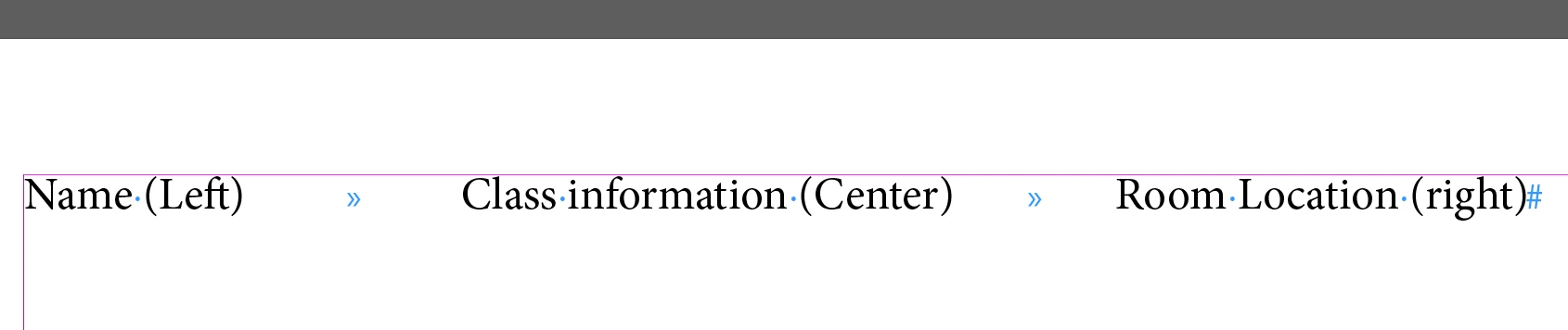
    One way to do this is to add one tab character between each column and then set a center and right align tab.

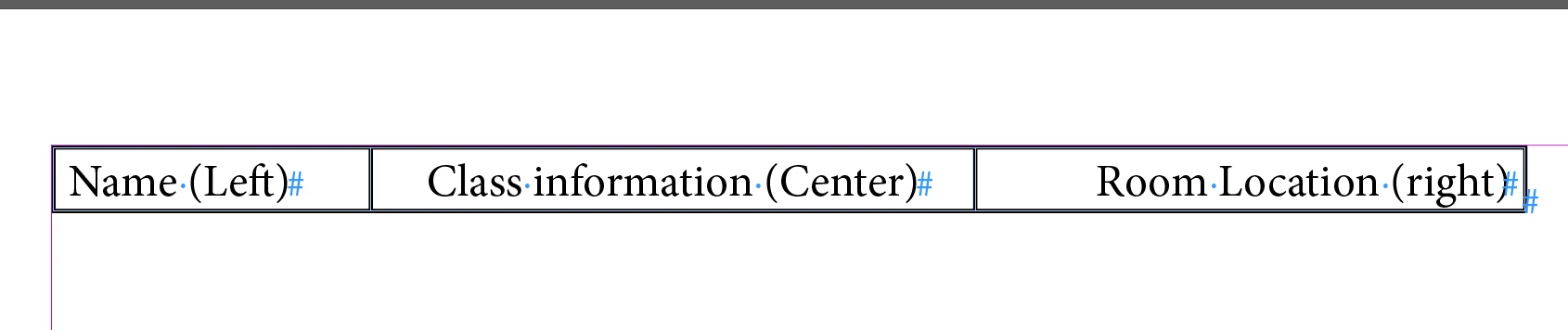
    An alternative is to convert the tab text to a table and then set the alignment within the cells:

    ~Barb

    4 replies

    parcea
    parceaAuthor
    Inspiring
    March 12, 2019

    Thank you!

    Legend
    March 12, 2019

    Set this up with tabs. Type a tab character between name and class info, type a right-aligned tab (Shirt-tab) between the class info and the room location.

    Place a centering tab in the middle of the line.

    parcea
    parceaAuthor
    Inspiring
    March 12, 2019

    Thank you!

    Barb Binder
    Community Expert
    Barb BinderCommunity ExpertCorrect answer
    Community Expert
    March 12, 2019

    Hi Parcea:

    One way to do this is to add one tab character between each column and then set a center and right align tab.

    An alternative is to convert the tab text to a table and then set the alignment within the cells:

    ~Barb

    ~Barb at Rocky Mountain Training
    Doug A Roberts
    Community Expert
    Community Expert
    March 12, 2019

    You'd use a paragraph style with three tabs: a left-aligned, centre, and right-aligned one positioned as required relative to your text frame. But depending on your requirements you might be better off with tables.